System Details
-
- Device: Vell - Dragonfly Pro Chromebook
- OS: Ubuntu 26.04 (beta)
- Firmware Type: UEFI Full ROM only
- Firmware Version: coreboot MrChromebox-2603.1, 4/9/2026
- Internal storage type: NVMe
Summary of the Issue
I installed Ubuntu 26.04 (beta) on this Chromebook (to the internal disk, this is not a live USB session) and initially all the hardware worked out of the box except for the inbuilt microphone. The sound output via the inbuilt speakers worked correctly. This included when connected to my docking station which also contains an audio device - I could swap between them in the Ubuntu settings app.
To try get the microphone working, I ran the WeirdTreeThing audio script per the steps for Ubuntu 25.04+ here: https://askubuntu.com/questions/1486278/how-to-install-chromebook-audio-drivers-in-ubuntu . This was the terminal output when I ran the script.
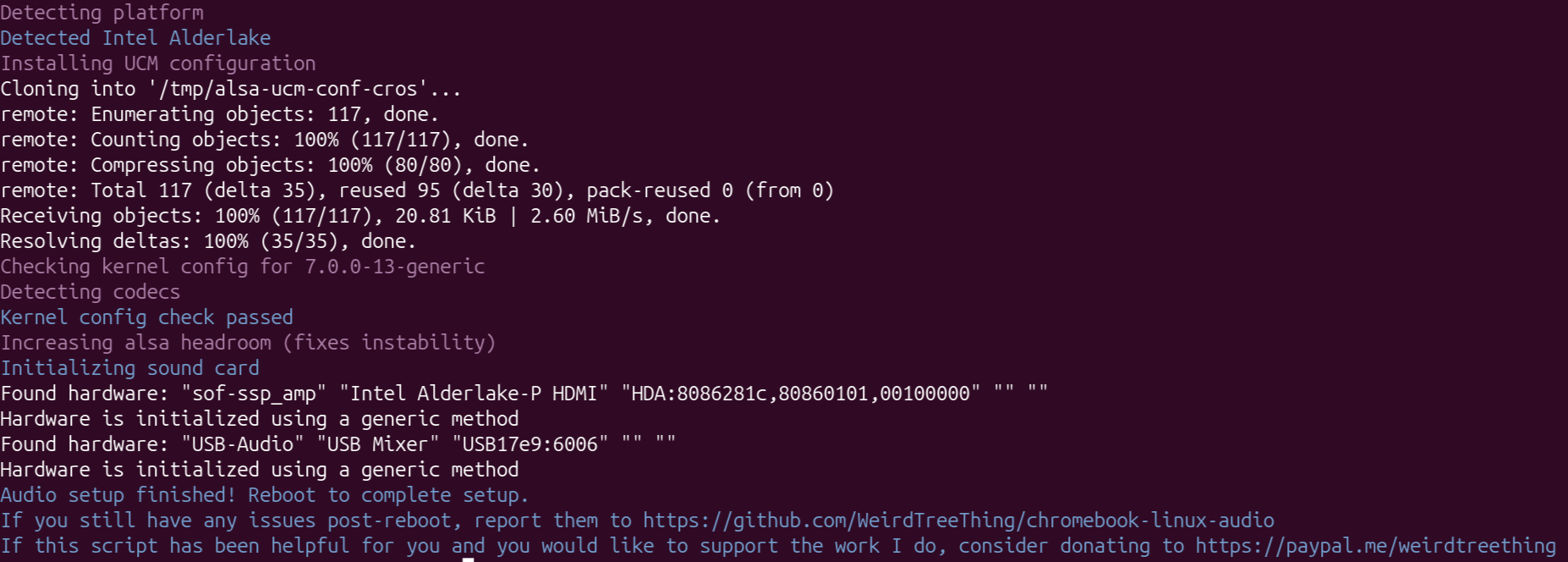
After rebooting, the inbuilt speakers stopped working. The inbuilt microphone is still not working either. The audio devices show up in the Ubuntu settings app, but they are not working. See 2nd screenshot here: https://imgur.com/a/QVZ1grY
Here is the output from lspci - see 3rd screenshot here: https://imgur.com/a/QVZ1grY
Any help getting this working would be much appreciated. This is a new Ubuntu installation that I’m not invested in. So I’m happy to test things that may break Ubuntu.
(cross link for troubleshooting the same hardware in Windows: Vell - Dragonfly Pro Chromebook - Windows hardware drivers troubleshooting )