Hello, I am attempting for the first time to flash MrChromebox Firmware onto an HP Chromebox G4 and unable to flash the full ROM or successfully use the RW_Legacy firmware.
Initially, I wanted to install the UEFI full ROM, however, when running that part of the script, I received the error: “The script does not currently have a firmware file for your device (GLADIOS); cannot continue.” According to the supported devices on the MrChromebox site, I should be able to use the full ROM firmware.
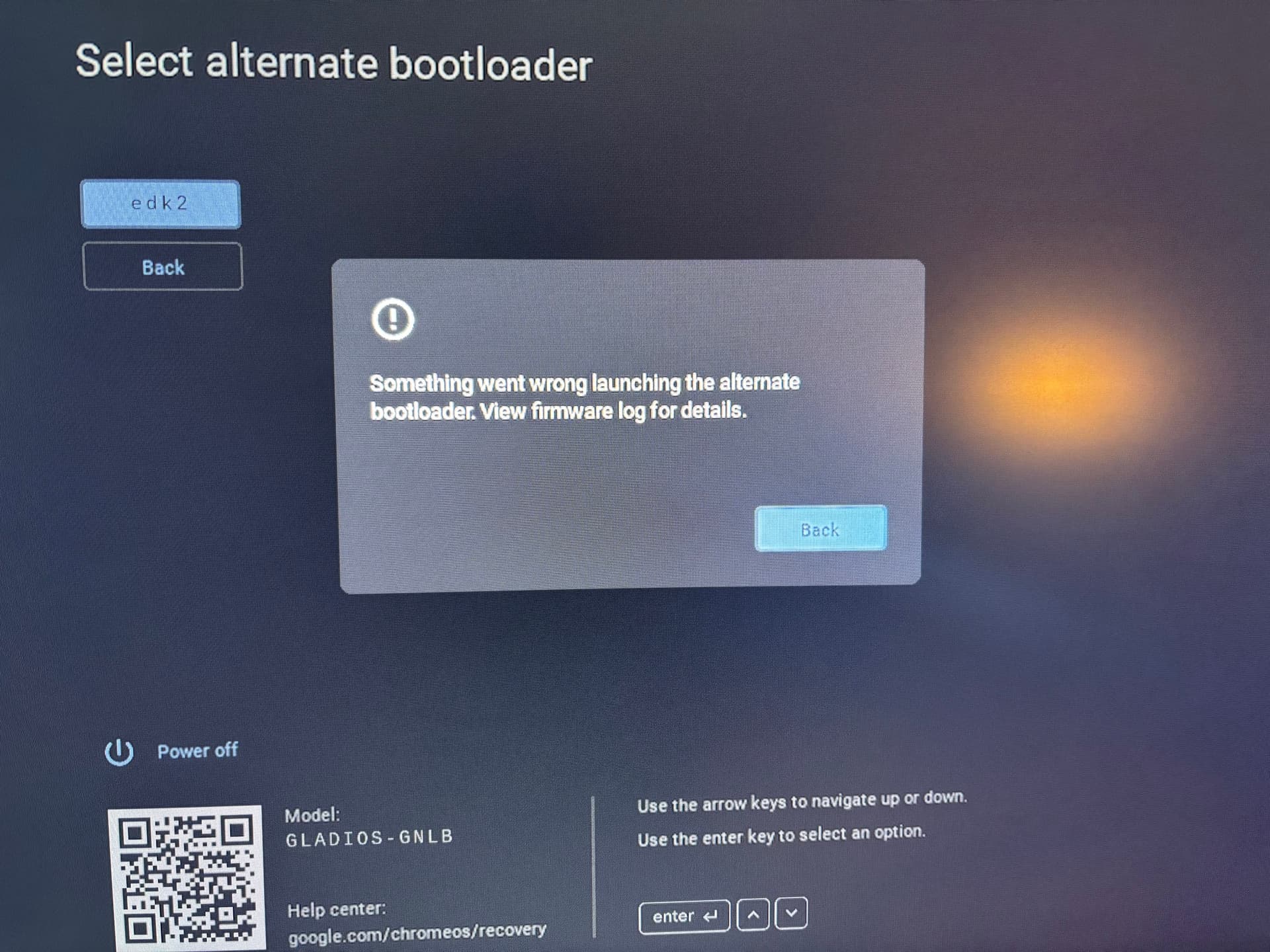
Next, I instead tried the RW_Legacy firmware. This successfully installed, however, I am unable to launch the bootloader and receive an error.
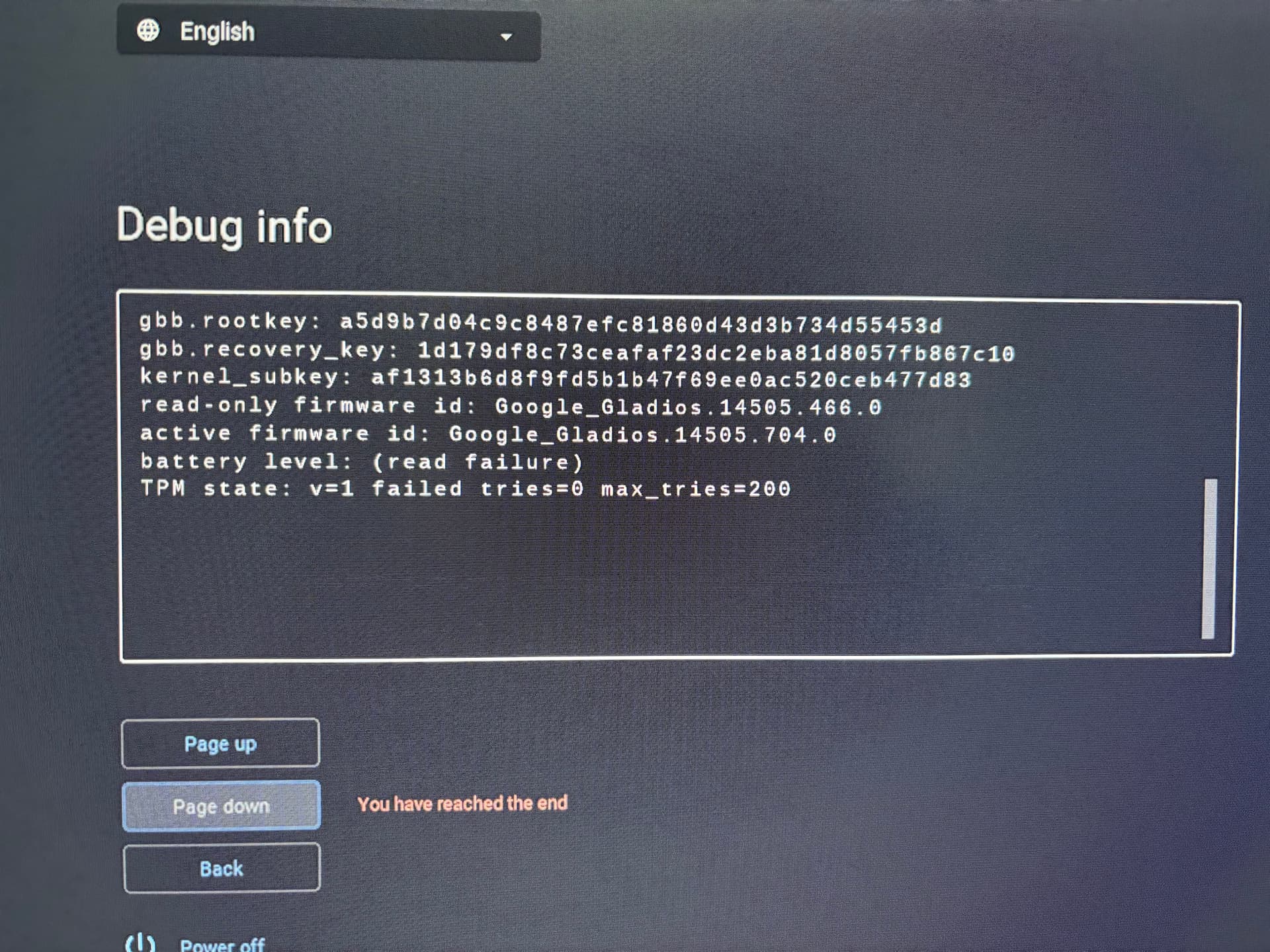
re: Alt bootloader - what are the RW firmware version and date as shown on the debug info screen? Alderlake boards are split between two RW_LEGACY firmware builds based on firmware date, so I have to shuffle them between groups as they get updated.
re: Full ROM - seems I forgot to add the entry in the script
Here are the images of the debug section. I hope this is helpful to you.
However, since your have edited the script, I was able to successfully install the full ROM firmware.
I am currently attempting to install a linux distribution now, and having some difficulty. It is not able to find the linux boot manager that has been installed with the operating systems I have tried (NixOS, Debian, Cachy). Would that be due to a firmware issue? I am still troubleshooting, but if you have any helpful tips, I would appreciate.
So I have done some troubleshooting, lots of re-installs, and I have not gotten any further. Essentially it does not seem no matter how I try to install a new operating system it is not able to find the efi or boot partition.
I think my next pursuit is going to be trying install and boot from a microsd card instead of the onboard storage. Hopefully this is more helpful than my previous post in describing my error, and I thank you for any assistance you can provide.
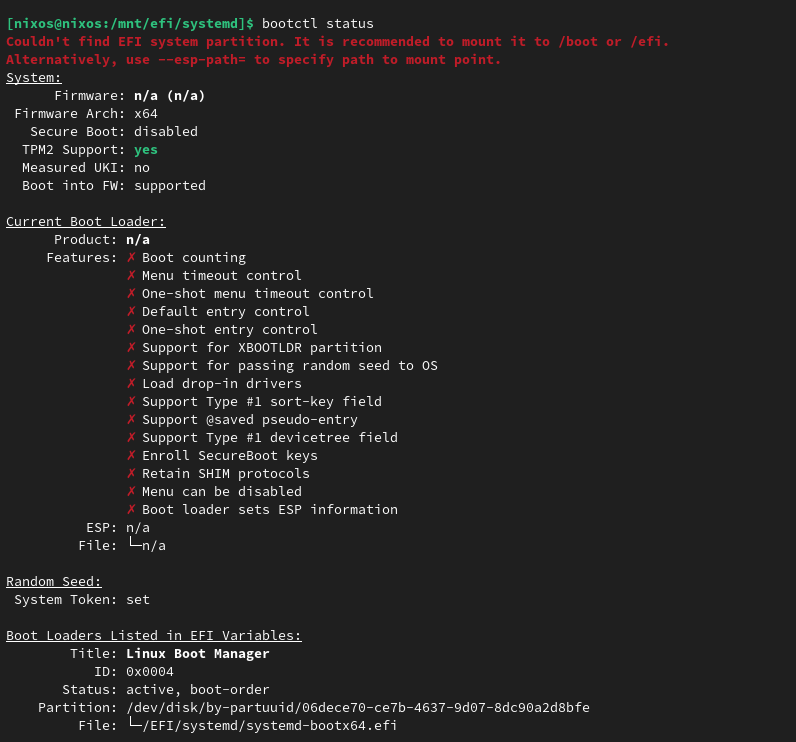
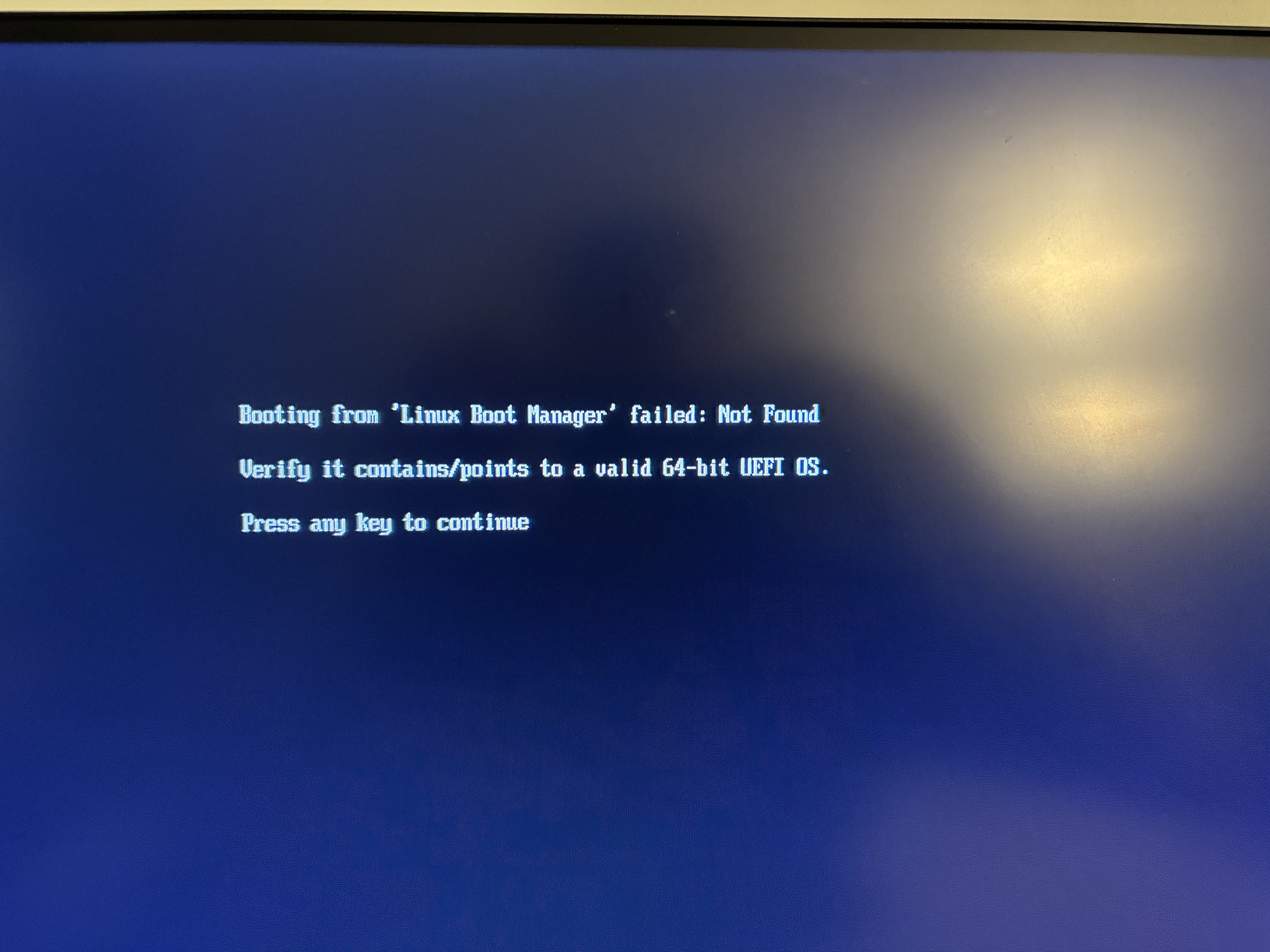
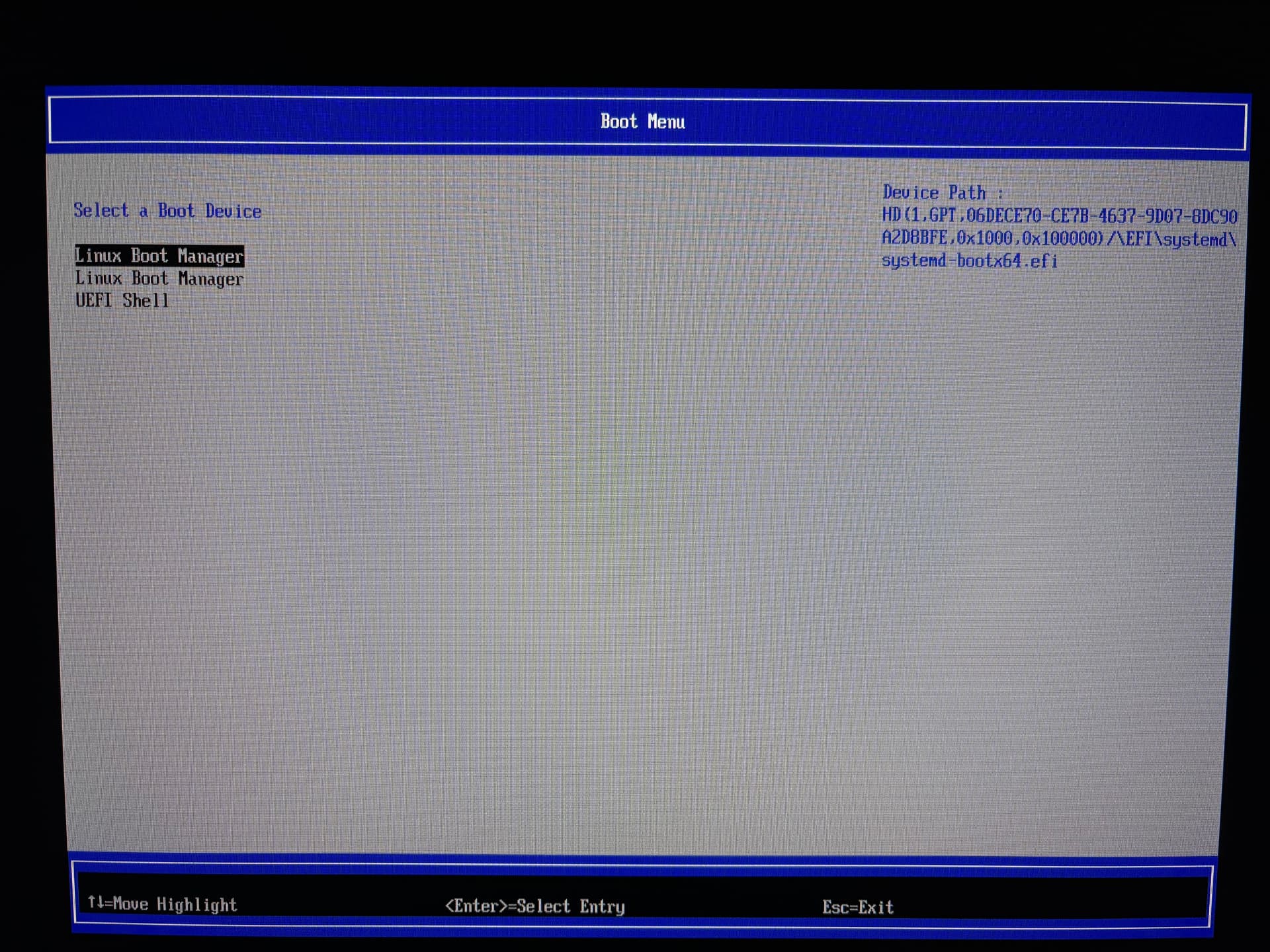
My apologies for not being clear. The chromebox firmware does not seem to be finding the boot partition. This means that my chromebox is not able to boot from any of the linux distributions I attempted installed on the chromebox storage. This has happened every time after I run through a standard Linux installation. This image below is what the bootloader shows when I boot the chromebox after installing my chosen operating system. In my previous post I used an image of the result of bootctl to show that the firmware seems to not communicating properly to find and start a ststemd boot. I am able to boot fine from a usb drive, however I am not able to boot once i install linux onto the chromebox storage.
when on the boot menu screen, highlight the Linux Boot Manager entry and post a pic showing the info on the right which tells where that entry points to on disk
Are there troubleshooting steps you wish me to follow? From related posts I am not seeing a standard log or command for troubleshooting this error. Let me know or send me something I can read on this and I will be as helpful as I can. Thanks for your work!
there’s no way to log to serial with edk2 as a RWL payload. if I enable logging to cbmem, it will likely get truncated since the stock firmware doesn’t allocate enough room for it. The best way to debug is with a debug-enabled full ROM and a SuzyQ; 2nd best is a cbmem logging enabled full rom build
I still have my suzyQ-cable and what is installed is the full ROM firmware, is enabling debug on it different than normal chromeOS debug mode? (I assume so)
Could you tell me what commands would be helpful in troubleshooting? Are there logs or commands other than cbmem i should be trying? I will be honest that I am not very experienced (as you might have been able to tell) but I will read and man pages or whatever to try and troubleshoot.
Essentially I am confused on how / what I can do to continue fixing this problem.
I have an HP g4 and removing the CR50 battery does not disable the firmware write protection.
Is the only solution to use SuzyQ?
I managed to install Linux with RW_legacy, but I can’t get it to boot automatically. Is it not possible to do so without removing the firmware write lock?
as per the supported devices list on my site, yes. Not sure why you thought the CMOS battery would affect WP.
you’ve got one with eMMC, don’t you?
Google started using a new PCI-e attached eMMC controller (Genesys Logic GL9763E) on the Alderlake-U/P boards, since it doesn’t have native support like older SoCs do. That controller needs a special driver, which is why edk2 doesn’t recognize it (or the SD card attached to the GL9750). This past weekend I wrote a new driver for the GL97xx family and have been testing it on a GLADIOS board someone loaned me. Expect this to be fixed in an upcoming release (2509.2), and I’ll need to update the RWL builds for ADL as well.
shoot me a DM/chat msg and I can supply you a test build in the meantime