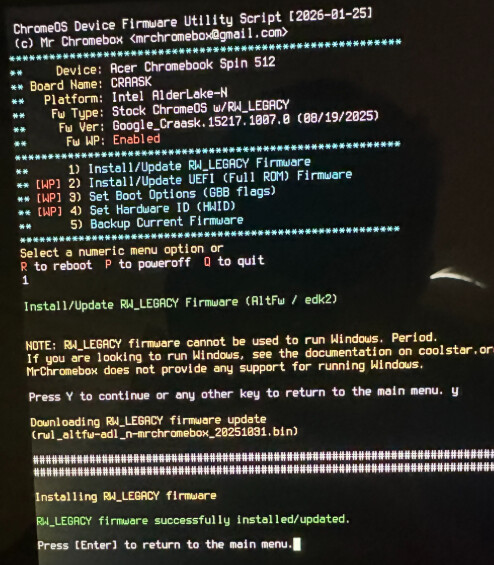
On my Chromebook, I booted into devmode, went into vt2, ran mrchromebox.tech’s RW legacy firmware script, then ran CRAP to resize the stateful partition. After that, I booted into a USB and tried to install openSUSE Leap to the internal disk. The bootloader picked up the USB, booted it, and the installation went fine, and succeeded….. and then I rebooted into my new OS…… nothing. The bootloader could not find any boot options except for the USB stick. Interesting. So I decided to try fedora 43, as that’s reccomended by the guide. Still nothing, the bootloader found nothing. I then tried formatting a custom partitioning scheme with a formatted 512M partition for EFI, a 1G for boot, and the rest for the system, then made the fedora installer use those mountpoints. Installation succeeded, bootloader showed no bootable devices, could only boot the USB. Keep in mind, all this time, chromeOS was still bootable (I exited devmode and that’s how I’m making this post.) Any ideas? My board is Nissa, my laptop is unkeyrolled on kv6 (unenrolled ofc, home Chromebook) and its an Acer Chromebook 512 spin.
Please ask for any more info!