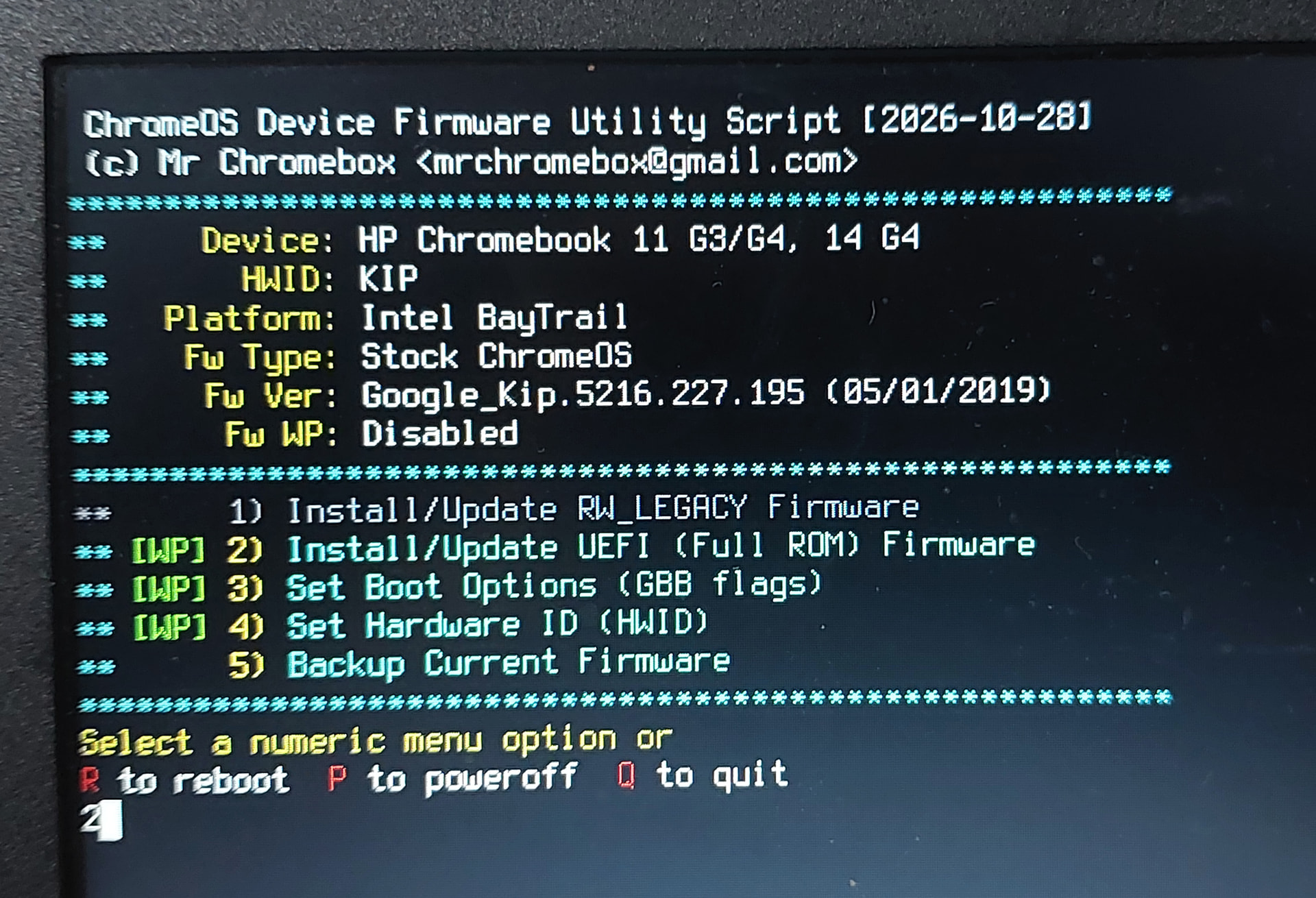
you need to provide the actual firmware verison as reported by the device itself (on the firmware setup screen). Don’t know where you got what you listed above.
Also, it would be helpful to know the screen type and resolution of the external display. The internal panel on KIP is 1366x768, so if your external display doesn’t support that, there’s no way that the internal display can be mirrored at boot.
what you’re saying is irrelevant. EOL or not, you’re running 7 year old firmware, if that is actually the firmware date. I’m not going to waste any time trying to diagnose any issue there.
If you want further support, update to the latest firmware (which is 3 days old) and report back.
May I know if you’re referring to the script’s FW version or the device’s? As the script’s one is 2026-10-28 . If its the device’s, how may I update it?
when you run the script, it will give you the date the script was updated, but it will also show the current version of the firmware and date, as reported by dmidecode.
The first menu option of the script is literally to update the firmware.
ok, so if you just now/recently installed the UEFI Full ROM firmware, the script should show that your device is running the latest version. The date of the stock firmware before you flashed isn’t relevant.
The current firmware shows you the date and version on the setup menu screen when you press ESC for the boot options/settings.
Given that you’re running the latest Full ROM firmware, the issue is simply that your external display is not capable of mirroring the laptop panel at it’s native resolution, which is the only mode supported at boot.