Tried to restore original stock chrome os bios (using the backup AND premade backup), but display won’t come on

I tried to restore a REEF (specifically ELECTRO) Chromebook’s firmware with using the backup, and the premade backup but nothing will get the display to come on. The LED screen lights do come on, but after waiting TEN MINUTES, nothing really happens after the LEDs come on. I tried to restore the stock firmware using the GSC Debug Tool. (Aka SuzyQable Adapter: Chromebook Debug Board / "SuzyQ" / "SuzyQable" adapter for Cr50 / Ti50 | eBay). Could anyone point me in the right direction? And some more info before I started the attempts of restoring stock firmware using the GSC Adapter: It bricked itself when I tried to restore stock firmware with just using the firmware utility script + the original backup file. (See image provided)
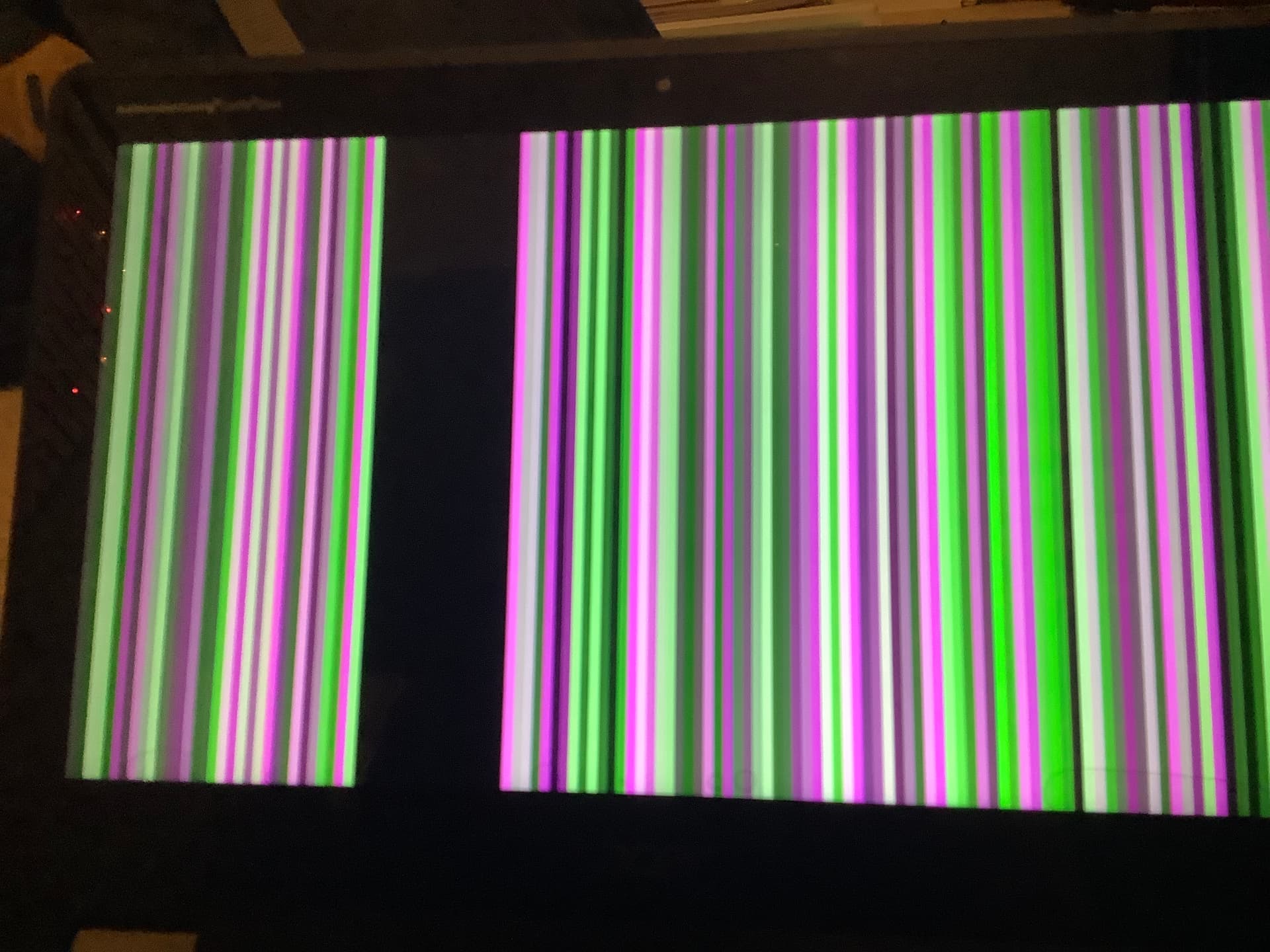

I’m genuinely just tried and really need help with this situation.

@MrChromebox Sorry to bother you, but do you think you could help me?

so you:

  • restored the stock firmware using the script
  • it failed to boot
  • so restored same firmware via SuzyQ
  • same result

is that correct?
what command did you use to flash via SuzyQ?

you can also try flashing a shellball image for REEF, along with your VPD and HWID

Yes, thats correct but with the outcome of using the script, it bricked the chromebook. Since it’s an intel-based device, i used sudo flashrom -p raiden_debug_spi:target=AP -w /home/interloper/reefbu.rom --ifd -i bios -N. I haven’t tried using a shellball for reef, so I might try that

So: The shellball method absolutely worked. The bios is not corrupted/bricked at all. Thank you MrChromebox for the suggestion of using a shellball!