On the touchpad driver for my dell chromebook 3100 2 in 1 (GRABBITER), it says in the error, “This device cannot find enough free recourses that it can use (Code 12)” I’m stuck with a usb mouse, how do i fix this?
1 Like
most likely by installing the rest of the drivers needed for the device. What’s your device manager look like? lots of unknown devices / devices missing drivers?
1 Like
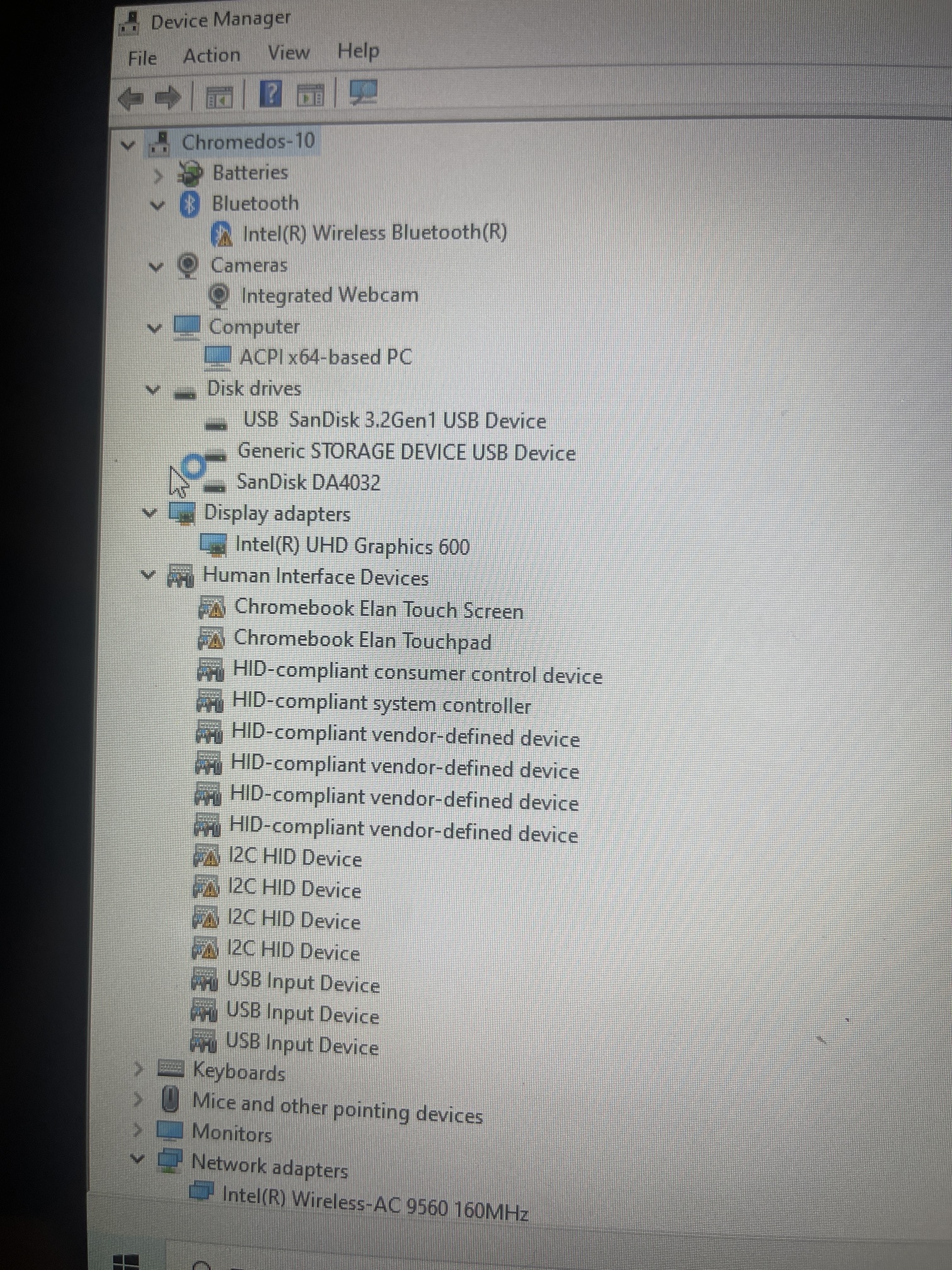
scroll down, seems like your entire i2c subsystem isn’t working, so of course your touchpad/touchscreen aren’t.
What firmware version are you running?
1 Like
How do I check?
1 Like
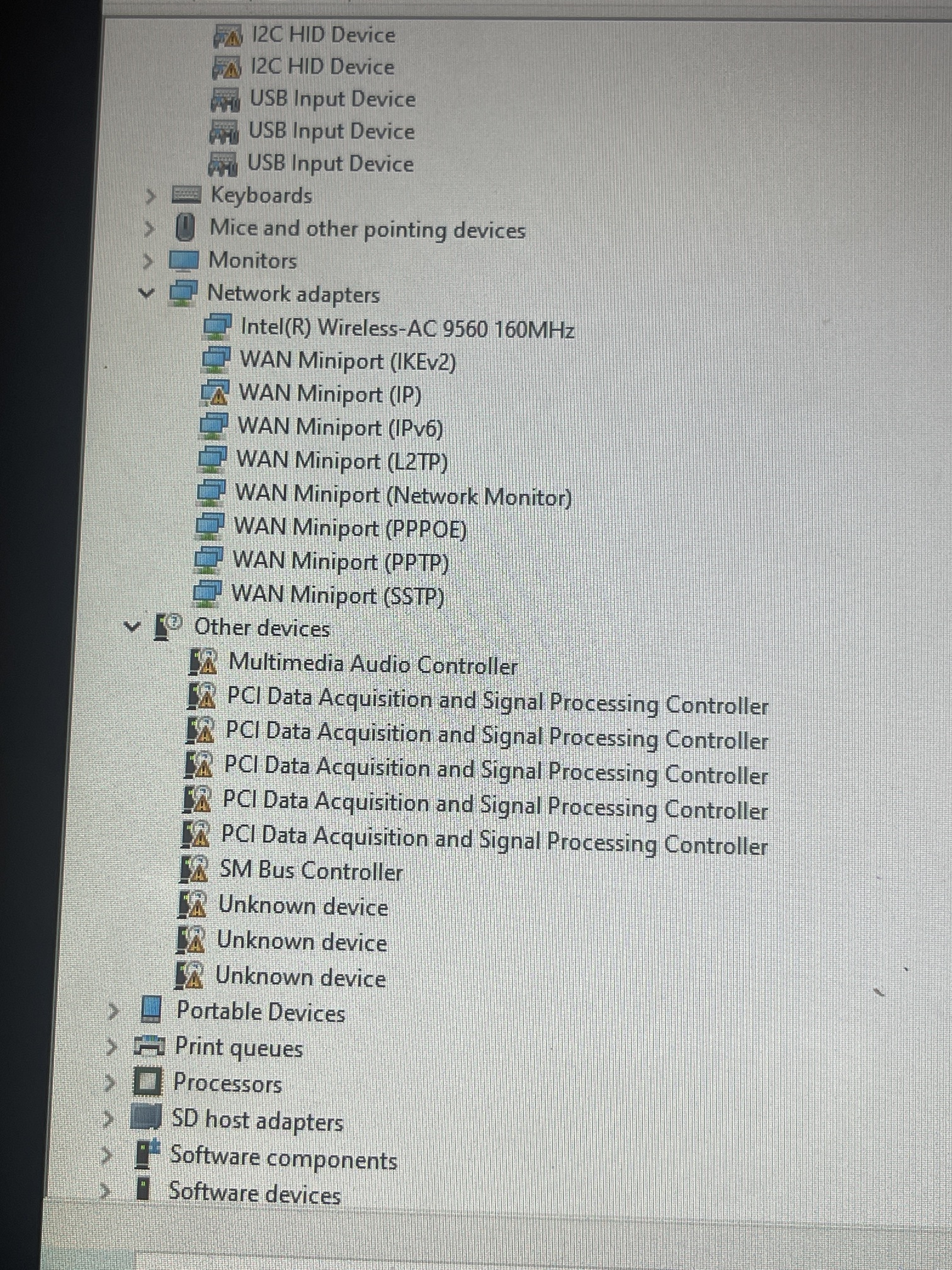
you’re using RW_LEGACY and have tons of system devices missing drivers.
How could you possibly expect this to work? Running Windows with RW_LEGACY is not supported, per the documentation here, on coolstar.org, etc. Also, things don’t work when you’re missing dozens of drivers.
1 Like
For this you should make them write in bold: I understand I wont be able to run windows without pain through RW_legacy fw in the script when they choose that.
Fr☺
nah, I don’t want to unduly burden people who want to use RW_LGEACY just because of a few people who will ignore the warning no matter how long it is
1 Like
Right, but why the I ACCEPT then?
For full uefi firmware?
because unlike with RW_LEGACY, there is the possibility of bricking your device
Did it like 50 times, I even memorised the whole process, and never bricked a single device
and yet, the forums are filled with people who have, either via bad luck or an untested firmware image on a new device. It happens, and one should be prepared to recover from it.
Sure thing, Murphy’s rule☺