System Details
- Device: [BLOOGLET, HP Chromebook 14a-na0]
- OS: [ChromeOS]
platform is Intel Geminilake - Firmware Type: [Stock]
- Firmware Version: [Google_bloog.11297.440.0 (01/24/2024)]
- Internal storage type: [eMMC]
Summary of the Issue
Disabling Firmware Write Protection | MrChromebox.tech ← steps im following (on step 2.5)
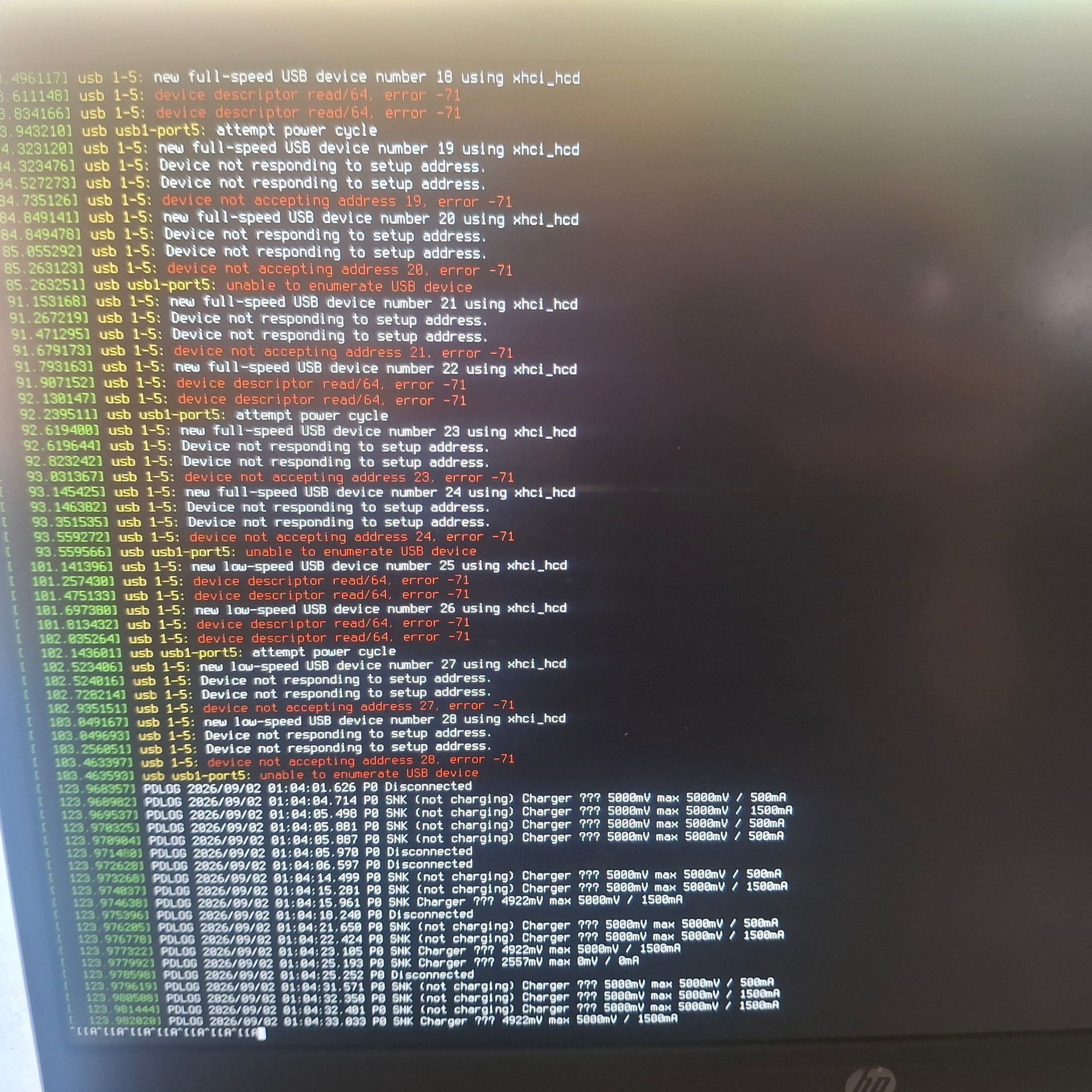
when I run ls /dev/ttyUSB*, it says "ls: cannot access 'dev/ttyUSB*', no such file or directory. It says that it should list 3 USB entires or something. I am using a suzyQ adaptor, I have checkedwith both a USB C to C, a USB to USB C, and both USB-C ports on my device.
The cable board I am using is: https://www.ebay.com/itm/316024978790
Additionally, I have no idea how to go about “In that case, connect the USB-A end of the cable to another device and run the command from there.” if the problem is loopback mode not being supported. It didnt work when I tried that from my linux PC (CachyOS). why did the one part I get stuck on have to be so damn vague
Steps to Reproduce
-
plug in the usb-C cable w/ the suzyQ debug board into the device, with CCD enabled
-
Run
ls /dev/ttyUSB* as root in the VT-2 Terminal.
Expected Behavior
The 3 USB entries of the SuzyQable should have appeared after running the command.