I have a Lenovo 500e 2nd Gen and I really can’t get past the driver installer part. I got the signed license finally recognised but at this point I don’t know if the drivers are working or not even installed.
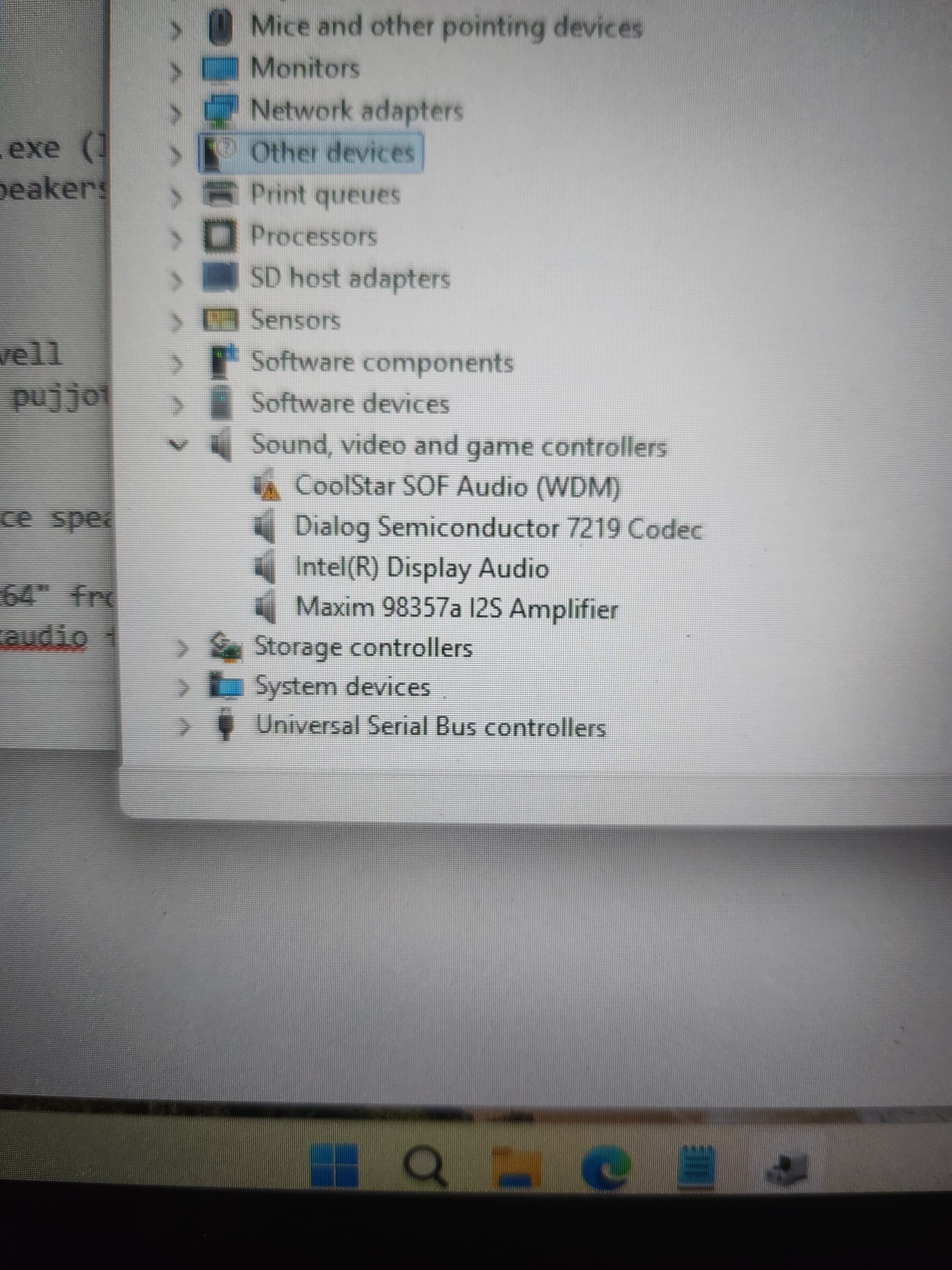
the icon literally tells you it’s not working / there is an error. Right-click, choose properties, and see why it’s not working. post a pic
1 Like
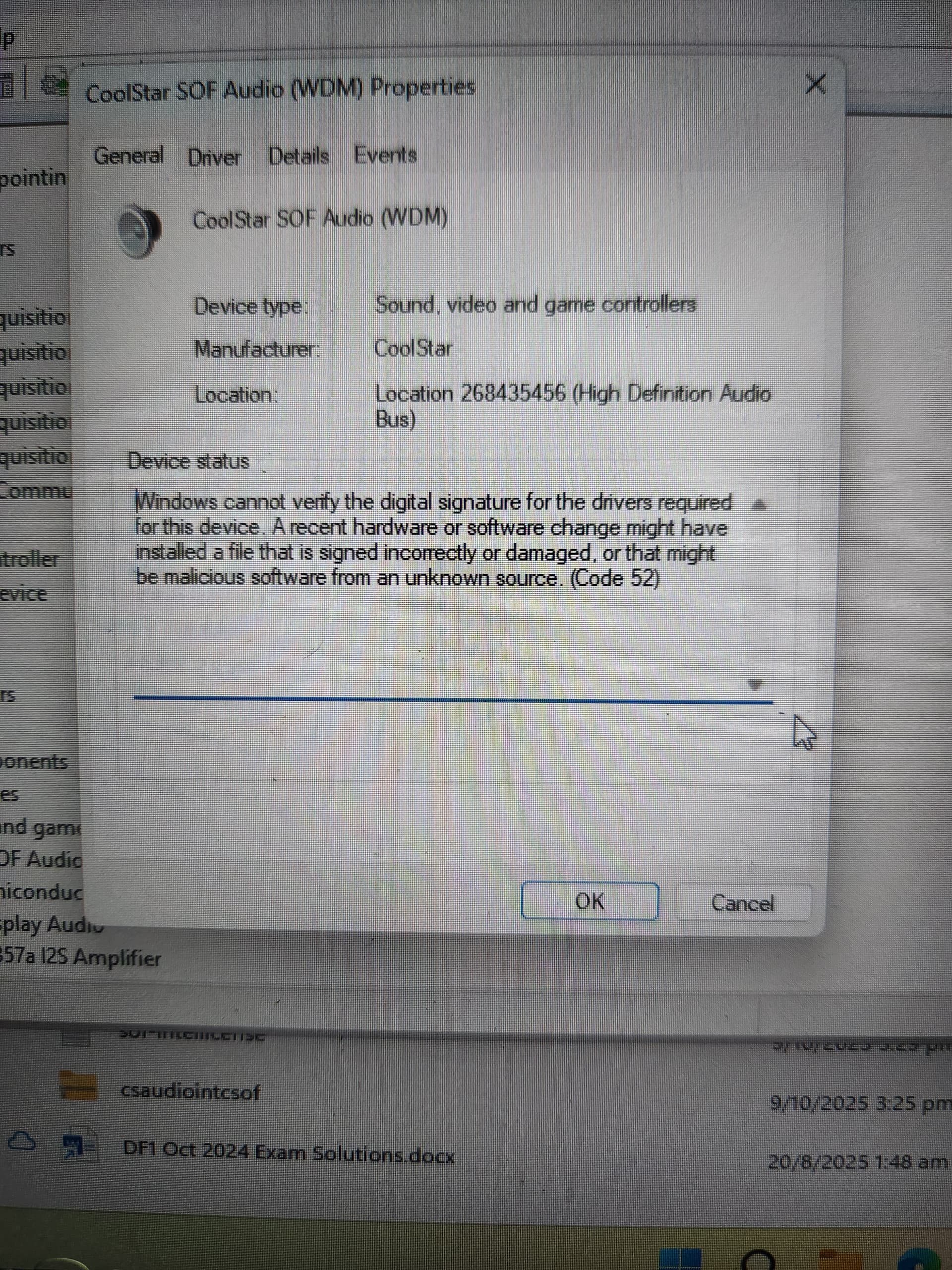
I posted awhile ago, any idea what the issue might be?
if I had to guess, there are other devices under ‘Other Devices’ in Device Manager that are related and are missing drivers, like the i2c controller
1 Like
Omg yea, I tried downloading other drivers before this thinking it would fix the issue but the ended up looking like this. Am I cooked?
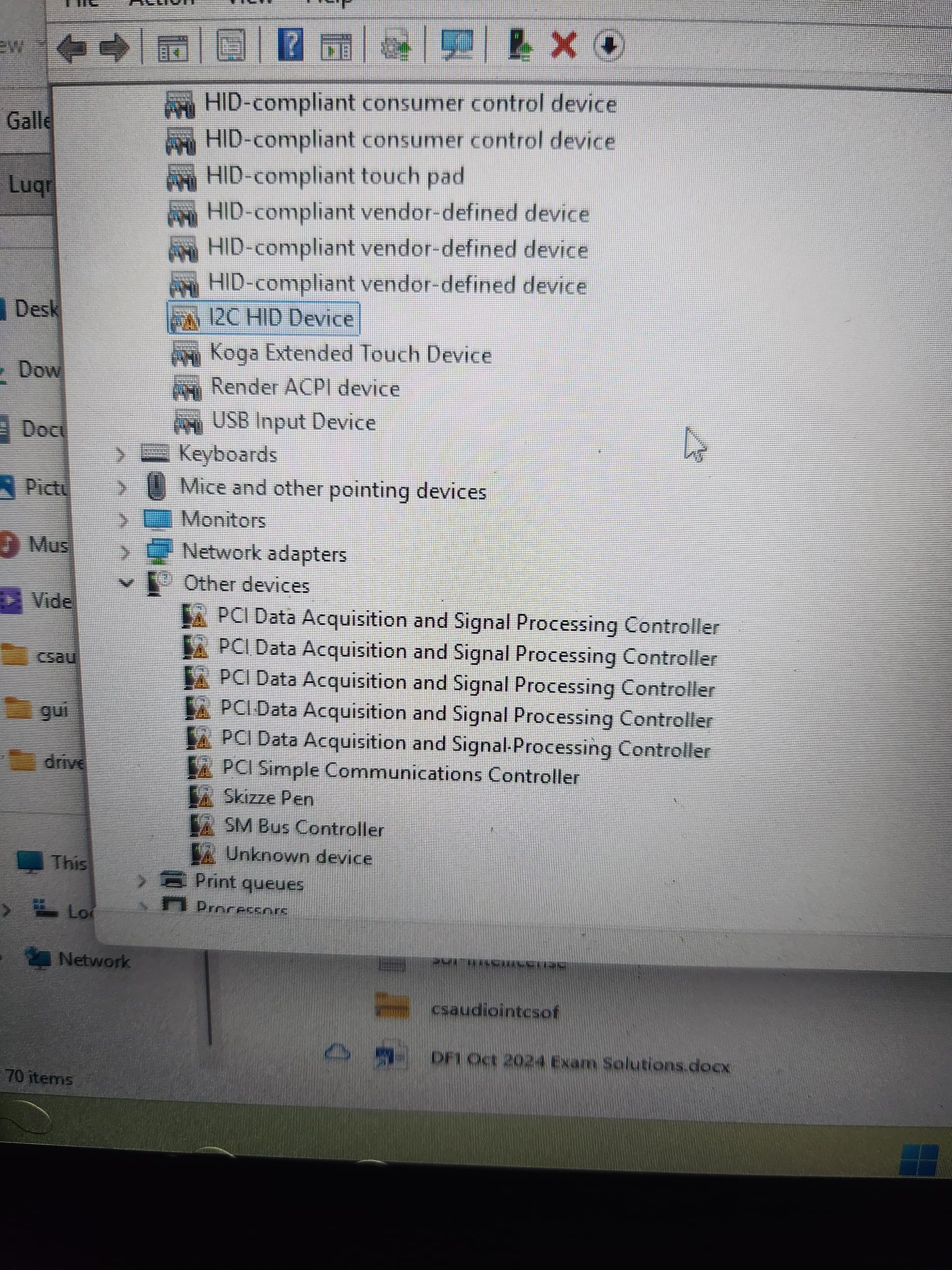
no, you just need to understand basic Windows driver setup / how to install Windows.
Use Snappy Driver Installer Origin to install any missing drivers - missing only, don’t update existing
1 Like
Alritey, I don’t want to mess up, so how do I install the missing drivers? I’m not sure if I should choose any of the start options or even click the top to start the download. I’m afraid I might update existing drivers by mistake.
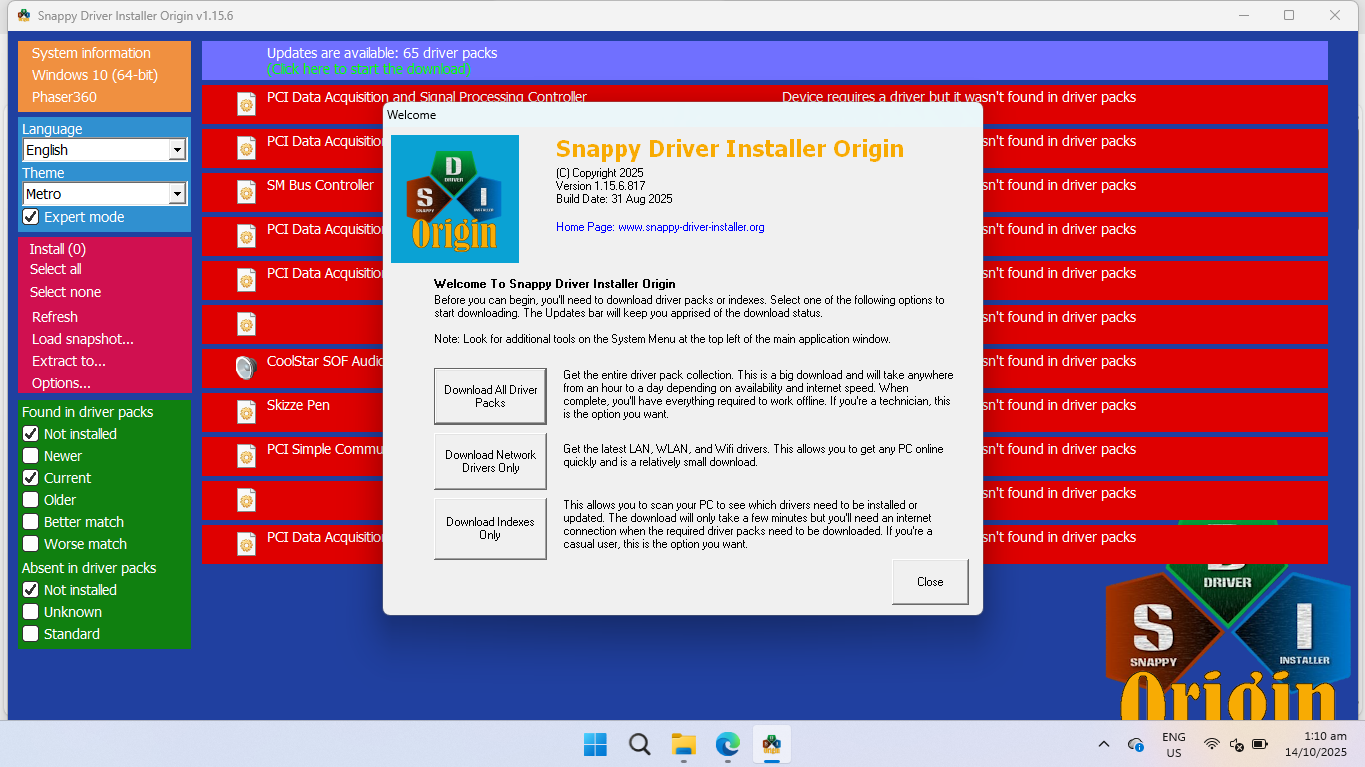
then watch a video or read about how to use it. This is Windows 101 stuff here.
I would download indices only. Then on the left side, uncheck everything other than ‘Not installed’ under ‘found in driver packs’
1 Like
I got it working! Thank you so much for your help, and sorry if I was being overbearing with my questions. This really took me awhile.
great!
Now that you got it working, please review the chrultrabook documentation and let us know how we can improve it, based on your experience
1 Like
Sorry to bother you but one last thing, you mentioned not to update existing drivers. Why though? I’ve been having network driver issues where it disables and disappears from the sidebar and I’m tempted to update them via SDIO.
well, mostly you don’t want to overwrite coolstar’s drivers for touchpad, audio, etc.
updating the network drivers is fine, via Snappy or using Intel’s update tool
1 Like