Hi, i cannot find anything on Samsung Galaxy Chromebook Plus (XOL) support.
I’d like to install native Linux on it but i didn’t find it on device support status page.
Are there any hopes in the near future to get support for this device? Otherwise, i think i have to sell it
Thank you!
as per the supported devices page, support is based on the ChromeOS board name/HWID. It also tells you how to determine yours.
Hi and thanks for all the support!
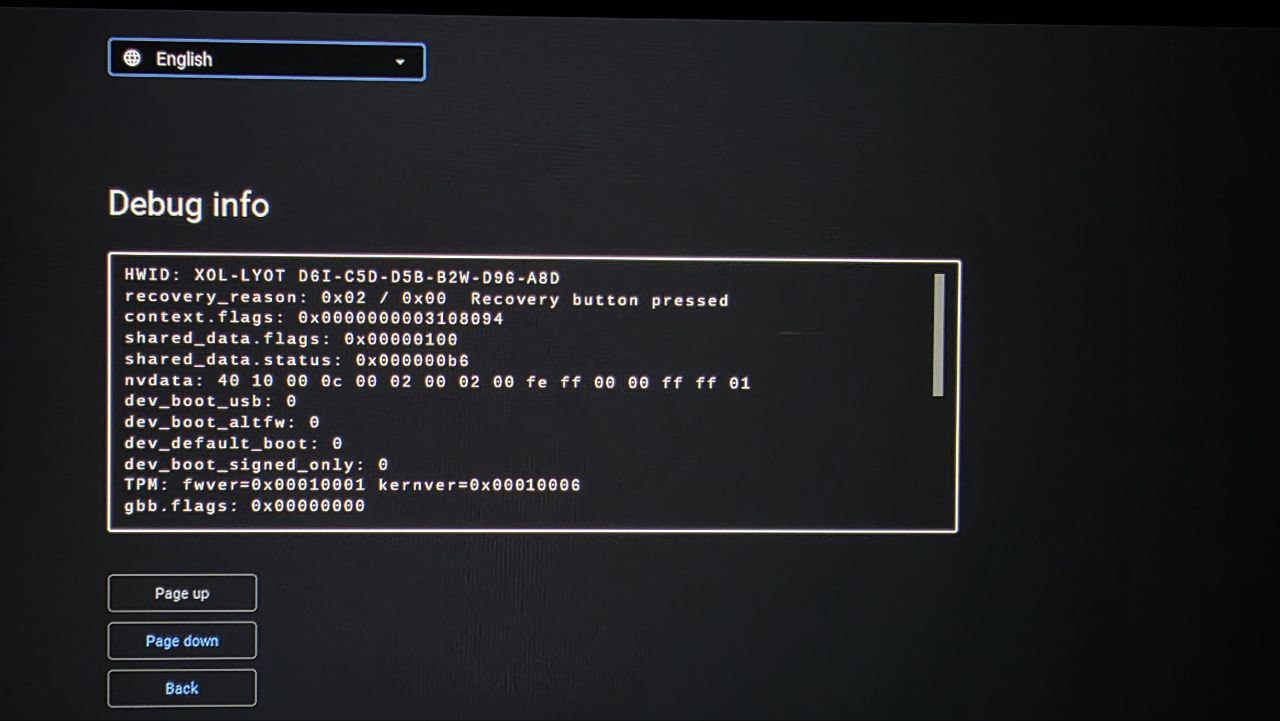
I put the board name in the post title “XOL”. This is the HWID : “XOL-LYOT D6I…”
Thank you!
that wasn’t clear, since the board name was not one I recognized.
looking at the recovery profile, it’s a Brya/Alderlake-based device, so should be easy enough to add support in the next release
1 Like
This is the recovery screen. It has this processor: Intel® Core™ 3 100U (1.2 GHz up to 4.7 GHz 10 MB Smart Cache)
Hi, I also have a 2024 Intel Core 3 Samsung Chromebook Plus. Have you found a way to install Linux? I would like to put Mint or Zorin OS on it.
support for XOL was added in the 2509 release last week
Where can I find It?
Sorry, but I just signed up.
the same place everything firmware related is found - https://mrchromebox.tech
@MrJackwood @nuovodna Did you get this to work? I installed RW_LEGACY firmware (which is listed as supported for this device), but when attempting to select the edk2 bootloader I’m met with the message “Something went wrong launching the alternate bootloader. View firmware log for details.”
Seems like I can’t upload a txt file here, but this looks to be the relevant part of the firmware log
ui_menu_select: Menu item run action
developer_boot_altfw_impl: Try booting from bootloader #1
Running bootloader ‘edk2: edk2 UEFI bootloader’
Loading altfw/edk2 into RAM
segment type 45444f43 not implemented. Exiting
Failed: error -1
developer_boot_altfw_impl: ERROR: Alternate bootloader failed
get_bootloader_menu: Cached with 4 item(s)
ui_loop_impl: menu item
ui_display: screen=0x340, locale=0, selected_item=1, disabled_item_mask=0x0, hidden_item_mask=0x0, timer_disabled=1, current_page=0, error=0x9
get_bootloader_menu: num_bootloaders: 1
get_bootloader_menu: Bootloader: filename=altfw/edk2, name=edk2, desc=edk2 UEFI bootloader, seqnum=1
ui_display_screen: Something went wrong launching the alternate
bootloader. View firmware log for details.
i m sorry bit i sold the device
XOL probably needs the fixed/updated RW_LEGACY payload. I’ve updated the script to use it, so give it 5 mins and re-run the script / re-flash RW_LEGACY
1 Like