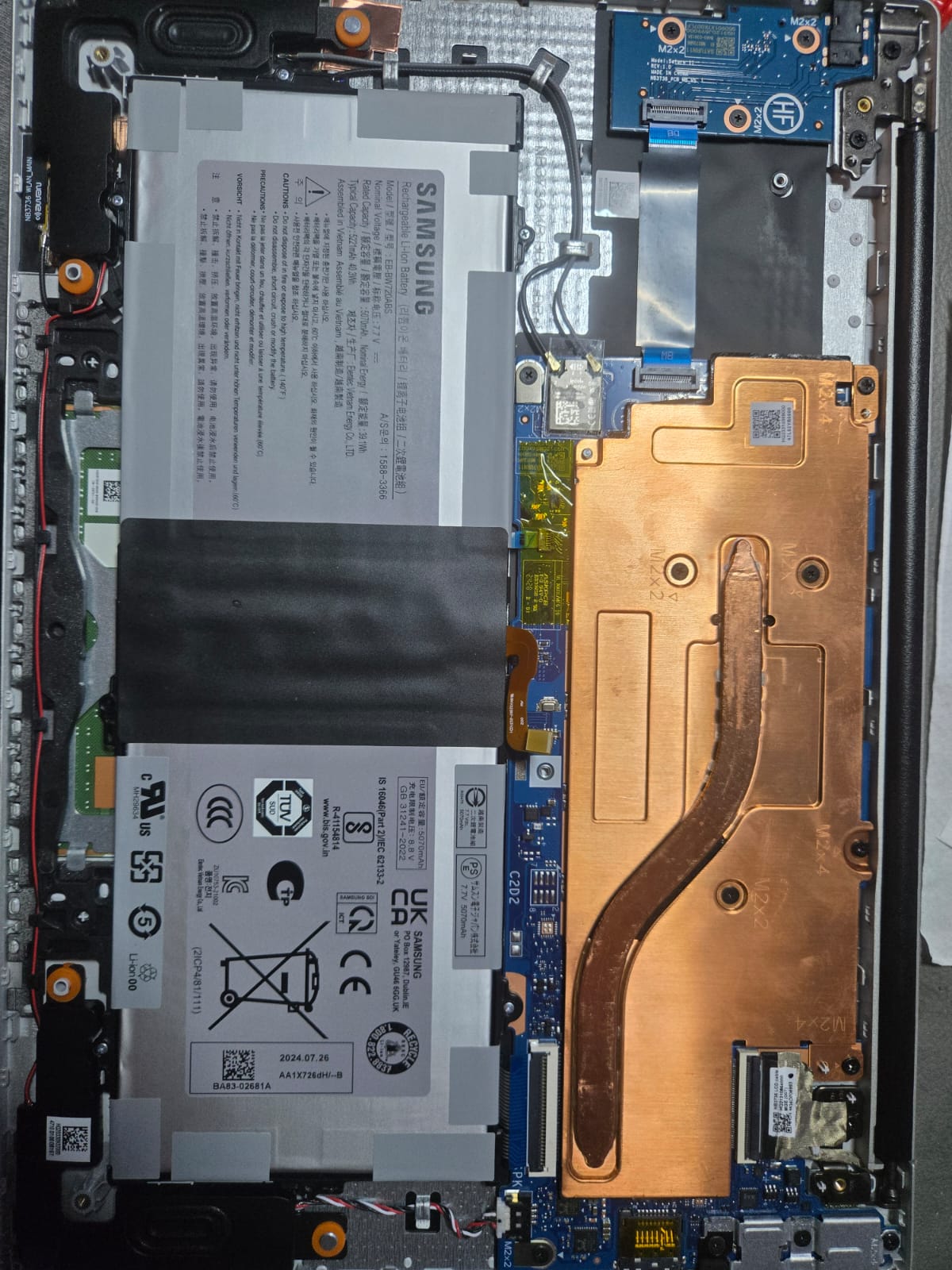
I acquired a Galaxy Chromebook Go 11 as promotion (really crappy device I have to admit) and want to install linux on it. I googled extensively however couldn’t find any posts or docs about this specific model that explains where the jumper would be (MrChromebox device lists this device as CR50+jumper). Removing the battery didn’t disable the WP. The board itself doesn’t have any silkscreen marking to show the jumper pads. Could anyone point me to it?
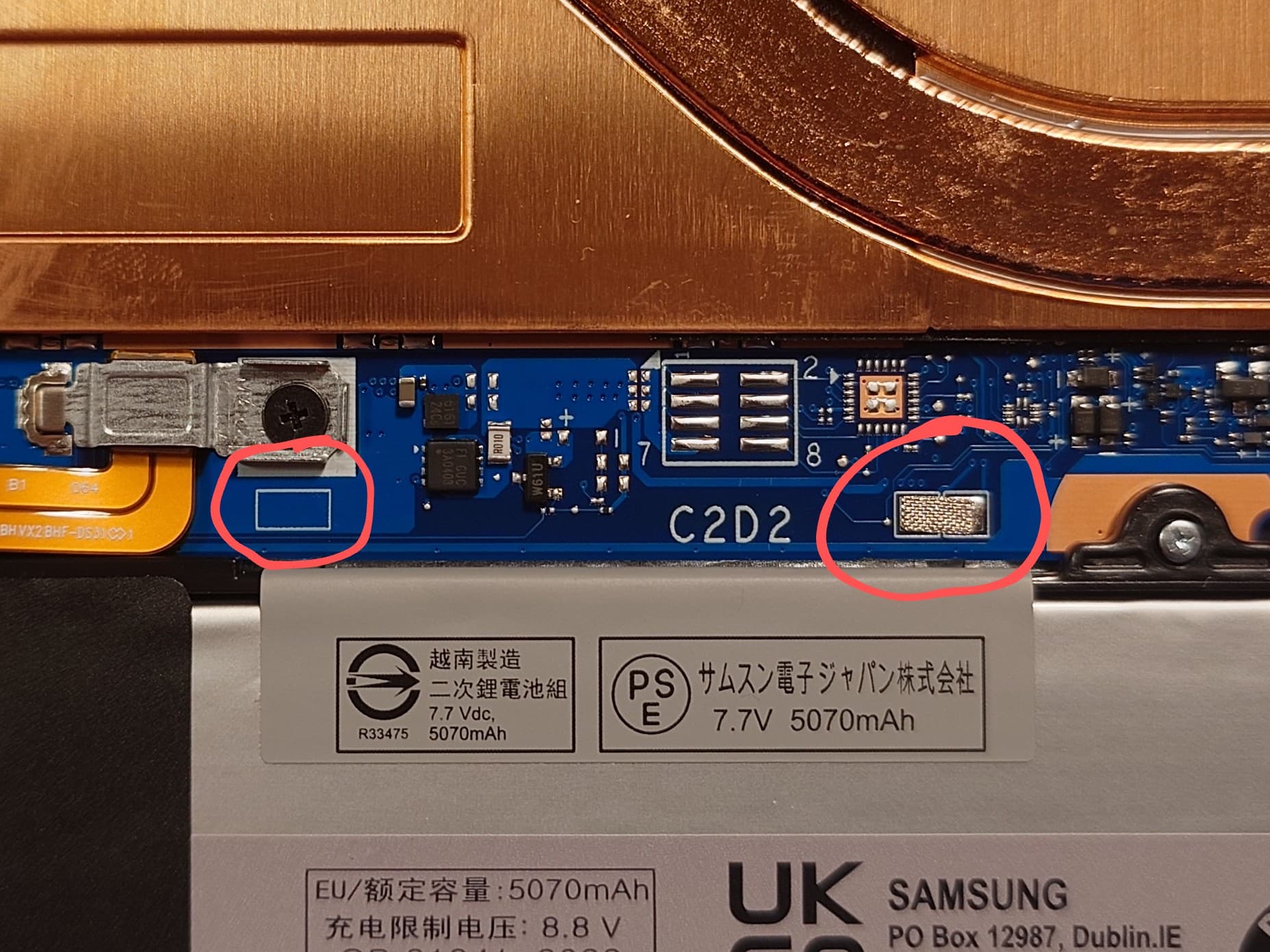
I managed to disable the write protect on this device by using the little conductive sticky tape. Moved it from next to the battery connector over to the two solder bumps.
Hi, I have the same device and successfully have Debian 12 installed and running. This was done using RW Legacy with no faffing about with the battery.
The only issue I have is no audio, and the suggested fix doesn’t work for me.
Hi everyone! Really sorry to bother, but i have an annoying problem. I put the sticky tape onto the solder bumps, aaaand.. nothing. I honestly don’t know if i should do anything else. I tried smoothing the tape out but still nothing. Some people told me that i should shade them with a 6B graphite pencil as it’s guaranteed to work, but i thought about asking u guys. Any tips? Thanks!
Please, I have the same model, and I tried to install a custom firmware and I got an error, after tryingto rebbot it, it gave me an error “Something went wrong“
I get error when recovering it with an image drive. Please i need help