System Details
- Device: RUKEN
- OS: ChromeOS (technically)
- Firmware Type: RW_LEGACY
- Firmware Version: [As reported by the script]
- Internal storage type: cannot check
Summary of the Issue:
Hi, I attempted to dual boot Linux with my new Acer Chromebook 315, and somewhere along the process I made several grave mistakes.
(Spare the yelling at me please, I know I did dumbass things.)
So far I:
- Ran the MrChromebox firmware util script
- Changed to RW_Legacy
- Somewhere along the way I got very confused
- Stumbled upon https://chrx.org
- Did not realize it hasn’t been updated in at least six years
- Ran their script instead
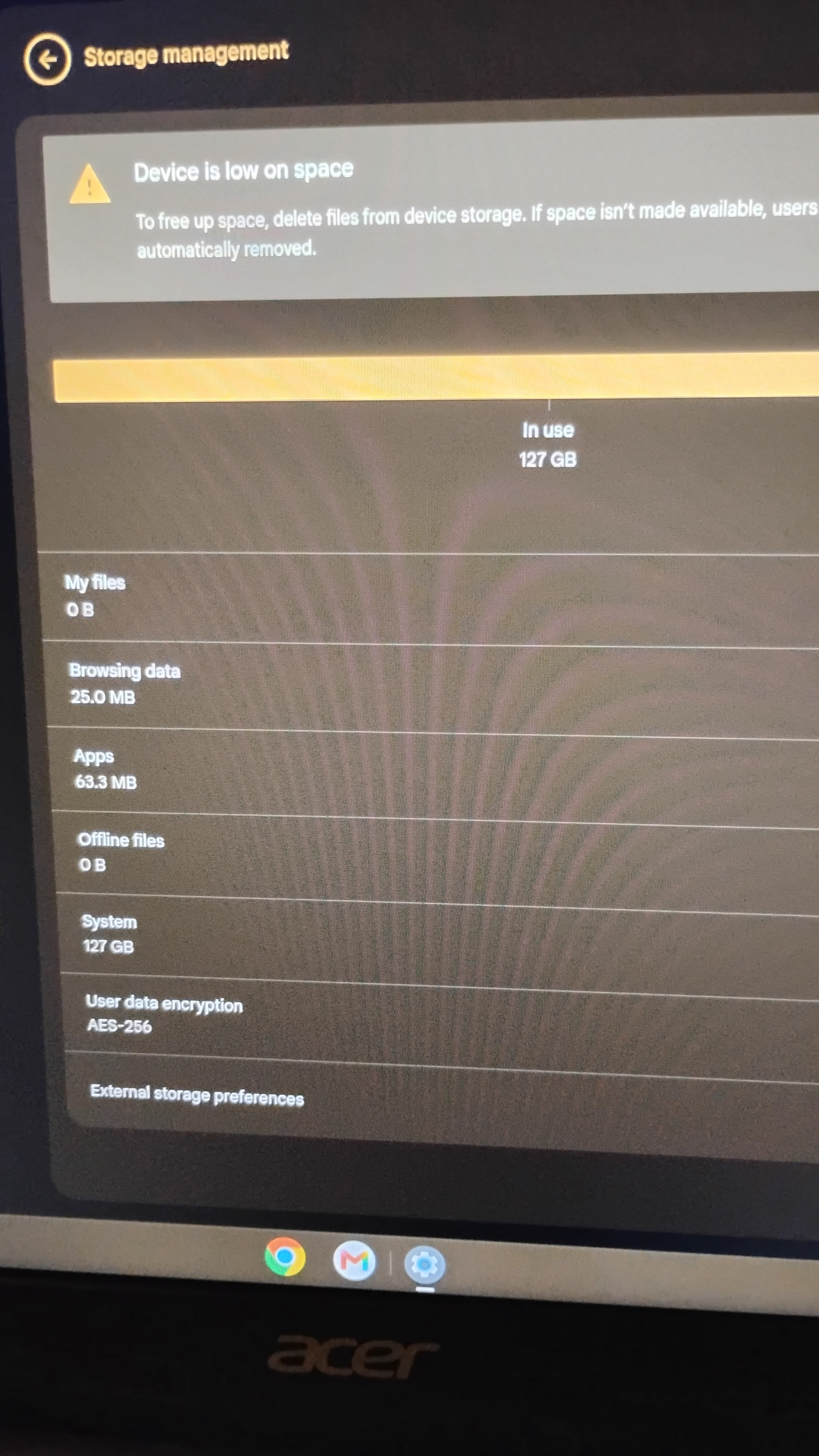
- …And repartitioned my entire hard drive. (See attached)
Now, my system is using 127gb of my 128gb as dedicated “system” storage, and I don’t know any way to repartition my hard drive back to normal.
Steps to Reproduce:
See above.
Expected Behavior
I honestly don’t know what I was expecting to happen. Like I said, stupid actions.
Any way I can unfuck this?