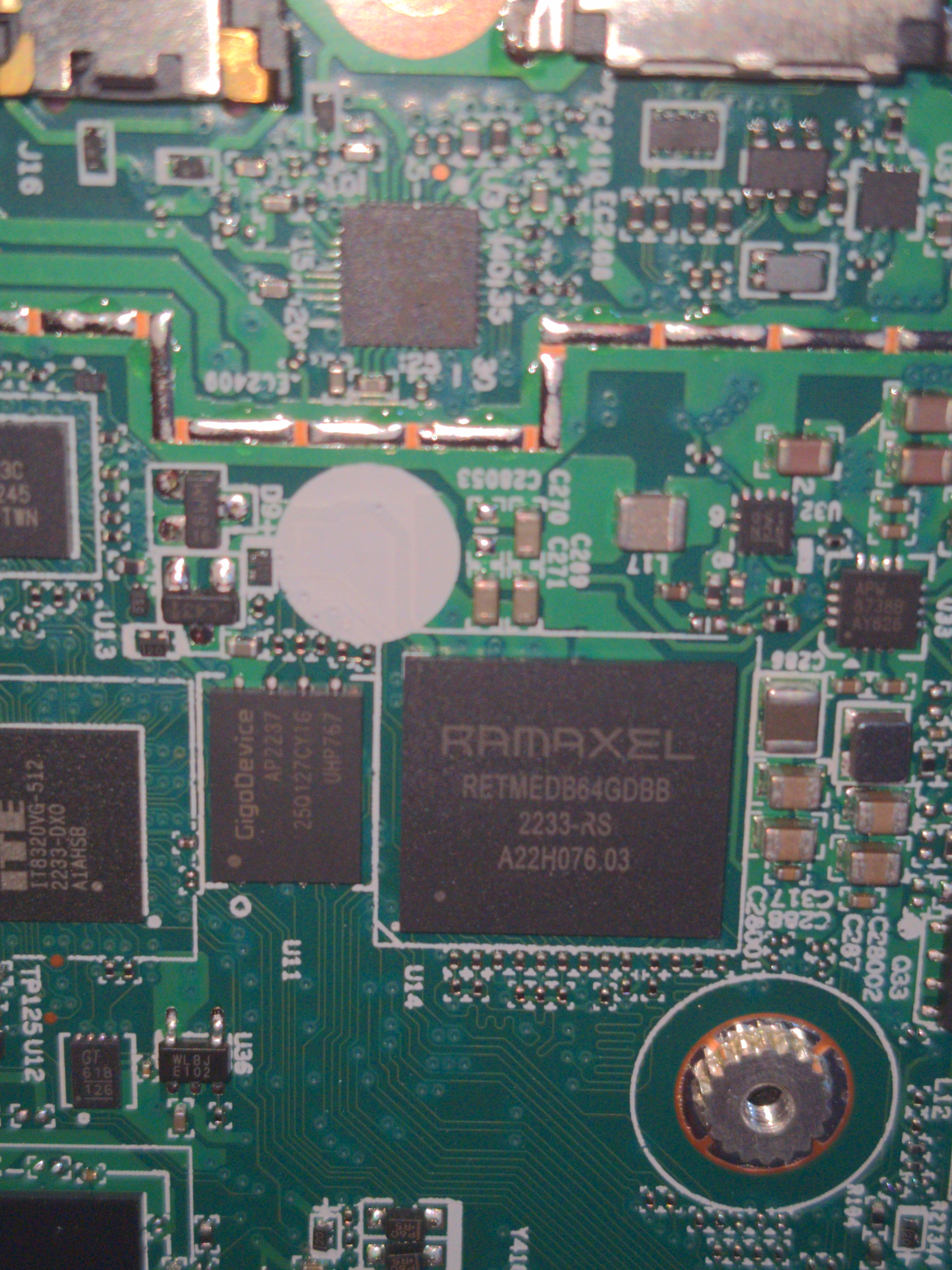
My Boten is bricked after toggling off secure boot and intel management engine in the UEFI settings. It does not boot at all and remains at a black screen. I have done this before without a brick, so I am going to re-flash the firmware using a CH314A programmer and see if I can reproduce it.
I’d like to verify I am flashing the right chip. There is no winbond chip, but there is a gigadevice 25Q127CY16
Unfortunately due to the chip being very flat, and a capacitor being right next to it, my SOIC8 clip couldn’t get a connection to it. I think I would have to desolder the chip which is beyond my abilities and equipment.
this is a weird one. There’s no issue if you disable the ME (or re-enable it) with serial output enabled. but with serial disabled, there seems to be a timing issue that causes a reset when the ME firmware is being changed/written that corrupts it. I’ve so far not been able to work around it with status checks and delays.
To recover, you’ll need to use either a SuzyQ or external programmer, and erase the SMMSTORE region, then re-flash the ME region (since it got corrupted).
after that, you can update with this new build, which will allow you to enable/disable the ME properly
This has caused an issue for me too on hp chromebook 11 g6 ee (SNAPPY)
I had just flashed the firmware (a couple of hours ago) and was playing around in the bios settings and saw the intel management option and disabled it, after a restart it bricked itself and now briefly turns the backlight on before shutting off again.
I’m waiting on a suzyq to arrive which will be a while
I got the same issue when turning off Intel ME and Secure Boot on snappy. (I suspect an ME issue, as ME is part of the chip intiliasation system, and it doesn’t boot to the logo).
Is there any way to fix it without buying something? I really don’t want to spend money on this.