Hi everyone. I need some help with my GGPixelbook’s touchpad. It stopped working at all after I reinstall ChromeOS from Windows (it works on Windows and Linux though). I used MrChromebox Firmware Utility and a Chromebook Recovery USB to install ChromeOS. I did try downgrading touchpad firmware but it’s still no response.
Appreciate you time.
This only worked for me if after I reverted back to stock ChromeOS (from backup) first — then reran the script like I was doing it for the first time. but make sure to downgrade the firmware before rebooting (after it flashes it to coreboot)
I have this same issue. Have reinstalled and downgraded touchpad before installing stock firmware. After reinstalling ChromeOS touchpad is not working.
Pixelbook eve 2017 i5
boot ChromeOS in developer mode, open a VT2 terminal, login as chronos, then run:
sudo flashrom -p ec:type=tp -i EC_RW -w /opt/google/touch/firmware/rose_v2.0.653-dfd8046c6.bin
if successful, then sudo reboot
EDIT:
just added an option to the script to do this, but currently untested
EDIT2: fixed missing param
1 Like
I ran:
Sudo flashrom -p ec:type=to -i EC_RW /opt/google/touch/firmware/rose_v2.0.653-dfd8046c6.bin
It returns an error:
Extra parameter found.
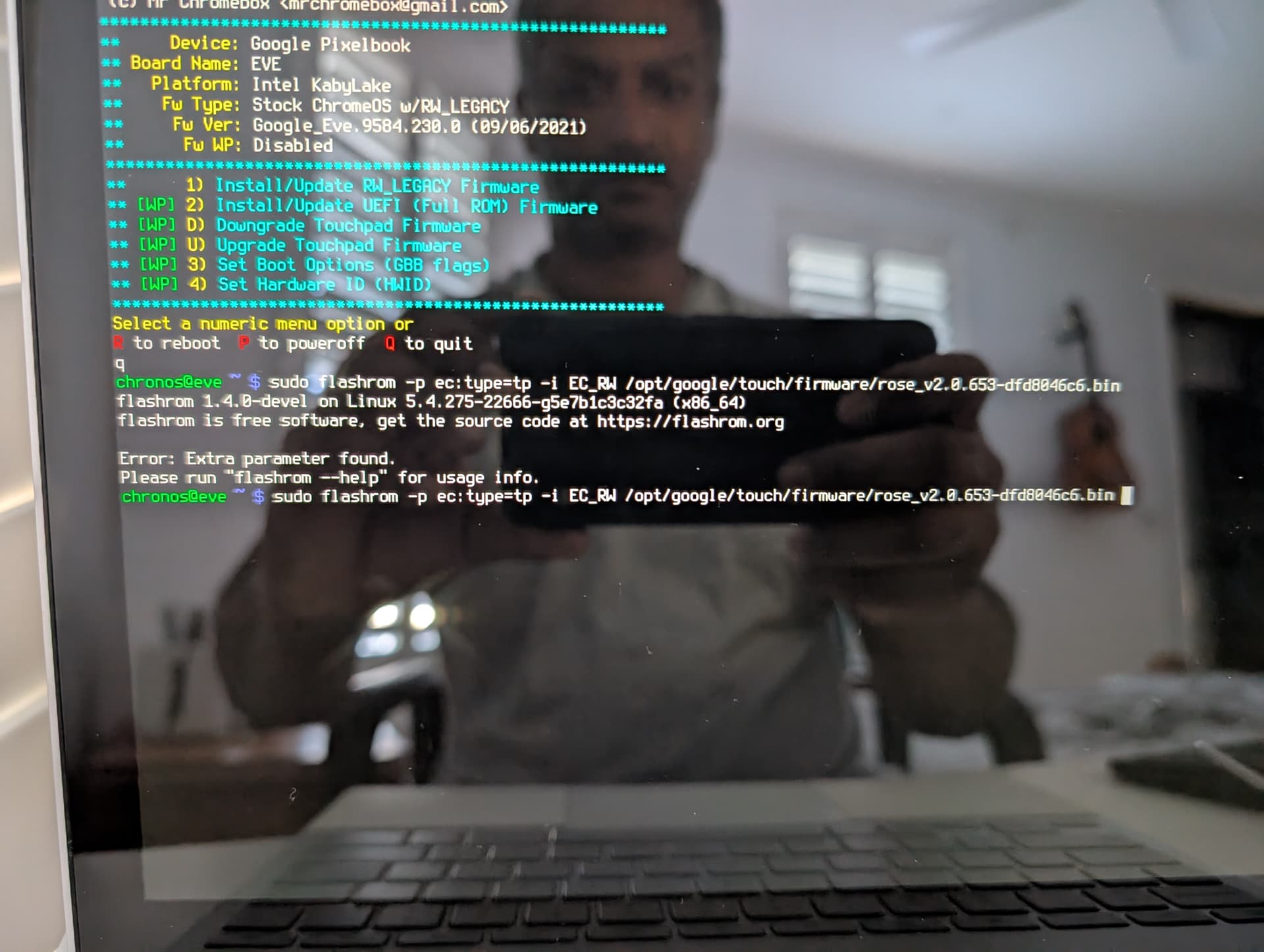
sudo flashrom -p ec:type=tp --wp-status
Unhandled programmer parameters: type=tp
Aborting.
Error: Programmer initialization failed.
why would you run this?
just use the script upgrade function please 
(I left out a param in the manual command above, so don’t worry about it)
Ran the upgrade script - it didn’t execute successfully.
No error returned - it shows a message and returns to the menu options (happens so fast I can’t read the message)
hmm, trying to figure out what would cause that
1 Like
SOLVED!
Mr Chromebox updated his script now and selecting Upgrade Touchpad firmware from his script menu now does the job.
Hope this helps others in future.
1 Like
turns out it was a typo on my end - whoops
i would really appreciate if this option was added for the ASUS Chromebook Plus CX34 CX3402 and CX models. they use PixArt touchpads and the edk2 firmware doesn’t play nice with it, more specifically Ubuntu. if its also a known issue on Ubuntu, i would also like to know so that, if necessary, i can switch to another OS.
option for what exactly?
I’m unaware of any touchpad firmware updates for any other models
hi MrChromebox, my Pixelbook 2017 cannot install Operating System . I damaged a chip while disassembling the screen; the chip model is NUVOTON-NPCX586GA0BX, which I suspect is an EC (Embed Controller). After replacing the chip with this one from a computer of the same model, the computer boots up, but I can’t reinstall Linux(I already have a third-party BIOS installed). It reboot when the linux OS logo appears on the liveCD , regardless of whether it’s a new or old version (Ubuntu or Fedora). Reinstalling Windows also results in a boot error. I suspect the NPCX586GA0BX chip needs to be programmed or its contents erased. I’ve dumped the SPI ROM.Below is a photo of my Pixelbook 2017 before the Linux installation error and reboot.
while delete quiet splash to edit the boot parameter
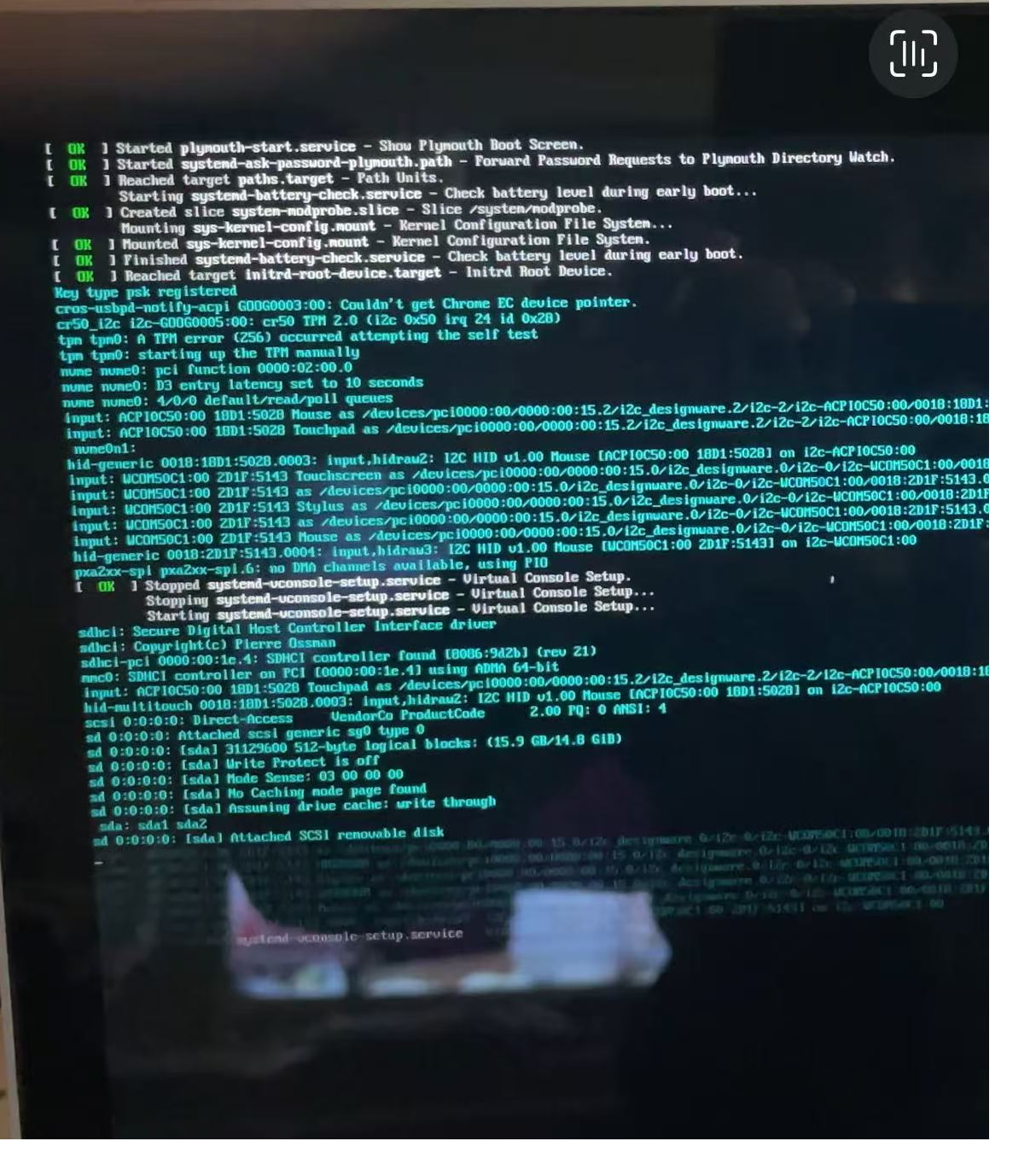
sometimes it show this in the end before reboot
I’ve tried many operating systems (Windows or Linux), but none of them can access the installation environment; only Windows PE works normally. I’m currently trying to restore the Chrome OS BIOS.
Mr Chromebox — I recently obtained a PixelBook (EVE) and the trackpad is not working. It has ChromeOS v126 on it. I would like to attempt your firmware script…. I do not care to put Linux or Windows on the machine, I simply want to downgrade/upgrade the TP firmware to get it to work again under ChromeOS (assuming it’s not a hardware problem, of course)
I understand that in order to run your firmware scripts, I’ll need to install your UEFI and run the proper script for EVE… since I want the trackpad to work under ChromeOS - do I select “Upgrade Trackpad firmware” or “Downgrade trackpad firmware”? Also, when I’m ready to revert the PixelBook back to ChromeOS…. your instructions say to run the “restore stock firmware” script (I assume to back-out your UEFI stuff), do I need to do this step? Will it overwrite the Trackpad fix that I did previously?
Thanks
If you’re running stock ChromeOS, the touchpad upgrade/downgrade functions of my script aren’t really going to help. ChromeOS itself will check all the various device firmware on boot and update if needed. but you can go into chrome://system and check the touchpad firmware version there I believe
I see a post on one of your Github issues about an older version of ChromeOS.. if I made a ChromeOS recovery with an old version, would that restore the firmware version as-of that ChromeOS? At which ChromeOS did Pixelbooks start having Trackpad issues?? CROS.TECH has v96 LTS available for EVE
I have no idea, I don’t have that device, and AFAIK there are not widespread issues with the touchpad firmware under ChromeOS. I also don’t know if you can still downgrade that far