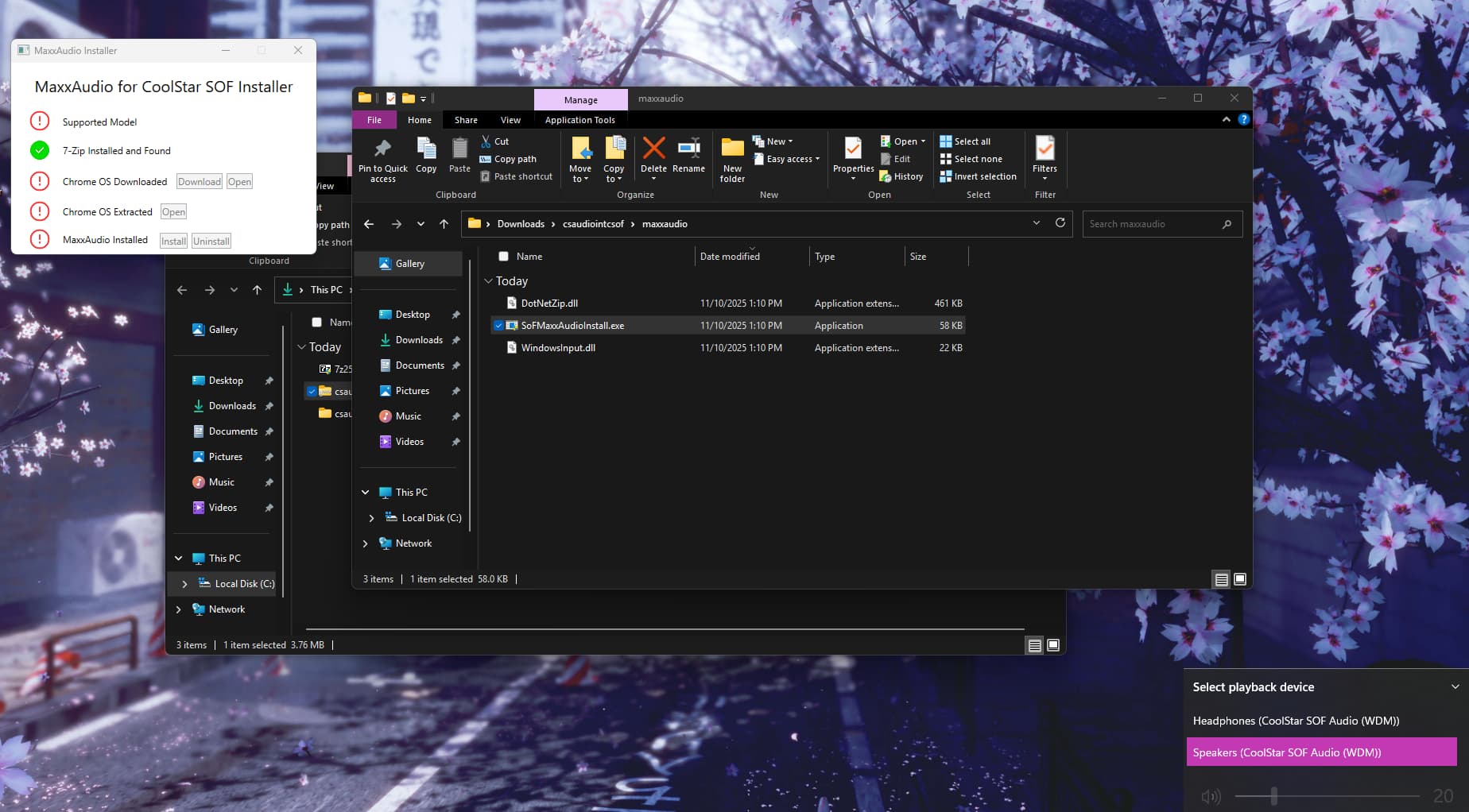
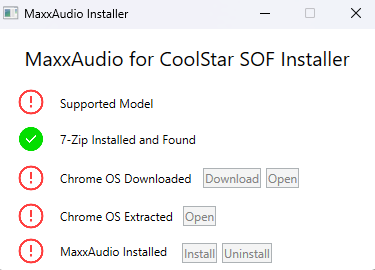
In short: maxxaudio installer gui does not have crota360 listed as a supported device, tool does not let me proceed. How can I install maxxaudio/get a version of the installer that lets me install on crota360?
Hello, everyone! I am currently having issues with installing Maxxaudio on my Crota360 Brya Dell Latitude 5430 Chromebook 2-in-1.
I have acquired a valid (not pirated whatsoever, no discounts/not device specific) license acquired from coolstar’s license manager and applied it via the GUI. My SOF Audio works, though I am unable to apply maxxaudio using “SoFMaxxAudioInstall.exe”. I installed the correct 7zip binary and checked the readme’s, but to no avail.
My coreboot version is updated and my mrchromebox firmware is a 10/13/2025 build.
It seems that crota was specified as a supported device, however the crota360 was not. Is this an issue on my part? I would still like to install maxxaudio as I know my device supports it.
// Specifications //
Crota360 (Brya) Dell Latitude 5430 Chromebook 2-in-1
Windows 11 IoT Enterprise LTSC 2024 (24H2, OS Build 26100.7019)
Intel Core i7-1255U
Intel Xe Integrated Graphics
16 GB Soldered DDR5 Memory
firmware version? ensure you’re on the latest (2509.3)
Whoops, didn’t realize 2509.3 was the latest. I will update later today. For now… is the tool not working because of a firmware issue, or the tool not expecting crota360?
I suspect it may be a case-sensitivity issue with the device name, which was fixed in 2509.3
Alright, i’ll install the latest firmware and report back once finished. Might be in 2 hours
Updated to the latest using an external Ubuntu live USB. msinfo32 returned “BIOS Version/Date coreboot MrChromebox-2509.3, 11/8/2025”
Updating did not fix the issue. I still get the “unsupported model” error. I cleared NVRAM before/after updating the firmware and Windows is fully up to date for LTSC.
Does the tool actually see crota360 as a supported device, or was that never implemented?
I have no idea, it’s not my tool/ not my drivers. I just do the firmware
Well, that sucks… I don’t see CoolStar around the forums much + it might take a bit to get to them. Would this be something i’d have to contact them about?
I greatly appreciate it. I’ll check back later on for if CoolStar updates the tool. Thank you!
Problem is not a hardware, firmware, or OS issue. Issue lies with CoolStar’s maxxaudio installer tool. Should be fixed if/when they release an updated version.
The issue has been resolved in full. CoolStar’s tool has been updated to include crota360. If you are having this exact same issue, ensure you are using the latest firmware version and are using a newly downloaded version of the driver package/zip archive.