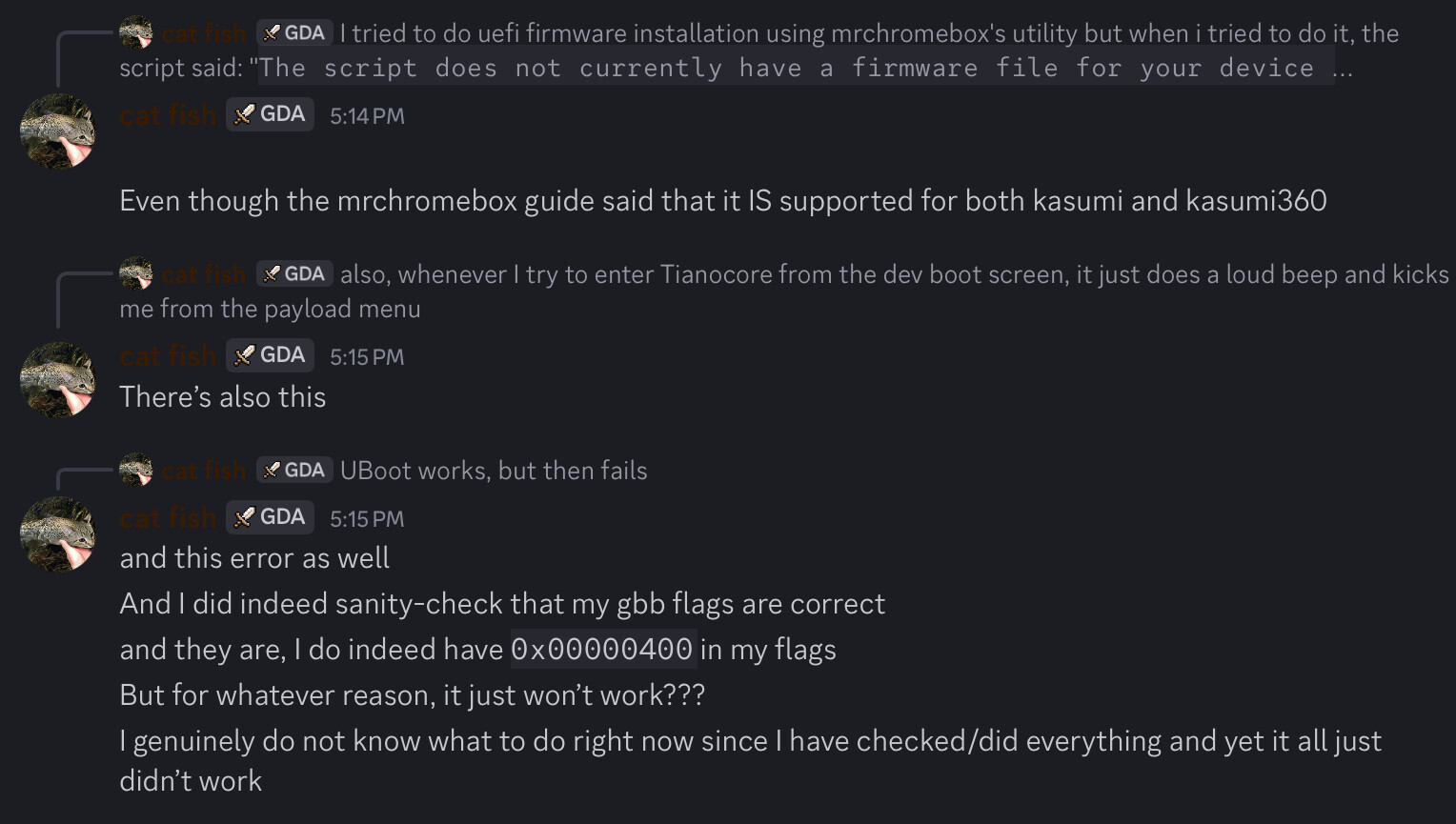
I have no idea what to make of this
that doesn’t seem to bode well for me…
also, let me relist everything I have checked and did
- I am in developer mode
- I have disabled WP
- I have set my GBB flags up correctly
But for whatever reason, your script is seemingly unable to provide the UEFI file for my device (Kasumi360) despite it saying it is supported on the guide,
So what the hell is going on???
why would you set the gbb flags before flashing the UEFI firmware? that’s unnecessary.
you also didn’t originally state what device you were using or what you had done and what you were trying to do. It certainly isn’t clear from the OP.
exit and re-run the script. select the option to flash the UEFI full ROM firmware. post a picture of the error.
I was trying to overwrite ChromeOS with a Ubuntu flash drive
I will try the script again before I flash the USB drive again with Ubuntu (Since I tried to use Arch and Alpine but those didn’t seem to work)
holy shit im tired as hell i got fucking 3 hours of sleep last night and it seems that its fucking up my communication and mental processing skills HORRIBLY
you’re not making any sense.
if you can’t flash the firmware from ChromeOS using my script, what OS you have on your USB drive to be installed afterwards is irrelevant.
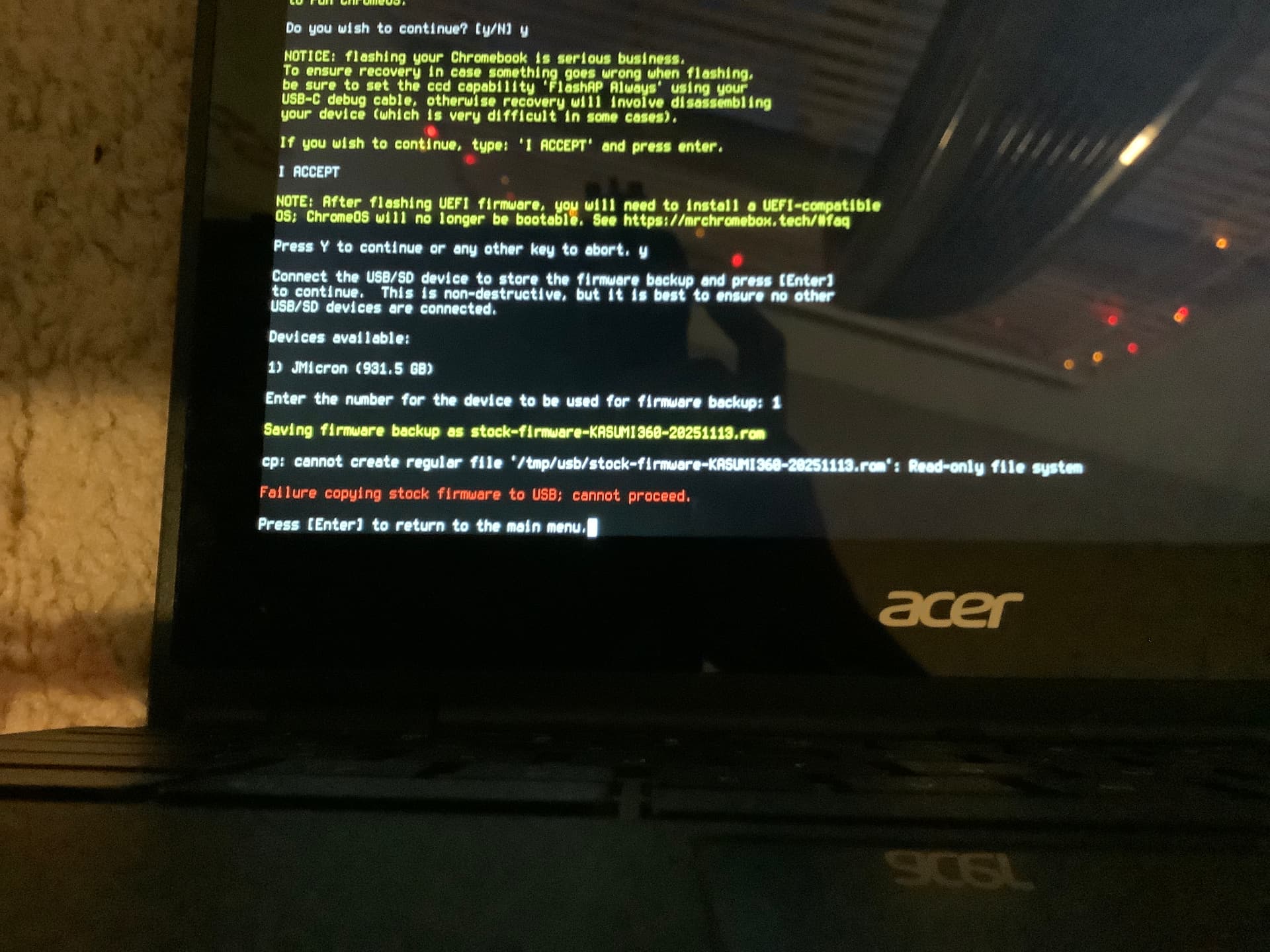
@MrChromeBox Is there some sort of way to just bypass the stock firmware save orrrrr?
not currently, don’t have a USB thumb drive to use?
I have only one usb drive and it’s the Ubuntu installer.
I guess I can just re-format the installer, grab the save and then re-flash the iso onto the usb?
Though, I got an error that there was no firmware available on the usb and I don’t know if I should just flash the usb drive, reformat the usb drive and copy the raw iso onto it, or somehow dig for a rom version of the Ubuntu installer @MrChromebox
huh?
a what?
Ok nevermind I somehow fixed it or the script fixed itself???
I installed full UEFI Firmware and im now currently installing ubuntu
Genuinely don’t know what happened for the system to just somehow fix Itself and finally install full UEFI (it wouldn’t before this happened) but im not complaining. Thanks for the help @MrChromebox.