HP Pro C640 G2 (DRAGONAIR / ELEMI) - No boot, blinking LED after disassembly

Device

HP Pro C640 G2 Chromebook (ELEMI / DRAGONAIR)


Issue

Device does not boot at all.

When pressing the power button:

  • LED blinks

  • screen stays black

  • no logo / no BIOS


What I did

  • Disassembled the device

  • Planned firmware flashing

  • Made full SPI dump using programmer

Now the device shows no boot, only blinking LED.


Additional Info

  • I have full SPI backup (dump)

  • Planning to flash via CH341A programmer

  • Suspect corrupted firmware


What I need

  • Confirm correct board (ELEMI / DRAGONAIR)

  • Help with proper UEFI Full ROM or patched firmware from my dump

  • Guidance for safe flashing via programmer

  • Attachments (if needed)

    • SPI dump (.rom)

    • Photos of motherboard / SPI chip

why do you think this is a firmware issue, and that reflashing it will fix anything, given you didn’t change anything?

I first tried installing Windows, but it didn’t work. Then I switched to Linux. The system would boot and show the coreboot logo, but I couldn’t properly install any OS. Every time I rebooted, everything was gone like nothing was saved.
So I figured it might be a firmware issue and decided to reflash it manually. I dumped the firmware from Linux and flashed it to the 8-pin SPI chip. Unfortunately, that didn’t help at all.
Now the device won’t boot - it just blinks a white LED and shows no signs of lif

what exactly did you dump?
how did you flash it?

I programmed the W25Q256 chip using the SOIP CH341A programmer

I guess until I find a dump of this W25Q256 chip, none of this makes any sense?

why do you need a dump?

you can get the UEFI firmware image per the instructions on my site
you can get the recovery image using coreboot’s crosfirmware.sh, which it appears to be what you are using based on the filename above.

either of those is a better option than a dump from someone else’s device.

Can you send me a link? I’ve already gone through so many links.

to what exactly?

Do I need this guide: Restoring the Stock ChromeOS Firmware | MrChromebox.tech ?

absolutely not.

you need: Unbricking/Flashing with a ch341a USB Programmer | MrChromebox.tech

1 Like

Thank you very much, I’ll give it a try

Good afternoon, I flashed the firmware—it went smoothly, but the problem remains. Maybe my board has a different name?

elemi and dragonair are two completely different boards/different hardware platforms.

which do you have? which did you flash?

I installed the Elemi firmware because I thought it would work. I mentioned this earlier—someone told me my device was Elemi.

Motherboard: DA0GCCMBAD0 (REV D)

Model: 0GCC

S/N: 5CD128GN37

Winbond W25Q256JV_M 32mb

Sorry, this is my first time using a device with this operating system, so I might ask some silly questions.

a google search says this is ELEMI.

Right now the device is bricked (no fan, only LED). The LED turns off when I press the recovery key combo (Esc + Refresh + Power), and there is no response at all when trying to power it from the battery. I’ve also tried various button combinations and holding the power button, but nothing changes.
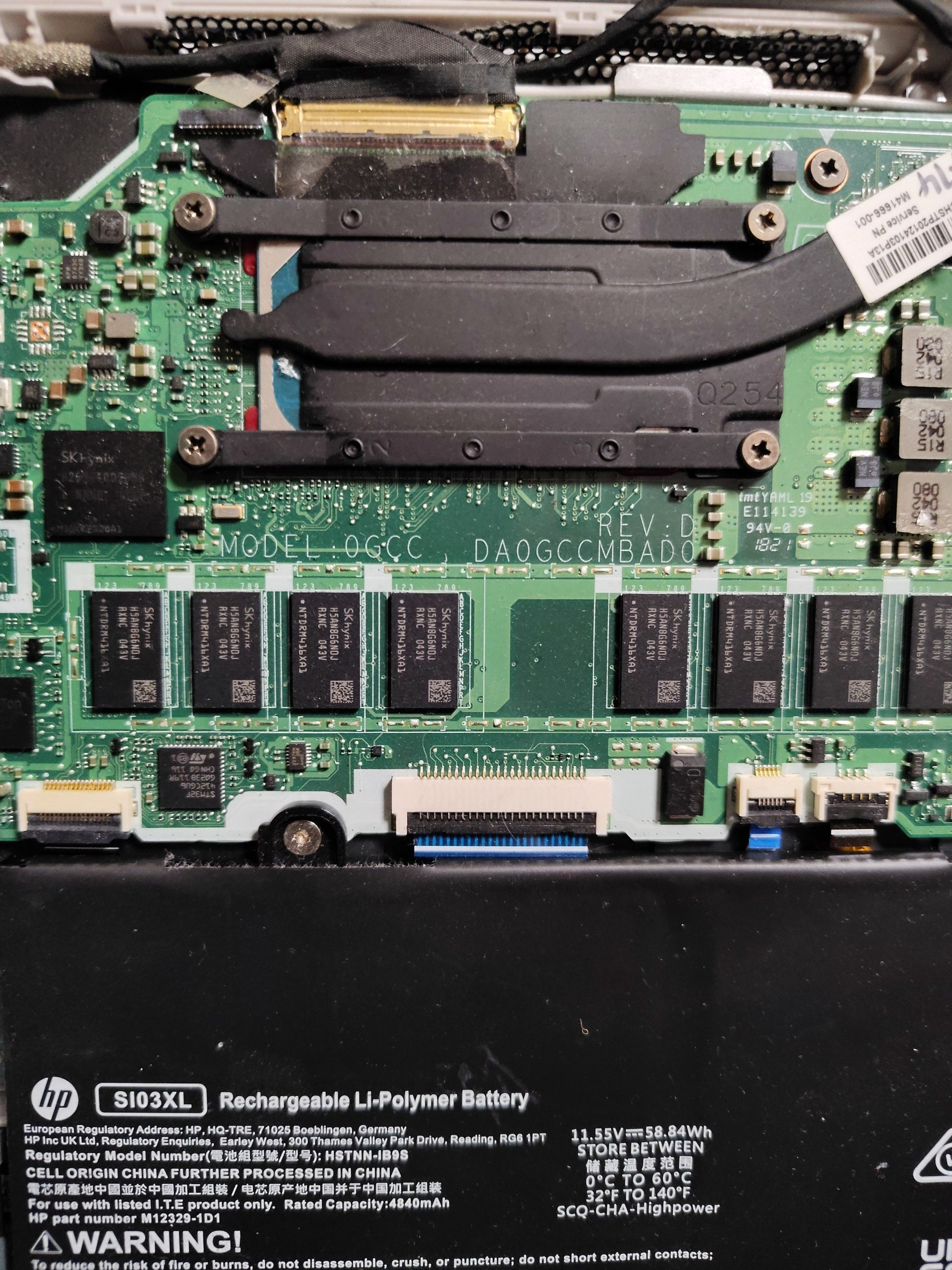
you’re likely going to need a SuzyQ to properly unbrick/debug the issue