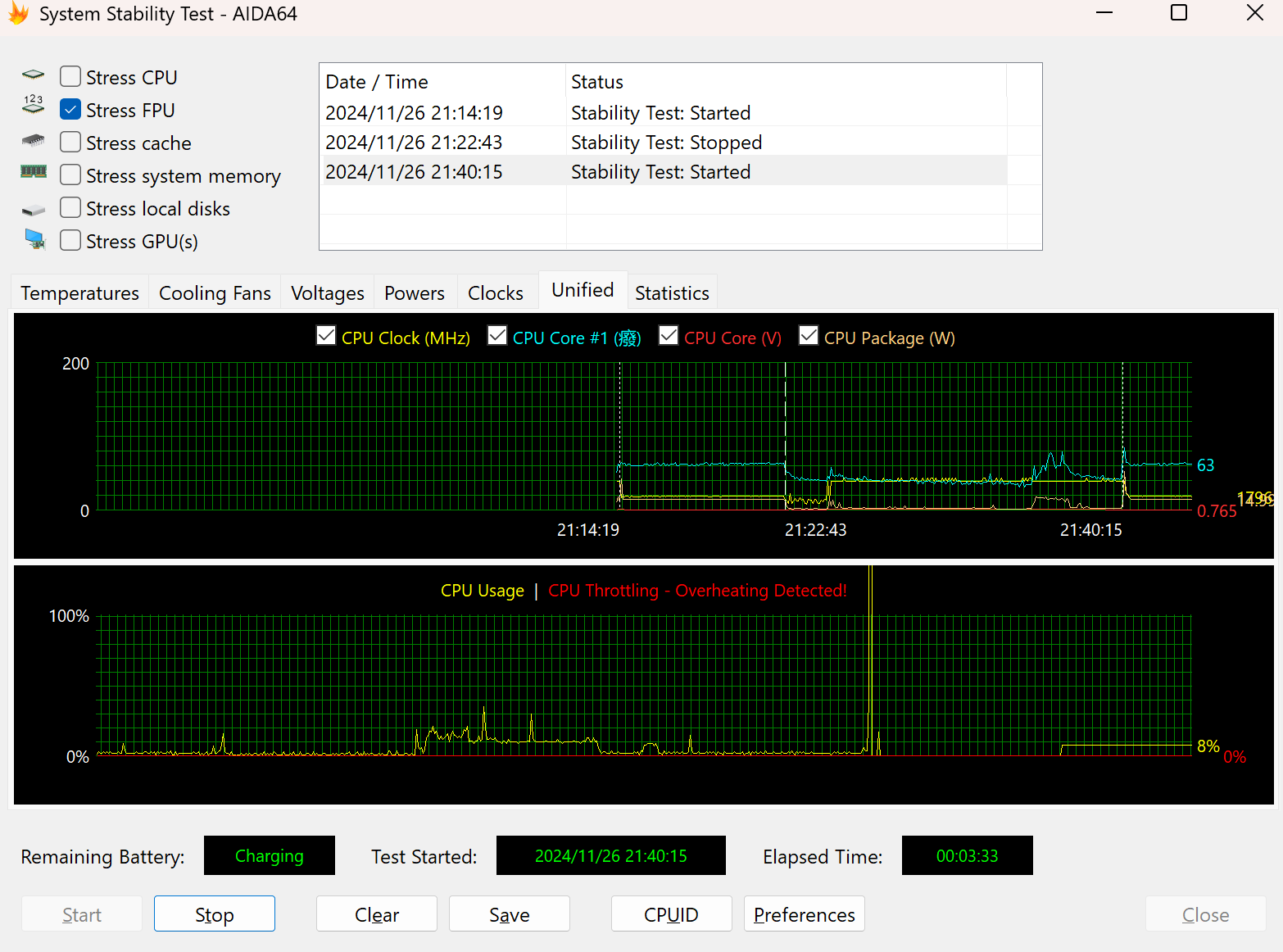
I’ve recently been using the HP Elite Dragonfly Chromebook and noticed that the fan speed doesn’t increase under high load. When I ran a stress test on the CPU using AIDA64, I found that the CPU temperature was limited to 63 degrees Celsius. I’m very sensitive to this number. I know that HP has previously set this power limit for many thin and light laptops, but it has been removed through BIOS updates. I’m wondering if there’s a feasible way to remove this 63-degree Celsius power limit, because this temperature is too low and is seriously affecting the performance of this laptop.
BOARD NAME
try enabling automatic fan control under Platform Settings?
REDRIX,I’m sorry.I tried enabling automatic fan control in UEFI, but the fan speed remained the same. The reason I know the fan speed isn’t at full speed is because after flashing UEFI, this laptop experiences a brief 1-second burst of full fan speed when plugged into AC power, after which it returns to normal (maintaining a temperature limit of 63 degrees Celsius, and the fan won’t run at full speed).
there’s nothing in REDRIX’s thermal config that would limit it to 63*C from what I’m seeing. or would limit the fan RPMs
@limbuntu, AIDA64 is a multithread test. The laptop is being limited by maximum sustained power (e.g. 15W PL1), which, when spread across the whole chip in a multithreaded test, isn’t enough to heat it up. AIDA64 doesn’t seem to differentiate between thermal throttling and power throttling.
Try a lightly-threaded test (e.g. CPUz pinned to P-cores) and it’ll probably hit actual thermal throttlng at 97ºC after a couple seconds of PL2 (up to 55W), then going back down to whatever temperature the hottest core hits with 15W concentrated in 1-2 cores.
In other words, it’s working as designed for a 15W laptop. The fan speed doesn’t go up further because it doesn’t have to. Performance isn’t being limited, run a benchmark like Cinebench R23 and the result should be close to other machines that have the same chip set at 15W.