System Details
Device: Acer Chromebook 314 CB314-3H
OS: ChromeOS
Internal storage type: 128GB Storage
How do I find Firmware Write Protection, I removed the battery with enabling Developer Mode but nothing worked. Is there any where to disable firmware write protection so I can use MrChromeBox Firmware Utility Script to install Linux on my chromebook
um, how about the MrChromebox website?
why does nobody understand primary sources these days?
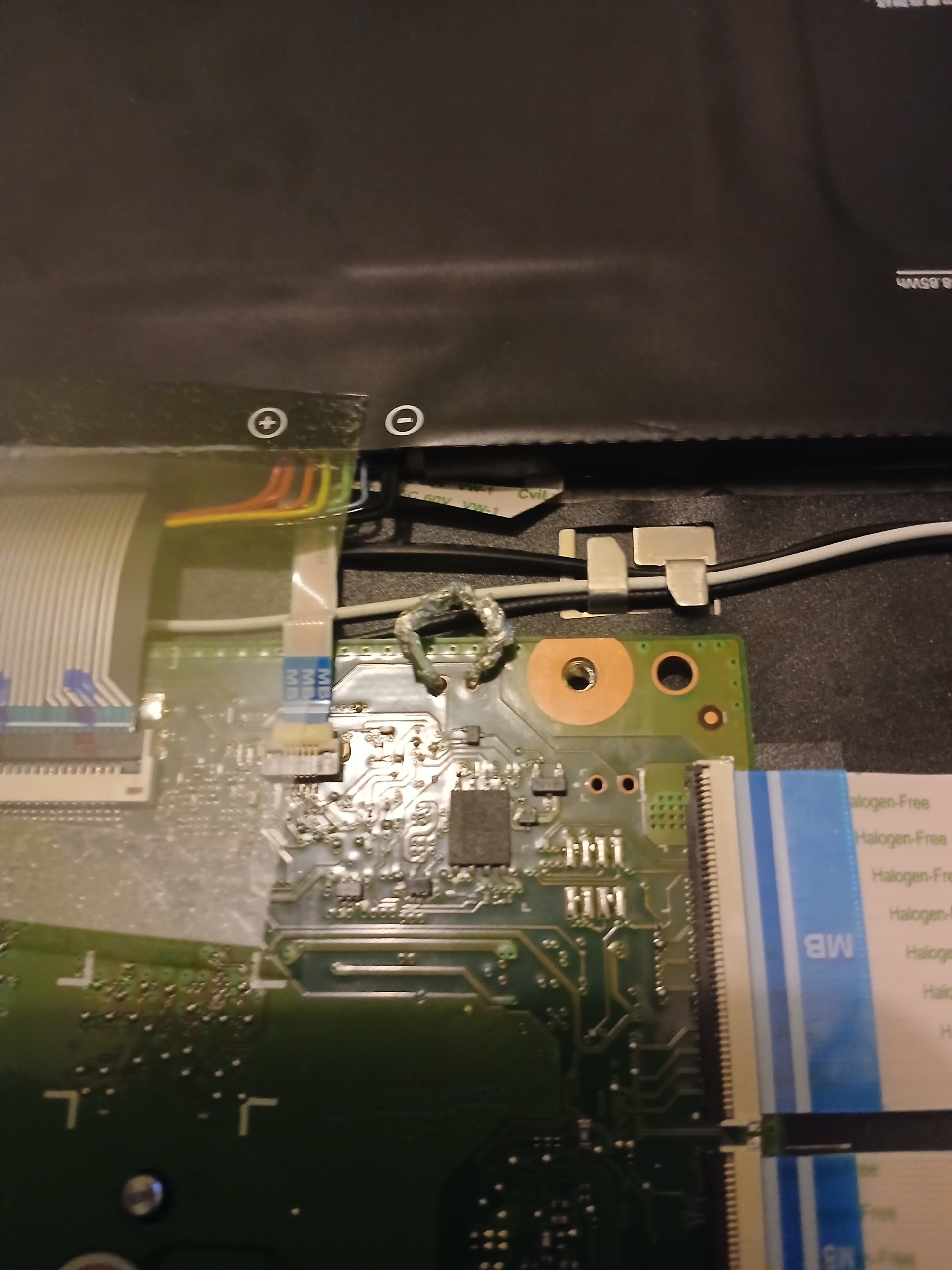
Is this how you bridge a jumper, I have a Acer Chromebook CB314-3H
I literally can’t be any more clear on my website:
Your device’s board name is what determines if it’s supported or not – not the make, model, CPU, or anything else. The only thing that matters is the name, so use that when determining support in the table below (or for anything else really).
there’s also a picture on my site, of the jumper holes. Your image shows you attempting to bridge a different pair.
This is not going to end well if you can’t read and follow basic instructions
Nevermind It worked, I just listened to the website’s instructions and properly made sure to not brick my chromebook. I’m now running Linux, I found the right jumper and bridge that