Hello, all!
I successfully removed the write protection from a Samsung Chromebook and installed GalliumOS.
I wanted to share a finding that might help others. Here’s a picture of the motherboard I was working on:
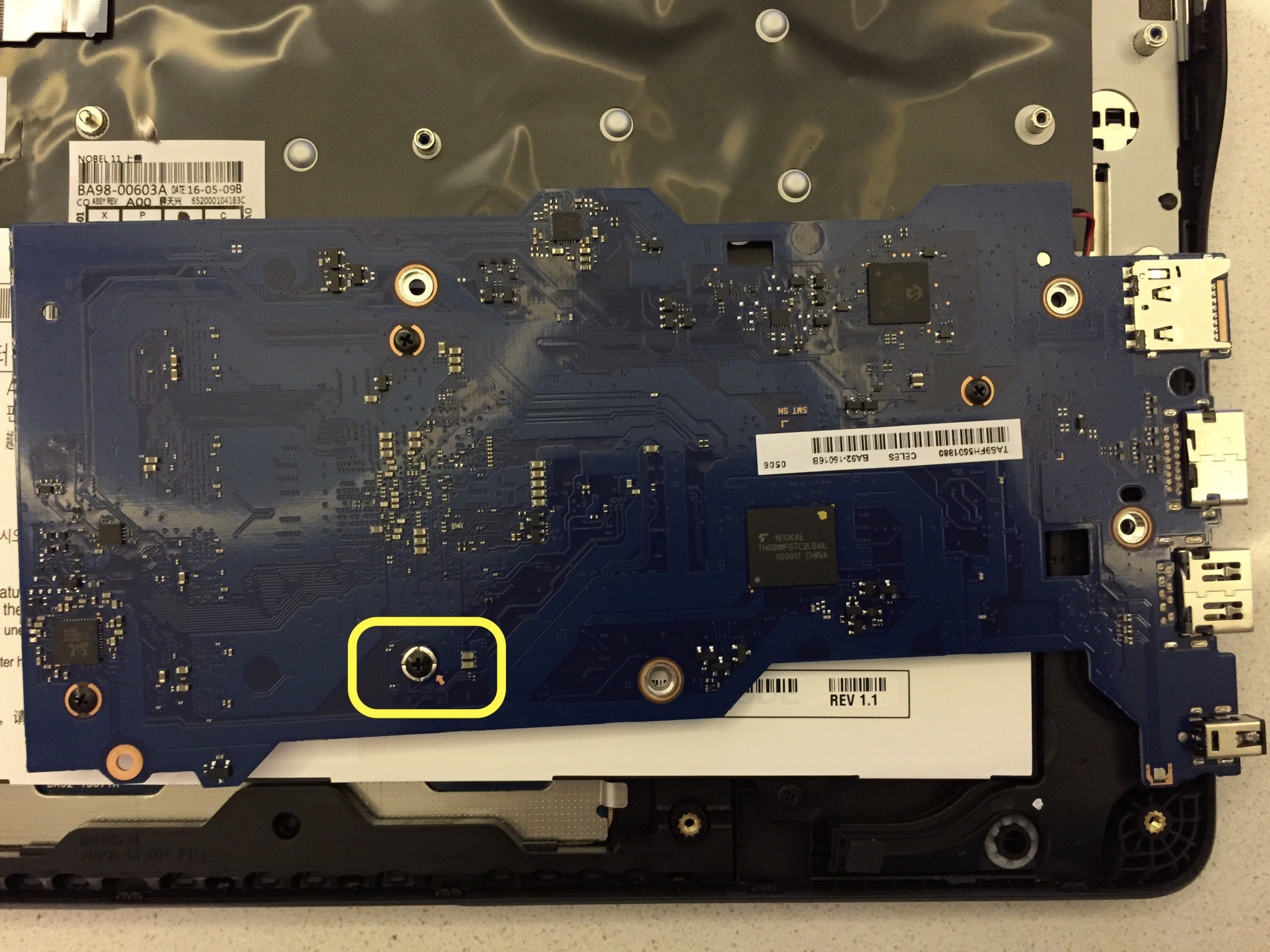
The screw highlighted is indeed the write protection screw. However, the first time I removed the screw, the WP was still enabled. I carefully examined the motherboard and there seemed to be a fiber washer with very fine wires in it. The washer stuck to the board and was still closing the circuit. I used a pair of tweezers with a sharp tip to remove the washer and then cleaned the site with an alcohol wipe. Once I had done that, the WP was disabled and I was able to overwrite the UEFI and boot to my USB.
I hope this helps someone that is struggling!