I have the HP Elite c640 14 inch G3 Chromebook Laptop PC with ChromeOS for Education. I need to install ChromeOS Flex on the laptop instead. I have followed the instructions on Disabling Firmware Write Protection | MrChromebox.tech
To disable WP using SuzyQ/CCD but after rebooting, and allowing usb boot, the Flex operating system will erase the drive but not install anything.
I have tried the Firmware Utility Script, option 1 (Install/Update the RW_LEGACY firmware (allows dual booting of ChromeOS + Linux), but did’t solve the issue. Do you think option 2 (Install/Update coreboot/UEFI Full ROM firmware (for running Linux/Windows without ChromeOS) will solve this and enable to install ChromeOS Flex ?
Because I have 40 brand new HP Elite c640 14 inch G3 Chromebooks. But they come pre-installed with ChromeOS for Education. I need them to be installed with ChromeOS for Enterprise.
Returning them is not an option.
So, I’m trying to install ChromeOS Flex as a way to install ChromeOS for Enterprise.
Any suggestions ? I’m willing to pay money for any valid solution to get me out of this dilemma.
nobody can help with “I tried everything and nothing worked” because it’s meaningless.
I could contact a company that deals with ChromeOS enterprise licensing and see what they say.
Running Flex is an absolute last resort, bc as I said things will not work, and it’s completely unsupported by anyone. if you’re in the US DM me, you can send me one and I’ll take a look at it
I’m an HP business partner, who placed an order for one of my clients for HP c640 chromebooks but my client choose the wrong model part number, the part number with ChromesOS Educational License, where as he should of chosen the one with ChromeOS for Enterprise.
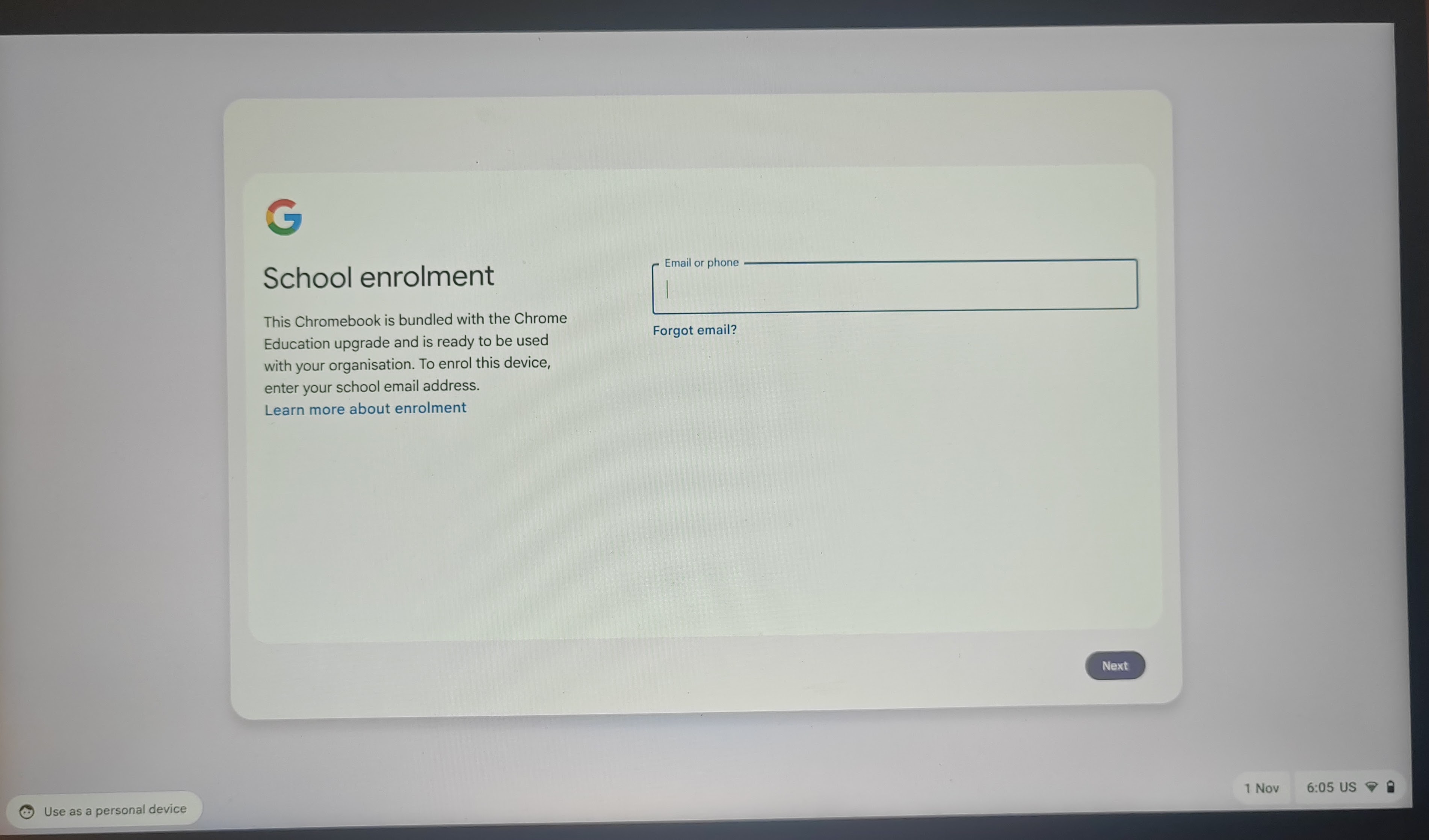
Now, my client cannot ENROLL the new laptops in his enterprise account. The user will turn on his laptop, and forced with enrollment into an Educational account.
Attached pic # 01
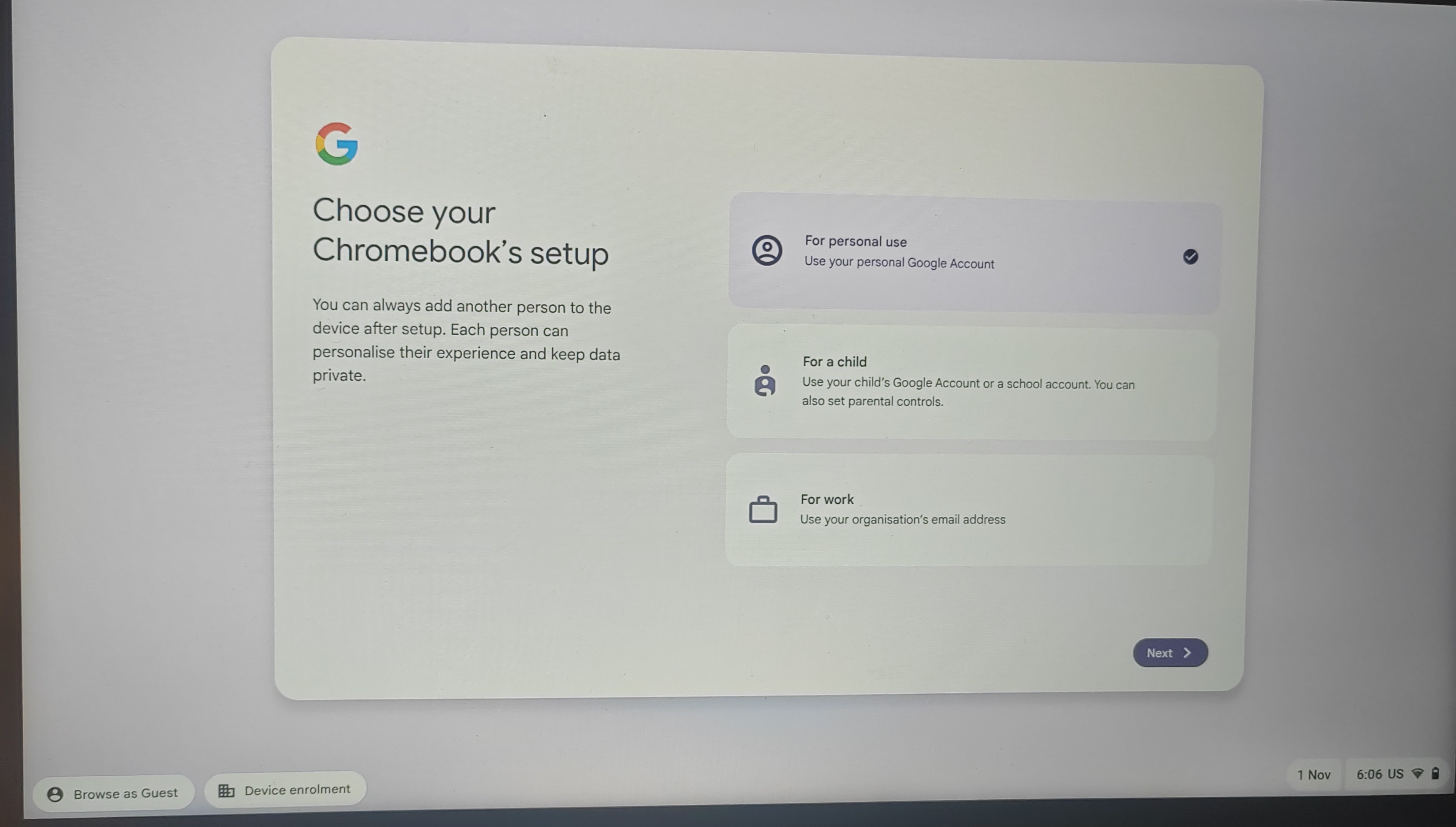
The user will have to choose the use the device as a personal device, opening the below options - pic # 2
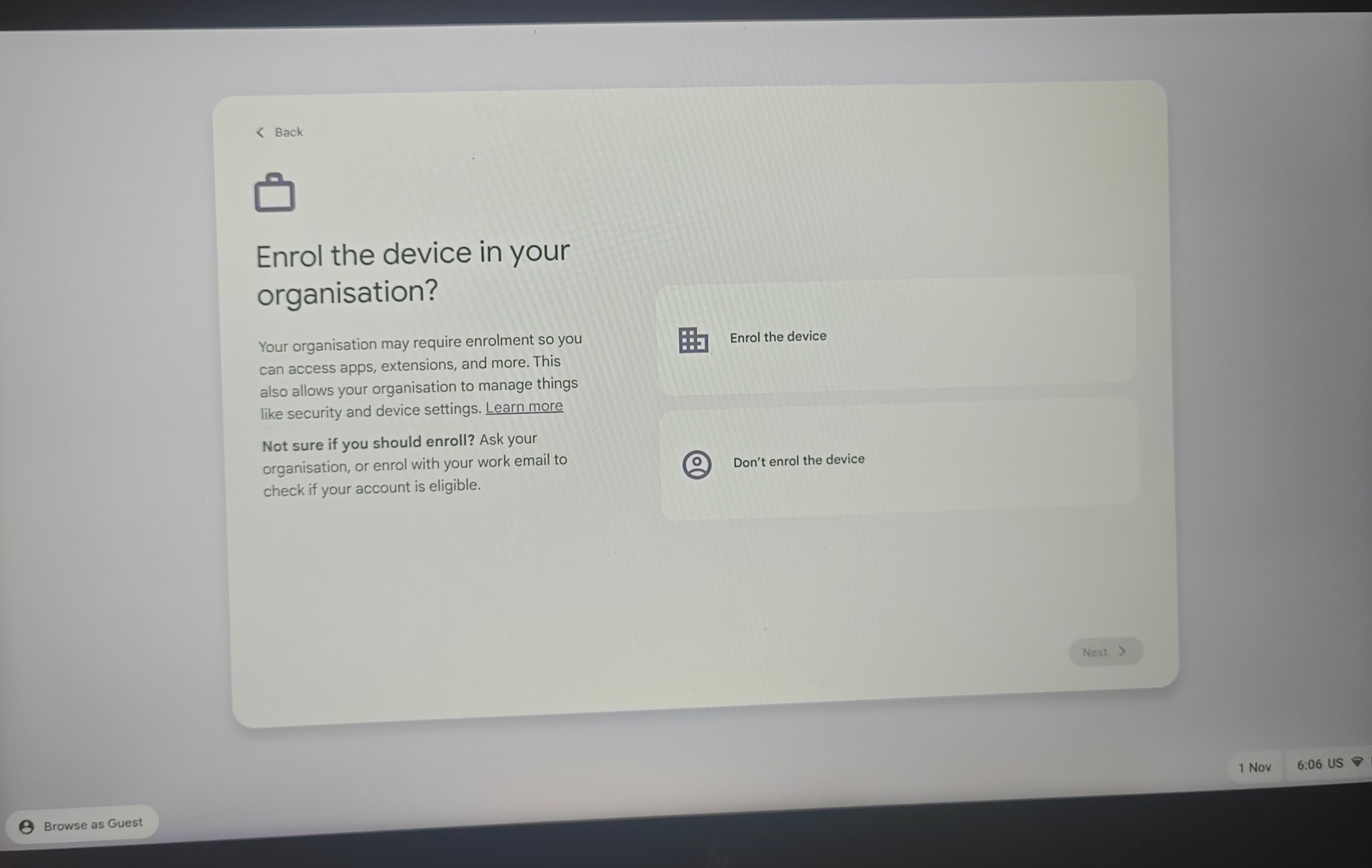
The user can use as a personal device or for work, when opting for the work option, the below is visible - pic # 3
if the user opts for to enrol the device, login screen # 1 is display forcing an Educational account. if the user opts for not to enrol the device, he can use his enterprise account credentials to log into his account and use the laptop as an enterprise account, but the laptop is not enrolled into his organization account, meaning that emails and other secured items are not allowed to be opened on the machine.
PS. There’s no way I can get their enterprise admin or super admin credentials.
This may just be a setting in the VPD. You can DM me for instructions to dump the VPD. Don’t want to post that in public since it contains device-specific data like serial numbers.