System Details
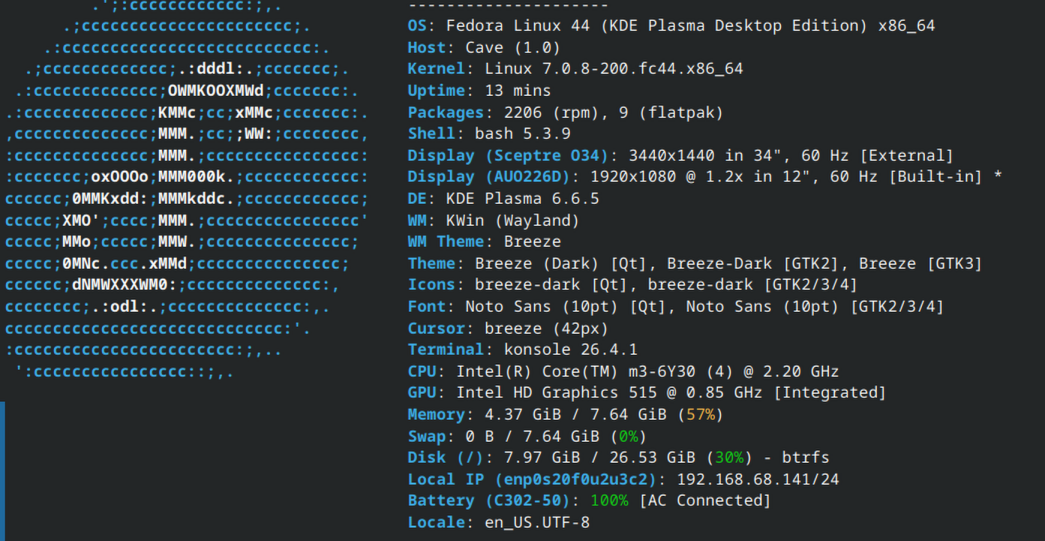
- Device: Cave
- OS: Fedora 44 KDE Desktop
- Firmware Type: UEFI Full ROM
- Firmware Version: 2603.2
- Internal storage type: eMMC
Summary of the Issue
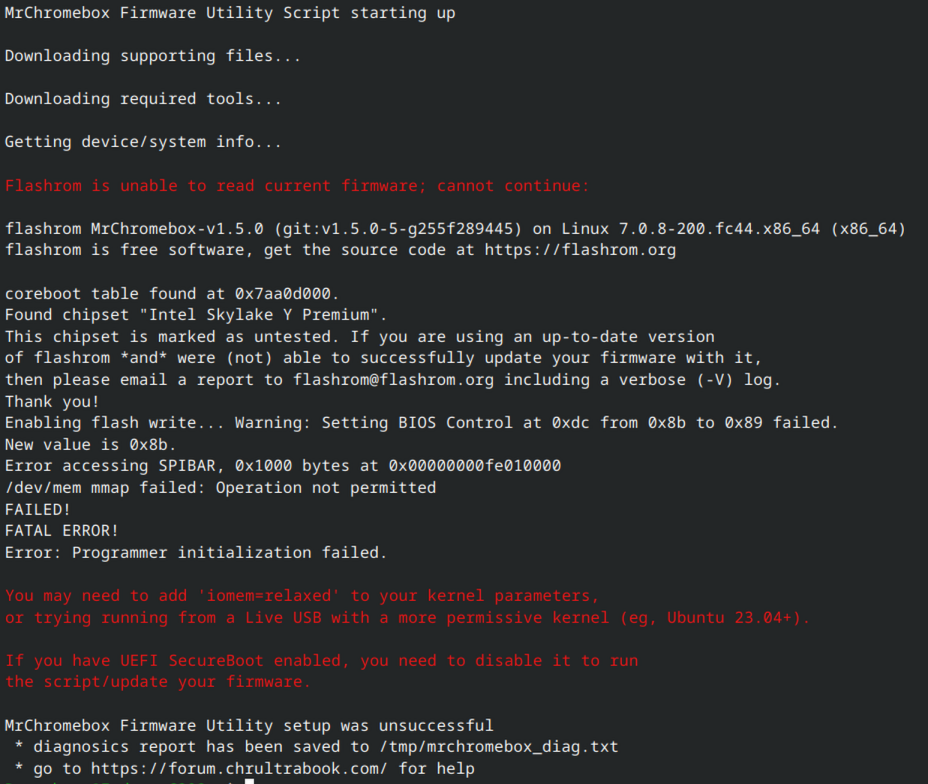
MrChromebox Firmware Utility Script starting up
Downloading supporting files…
Downloading required tools…
Getting device/system info…
Flashrom is unable to read current firmware; cannot continue:
Steps to Reproduce
-
cd; curl -LOf https://mrchromebox.tech/firmware-util.sh && sudo bash firmware-util.sh
Expected Behavior
FW update script should complete correctly.
Works OK if I use a Linux Mint 22.3 live CD
Fails under Fedora 44 KDE Workstation full install
The answer is probably in the text below, but I’m pretty new to Linux and does not make sense to me yet. – Secure Boot state is DISABLED
Flashrom is unable to read current firmware; cannot continue:
flashrom MrChromebox-v1.5.0 (git:v1.5.0-5-g255f289445) on Linux 7.0.8-200.fc44.x86_64 (x86_64)
flashrom is free software, get the source code at https://flashrom.orgcoreboot table found at 0x7aa0d000.
Found chipset “Intel Skylake Y Premium”.
This chipset is marked as untested. If you are using an up-to-date version
of flashrom *and* were (not) able to successfully update your firmware with it,
then please email a report to [email protected] including a verbose (-V) log.
Thank you!
Enabling flash write… Warning: Setting BIOS Control at 0xdc from 0x8b to 0x89 failed.
New value is 0x8b.
Error accessing SPIBAR, 0x1000 bytes at 0x00000000fe010000
/dev/mem mmap failed: Operation not permitted
FAILED!
FATAL ERROR!
Error: Programmer initialization failed.You may need to add ‘iomem=relaxed’ to your kernel parameters,
or trying running from a Live USB with a more permissive kernel (eg, Ubuntu 23.04+).If you have UEFI SecureBoot enabled, you need to disable it to run
the script/update your firmware.MrChromebox Firmware Utility setup was unsuccessful
* diagnosics report has been saved to /tmp/mrchromebox_diag.txt
* go to https://forum.chrultrabook.com/ for help