System Details
-
Device: Dell Chromebook 11 3120 (
Candy) -
OS: Windows 11
-
Firmware Type: UEFI Full ROM (MrChromebox)
-
Firmware Version: MrChromebox-2603.2
-
Internal storage type: 16GB eMMC
Summary of the Issue (Success Story!)
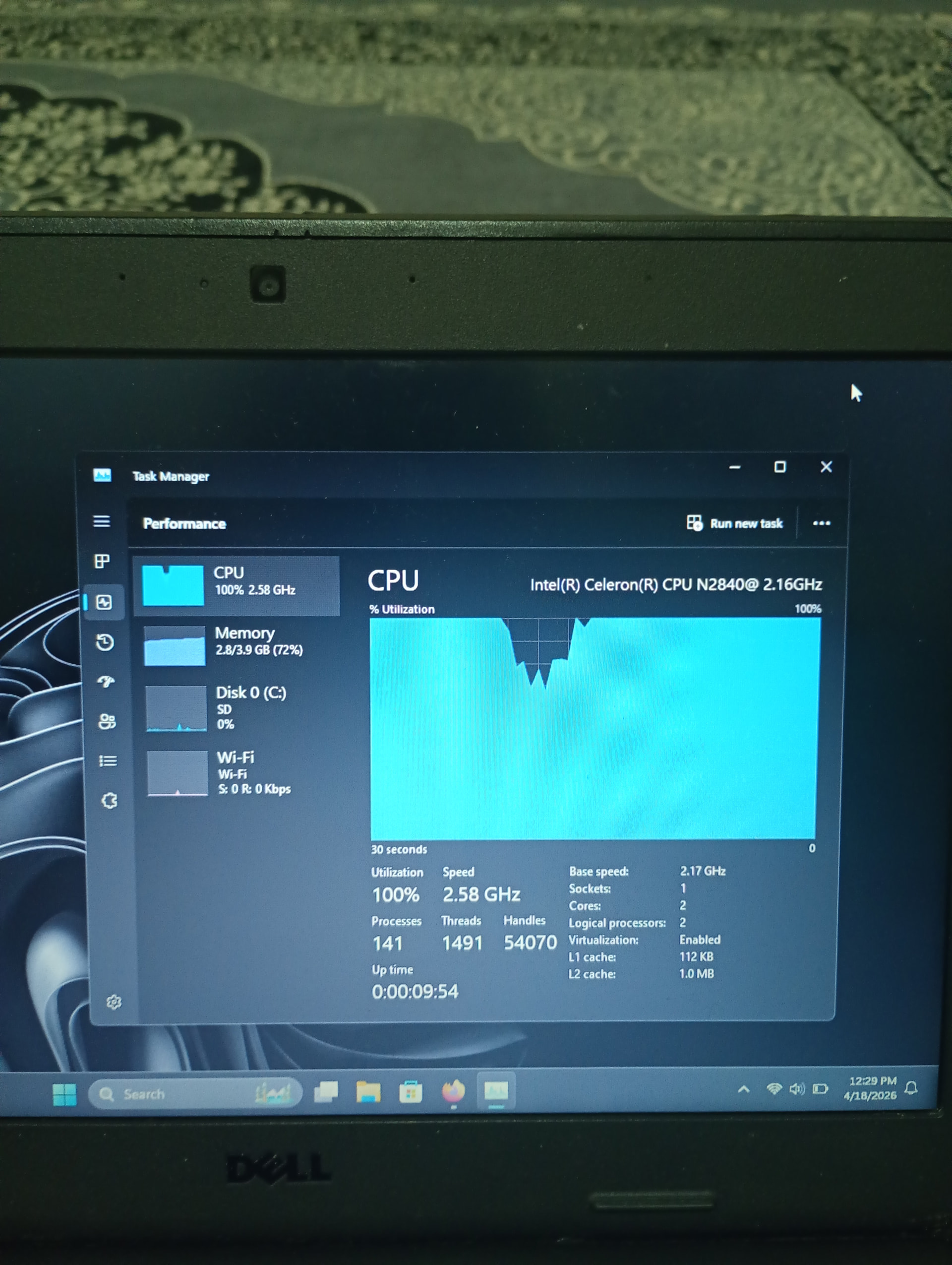
Hey everyone, I just wanted to share a crazy success story with the Candy board that completely breaks the rules of both the official hardware sheets and storage requirements!
I managed to get Windows 11 running 100% stable on this old Intel Bay Trail Chromebook. The best part? I installed it directly onto the tiny 16GB internal eMMC storage.
Even though the official Chrultrabook site says Windows 11 isn’t supported on this board and to stick to Win 10, all of CoolStar’s Windows 10 drivers for the touchpad and audio work perfectly on Windows 11. No glitches, no broken audio, just fully working hardware right out of the box on internal storage.
Steps to Reproduce
-
Cracked the case open and removed the physical hardware Write-Protect (WP) screw from the motherboard.
-
Jumped into Developer Mode and flashed MrChromebox’s full UEFI ROM firmware script.
-
Created a bootable Ventoy USB drive and turned on the
VTOY_WIN11_BYPASS_CHECKplugin configuration to skip Microsoft’s artificial CPU, TPM, and storage capacity checks during the setup phase. -
Selected the internal 16GB eMMC drive as the target partition and pushed through the installation.
-
Once booted onto the Windows 11 desktop, I executed the classic CoolStar Win10 Bay Trail driver packages.
Expected Behavior
According to the official docs, the installer should have blocked the setup for having less than 64GB of space, and the audio/touchpad drivers should have completely broken down under Windows 11. Instead, it runs cleanly as a fully operational, compact laptop built straight from e-waste, and here’s proof that i did it!
Respect
Hasty Baxtyar