Kalieig
September 20, 2025, 12:55pm
1
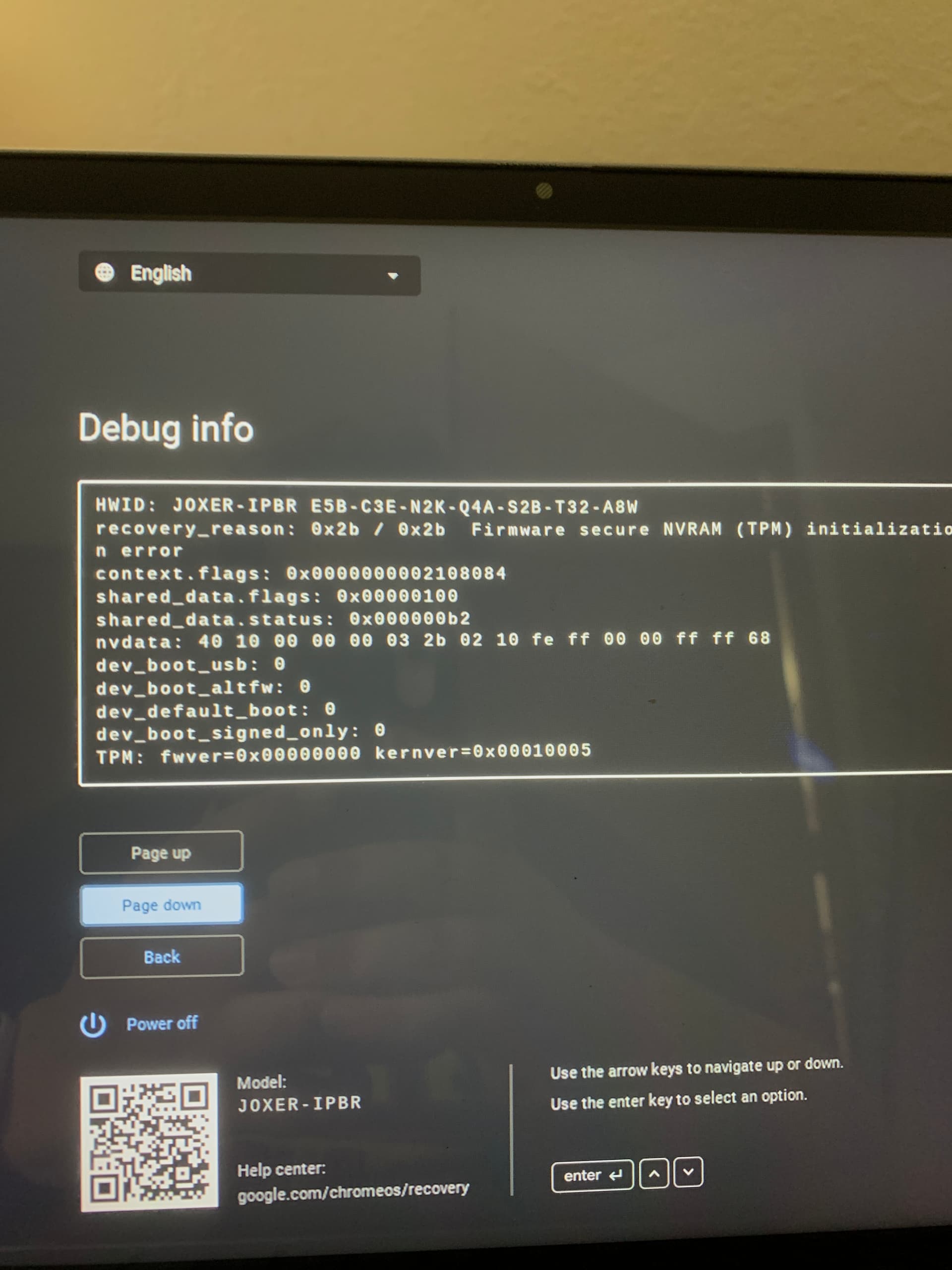
I installed linux on my chromebook (boardname: JOXER) and decided to revert back, I restored via the rom backup from the firmware util. script, then did the chromebook recovery utility and in the debug menu it says: 0x2b / 0x2b Firmware Secure NVRAM (TPM) initialization error.
please help
1 Like
Boot up to recovery mode, press tab, and send a picture of the debug info on the screen.
Unfortunately, the device is now bricked. You’ll need a SuzyQ to unbrick it. You can flash full rom firmware again, and then recover the tpm from linux to be able to use stock firmware.
Kalieig
September 20, 2025, 5:33pm
5
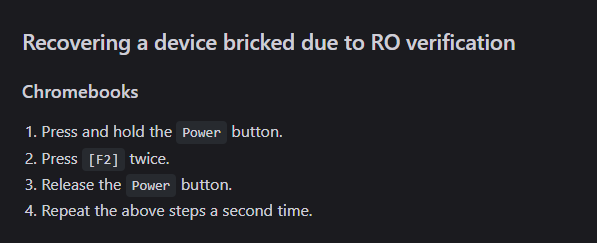
I got it by using the steps for bricked due to RO something
I don’t understand what you said
Mine is stuck at same recovery screen.
I don’t get what F2x2 means, which key have you pressed?
1 Like
Tayne
September 23, 2025, 2:08am
9
Press f2 (refresh) twice
Although, I’m not sure what they did. I’m guessing they did a hard reset until it worked. Resetting the CB up to 30 times sometimes fixes this issue
1 Like
Thank you!
For my Lenovo Yoga, the key in question is F3.
I’ve tried this approach, but unfortunately, it hasn’t worked for me.
It seems I may need to purchase a debug cable to reflash the complete UEFI rom.
Kalieig
September 23, 2025, 2:36am
11
count left to right from the esc key and press whatever key is F2
1 Like
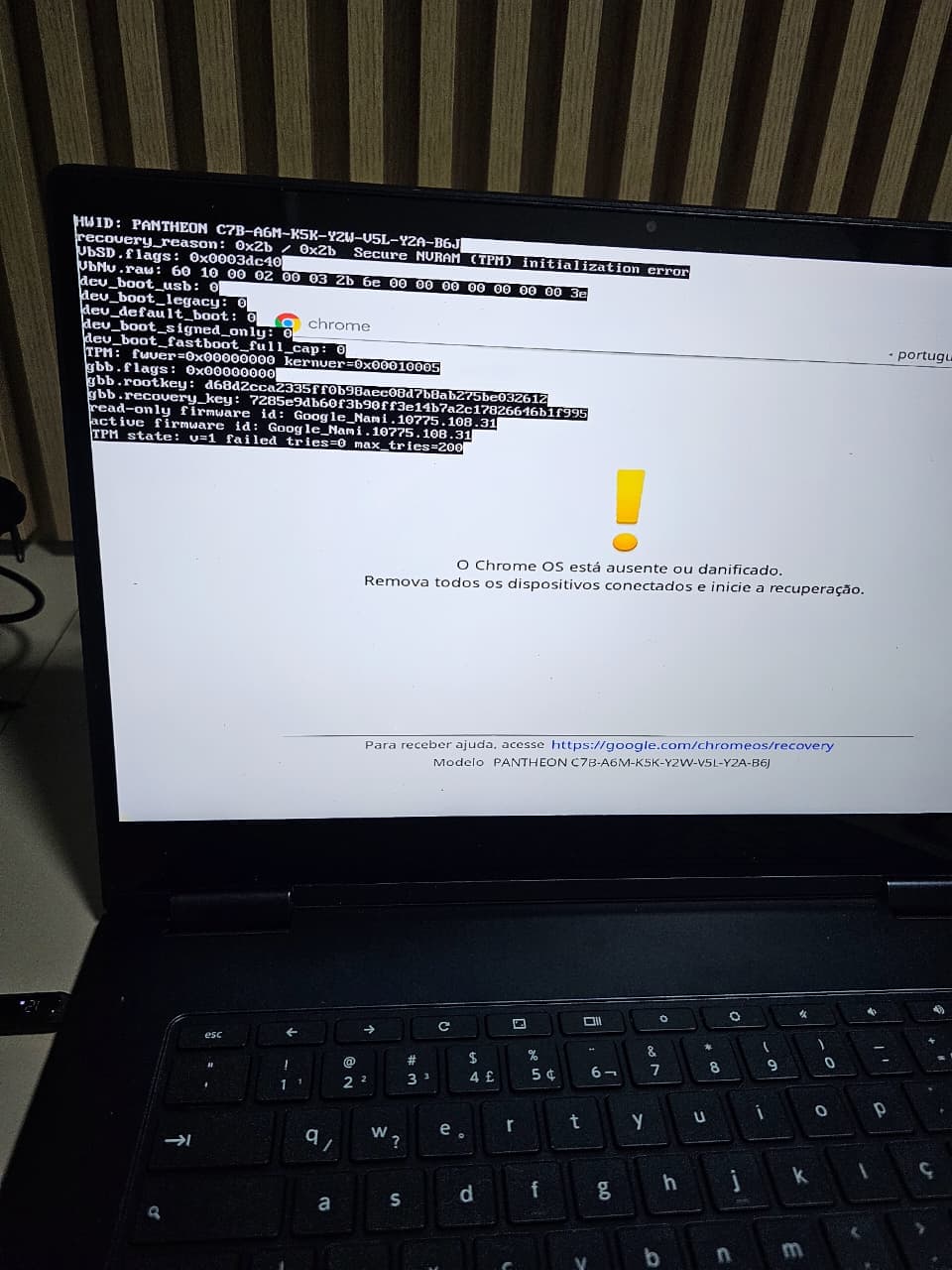
This is the screen I’m getting.
Tried doing the procedure a couple of times and had no luck.
1 Like
Tayne
September 23, 2025, 3:38am
13
Oh I completely misunderstood your issue/fix
yeah it looks like jardelsf has a different issue.
Hey,
Is it possible to update the firmware (UEFI Full ROM) just using a SuzyQable cable, as the system not boot to a full system?
I’ve searched for a SuzyQable, but they’re rare now, and shipping on eBay is too high.
1 Like
Yes, see the unbricking page on the MrChromebox docs.
Xanaxx
September 27, 2025, 10:35pm
17
I have the same problem here may i try with ch341a for flash it