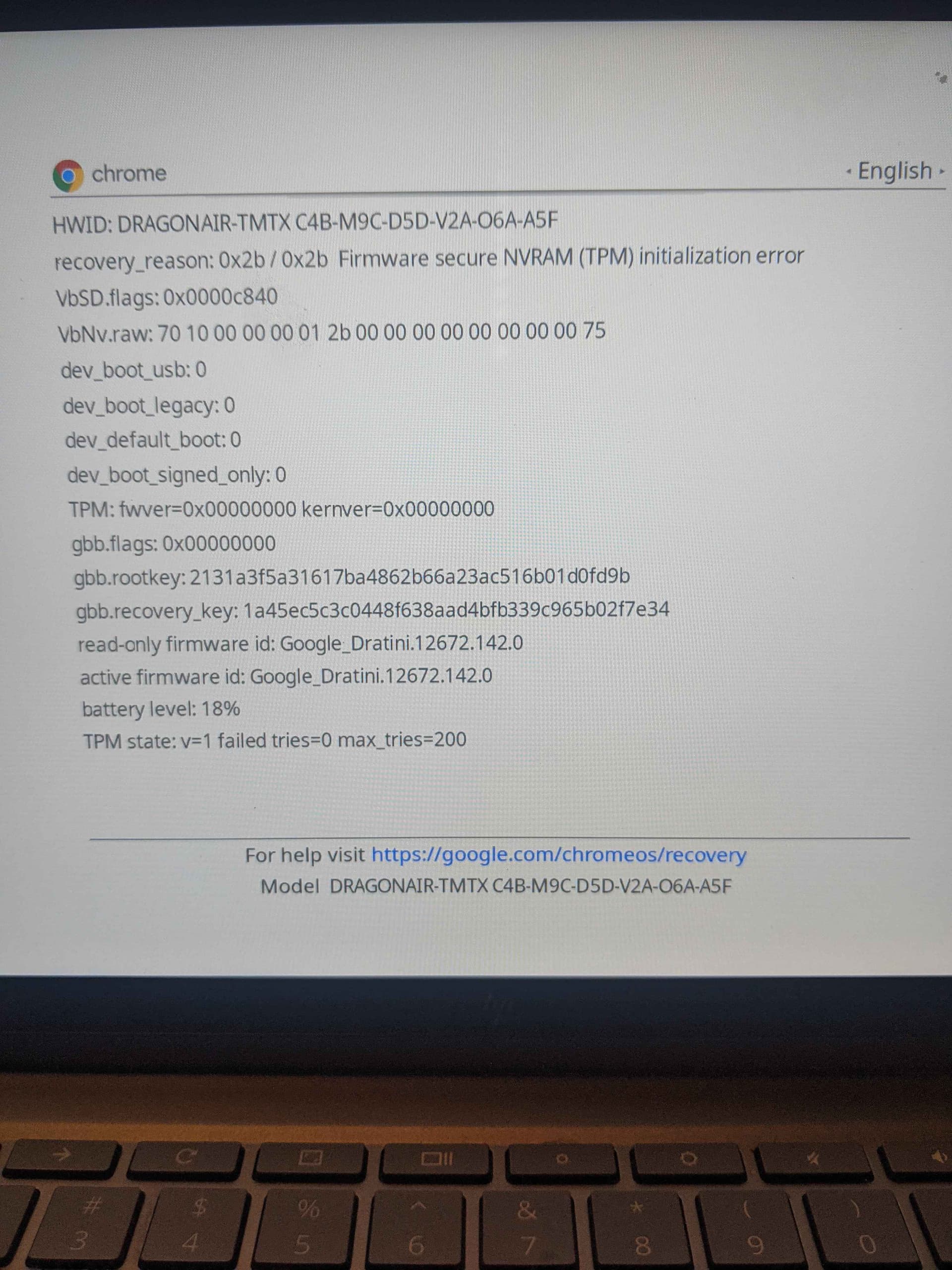
I’m BurntToast on discord and i’ve been having issues trying to get myChromebook back up and running..
I had mrchromebox on there no complaints been using Linux/windows everything off and on.. Started using my pixel again and wanted my Chromebook back to Chromeos.. Followed the guide to restore stock firmware.. Rebooted and now its at missing and damaged please remove all devices etc..
I’ve tried to create a recovery image to restore.. it restores perfectly but goes back to that screen. I’ve tried to power cycle 20-25 times that fails.. i’ve tried different USB drives an ports..
Thanks for the reply.. I wanted to go back to ChromeOS after having Linux on for about a year or so.. so I didn’t have the firmware backup from mrchromebox so I did the whole chromes firmware restore from the options in the Chromebox menu.. it rebooted to ChromeOS but now its saying missing or Damaged..
P.S i’ve tried different USB drivers and USB ports.. Tried recovery on Linux the bin it self holding the power button and power cycling about 20-25 times.. The recovery goes through it just boots back to missing and damaged..
Any ideas or fixes would be appreciated.. I have brunch on 3 laptops right now and its getting me by but I would like the original Chromebook to have ChromeOS.
I had put on ChromeOS flex then did brunch before I restored the firmware with the mrchromebox utility that’s all I can remember.. I’ve flashed many os’s on this Chromebook and all have worked perfect..
IT’s weird I’m getting the tpm nvram error. been trying to research it for the last couple of days
Yea I think he said there was no fix for this.. I asked if there was other ways other then a suzyq or a external device he said yes but he couldn’t mention it on the discord server.. Would be nice to have this Chromebook up and running
I got my suzyQ but having issues getting the full rom to download. Im at this part
If you were flashing the UEFI firmware when things went sideways, then that’s the easiest way to proceed. You can download the UEFI firmware for your device by examining the sources.sh file from the Firmware Utility Script GitHub repo. Simply concatenate the device-specific filename to the Full ROM base path:
Everything is up and running thanks to @WeirdTreeThing helping on discord..
Basically the rom i needed was dratini since there is no direct dragonair.. Followed the reset of @MrChromebox guide for unbricking and huston we got a live one.