System Details
- Device: HP Elite Dragonfly Chromebook (REDRIX)
- OS: KDE Neon 1329, but also POP!_OS 24.04 and Linux Mint Cinnamon 22.3
- Firmware Type: RW_LEGACY (Currently) and UEFI Full ROM
- Firmware Version: Google_Redrix.14505.914.0 (11/25/2025)
- Internal storage type: 256 GB Kingston NVMe
Summary of the Issue
I’ll admit first that I’m a Linux novice, so maybe a solution is super obvious and I don’t have the knowledge to see it. My google searches were fruitless.
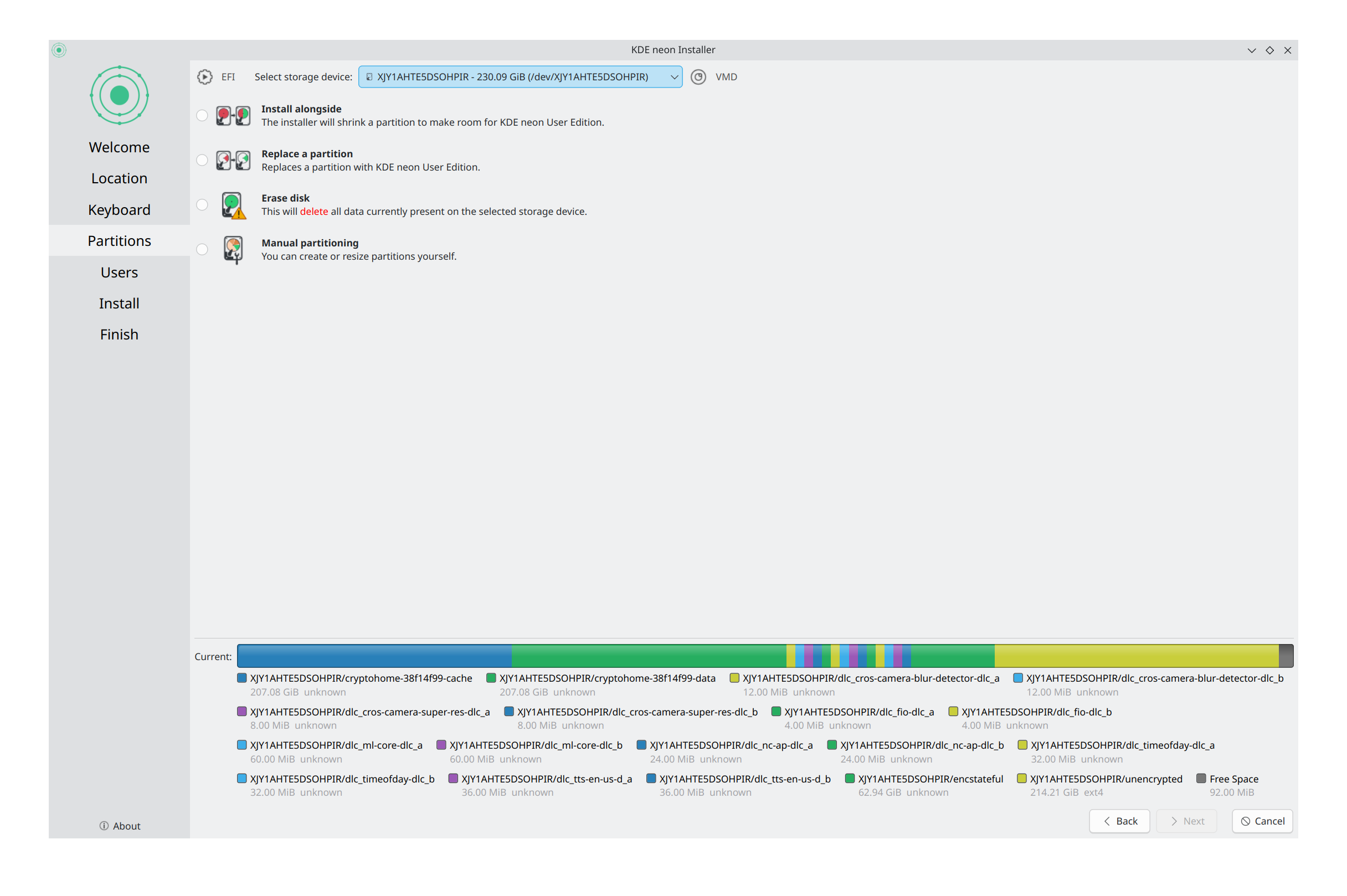
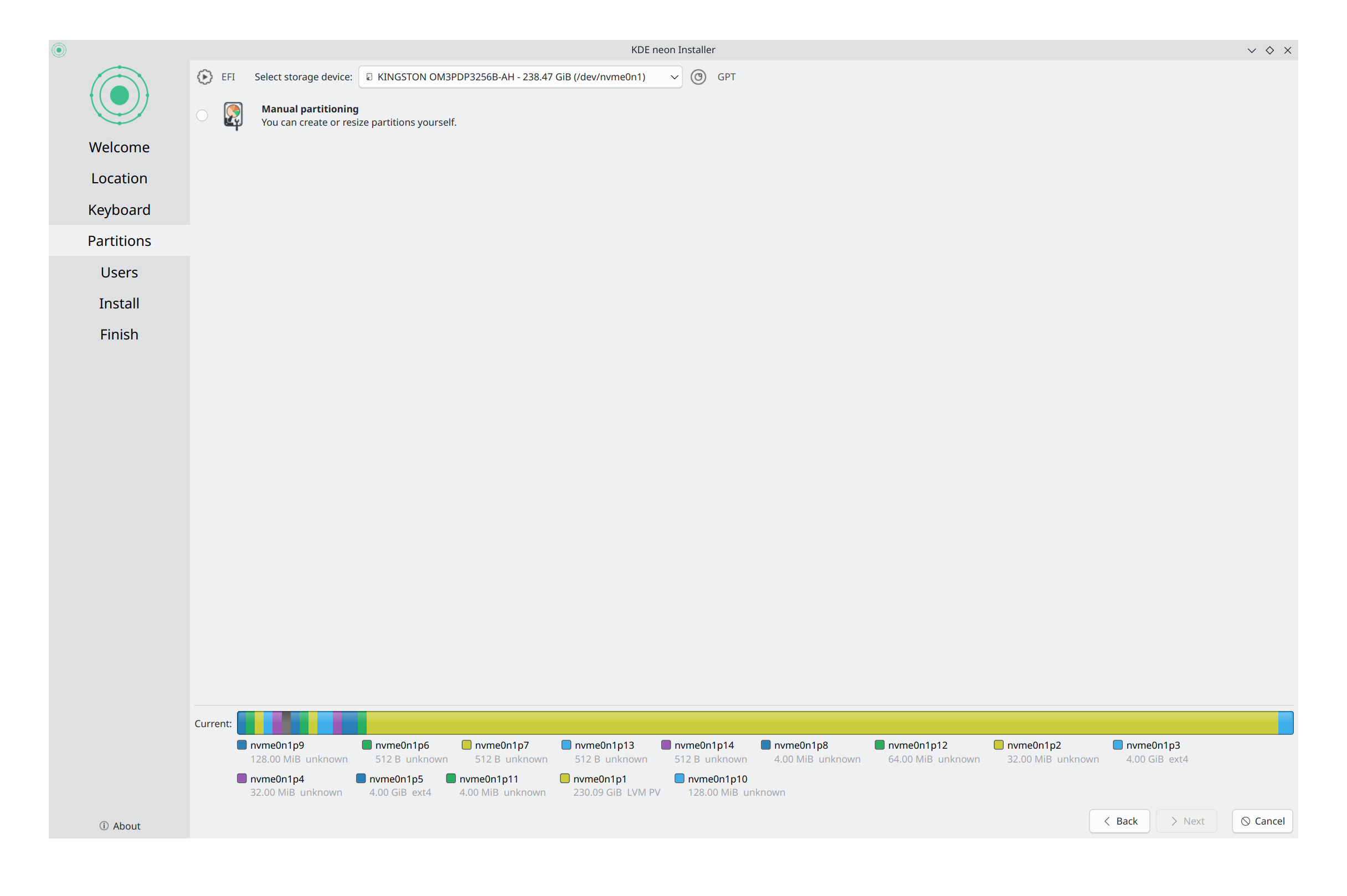
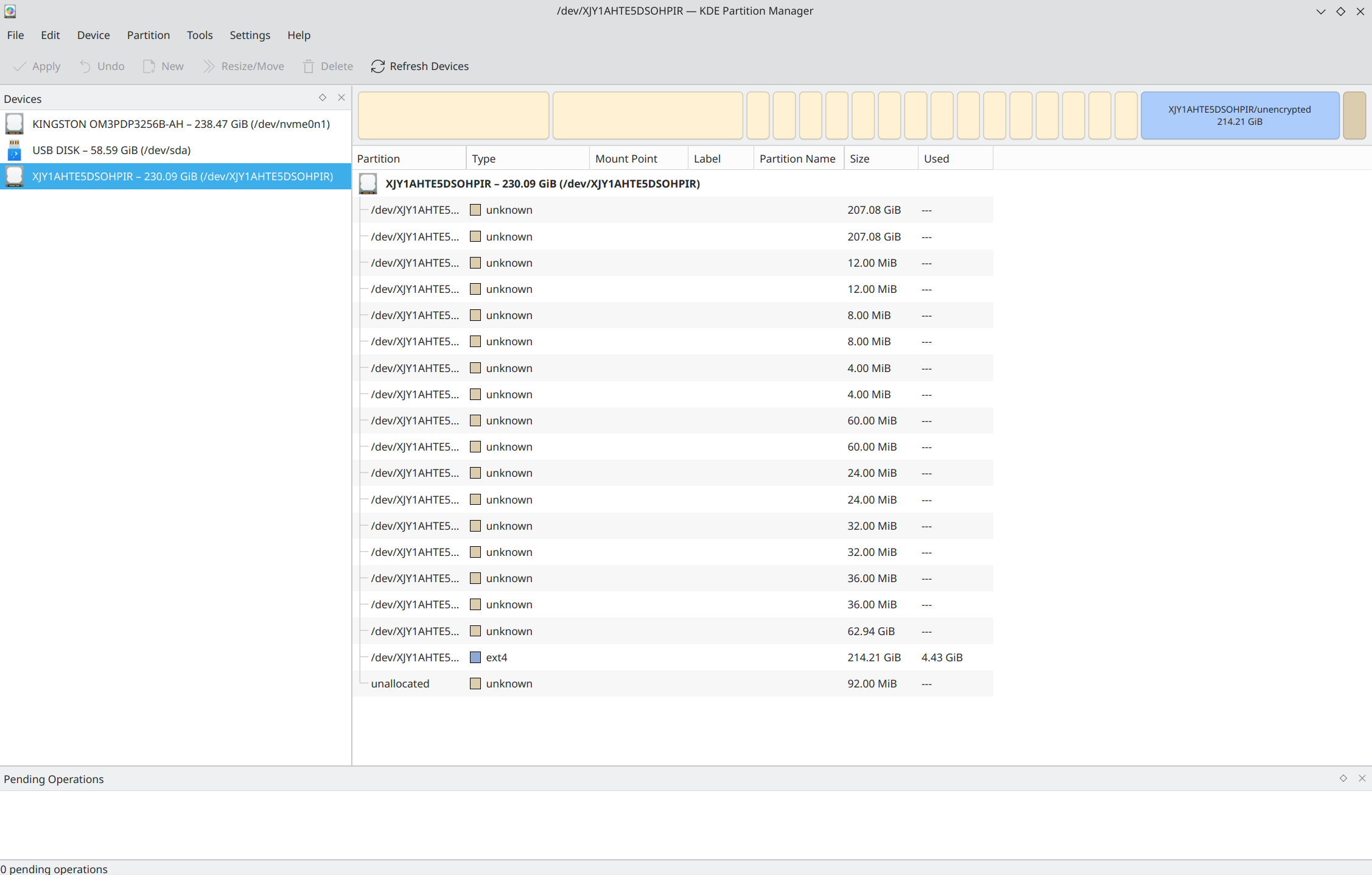
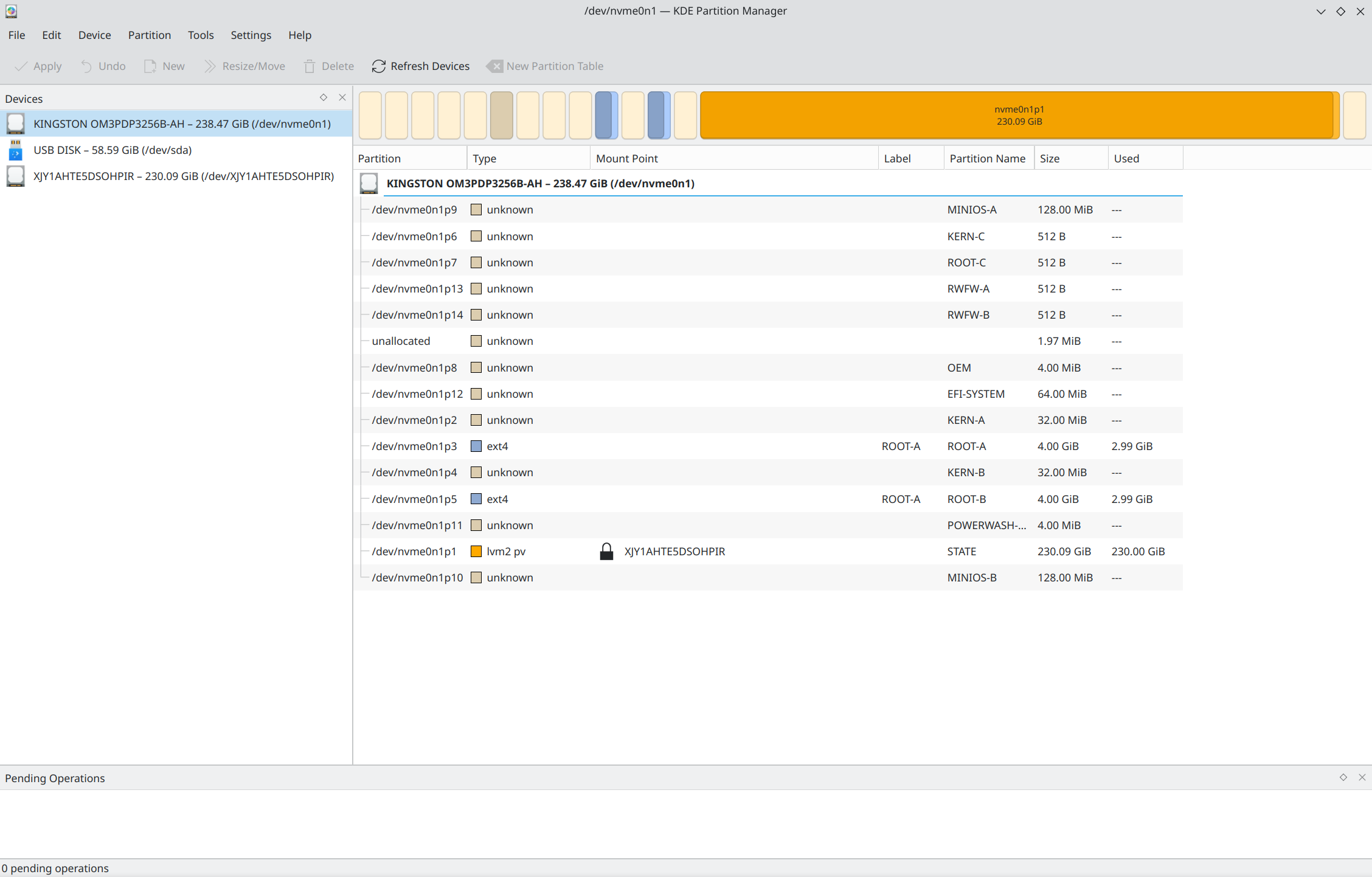
When trying to install an OS, whether a total install with the UEFI Full Rom replacement or through the RW_Legacy alternate bootloader (which is where I’m at right now), the OS install wizard and the disk partition software views my single 256 GB Kingston NVMe SSD as one drive with many partitions and one of those partitions as a separate drive.
The name of the singled-out partition changes every reboot and is a string of random characters. This partition is marked as VMD and is given multiple options for installing the OS, while the actual disk itself is marked as GPT and only has the option to erase and manually add partitions. Regardless of what drive or install option is picked, any attempt to install an OS fails. This persists across the three operating systems I tried.
Looking in ChromeOS doesn’t show anything weird. It functions normally and the only storage indication I have shows 62 GB in use (which almost entirely just the system) and 193 GB unused. The partitions shown in the Linux install wizards and disk partition managers do not match these numbers.
What’s weird is that I have successfully installed Linux (using the same OSes listed here) multiple times previously on this same laptop without encountering this issue. Because of a separate, unrelated issue had reverted back to stock and powerwashed and factory reset my Chromebook. I only recently picked it back up to work on it again.
I can’t definitively say this is an issue with the firmware because I just don’t know, but I don’t know where else to reach out to about this.
Screenshots below are from my last attempt in KDE Neon. The first two show what it looks like when trying to install KDE Neon and the second two are just viewing the drive and partition in KDE Partition manager. In both pairs the weird partition is first and the disk itself is second. The 64 GB USB drive in the Partition manager screenshots can be ignored, it’s just the flash drive I’m using to install the OS.