System Details
- Device: [ChromeOS board name]
- OS: [ChromeOS, Linux, Windows]
- Firmware Type: [Stock, RW_LEGACY, UEFI Full ROM]
- Firmware Version: [As reported by the script]
- Internal storage type: [SATA, NVMe, eMMC, UFS] (if applicable)
Summary of the Issue
[Briefly describe what is happening]
Steps to Reproduce
Expected Behavior
[What should have happened?]
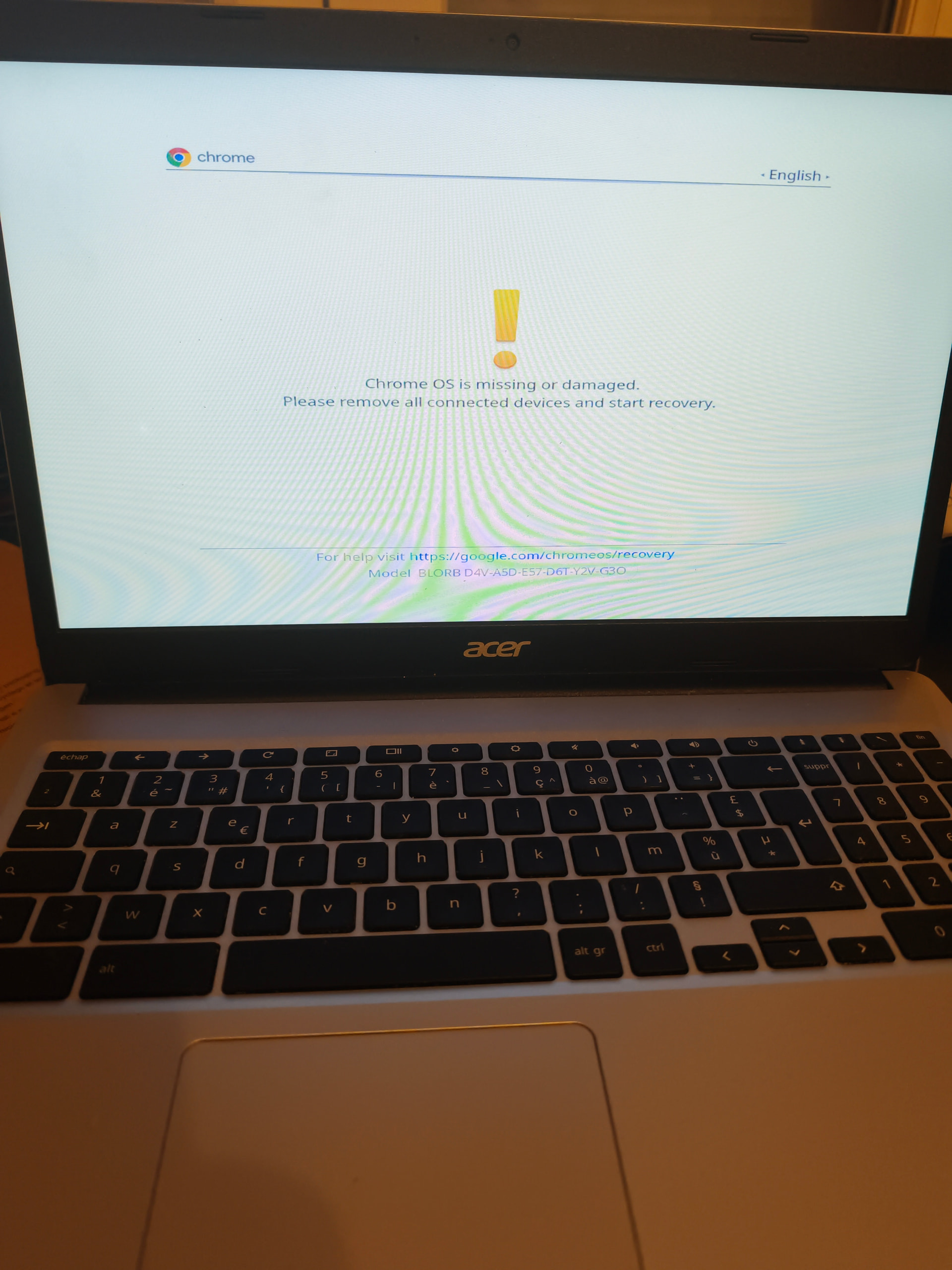
After turning off my Chromebook’s battery, I plugged it into the power adapter, then pressed Escape, Refresh, and Power, then Control Panel. After turning off my Chromebook’s battery, I plugged it into the power adapter, then pressed Escape, Refresh, Power, Control + D, and Enter. Instead of booting into developer mode… It’s giving me this message What did I do wrong?