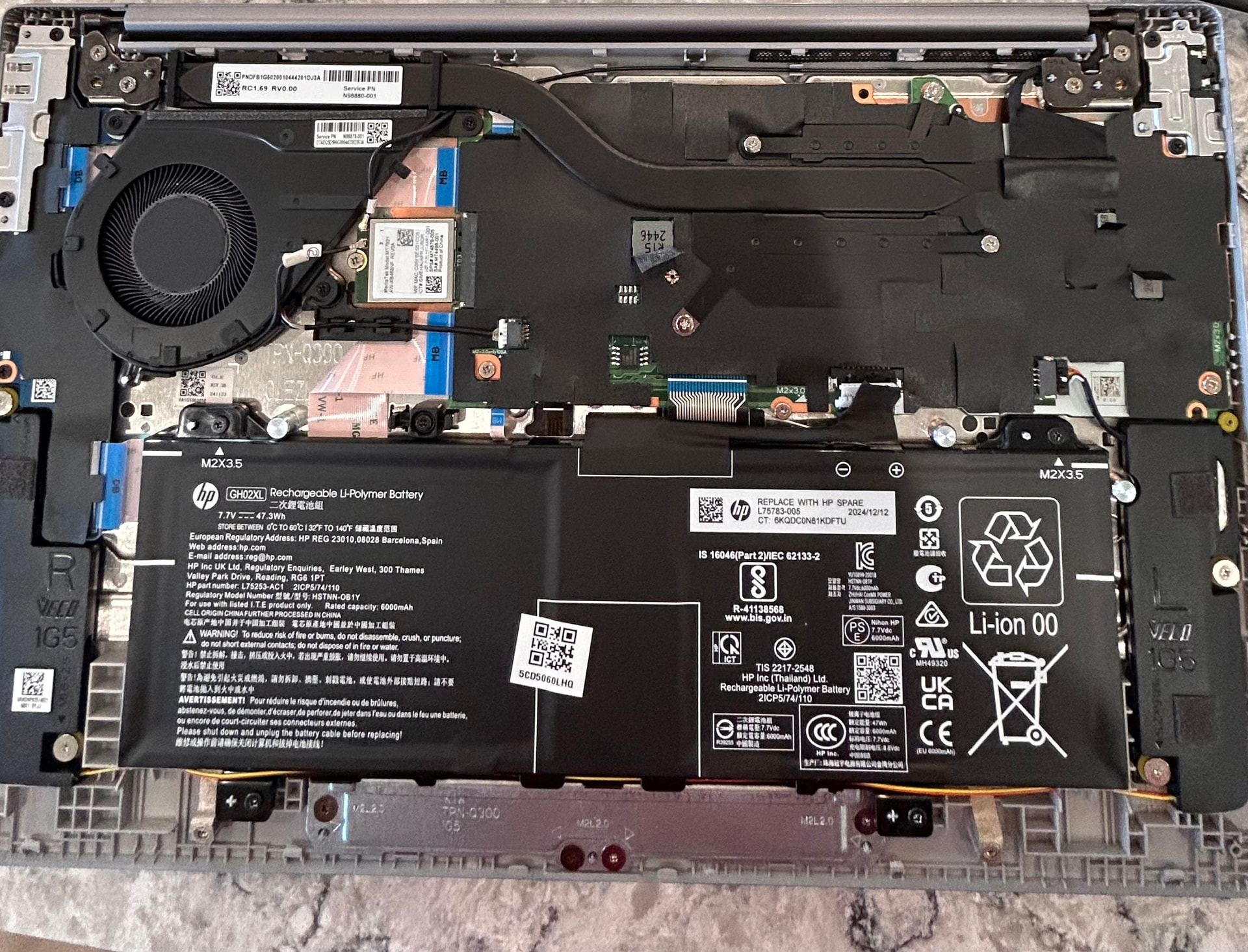
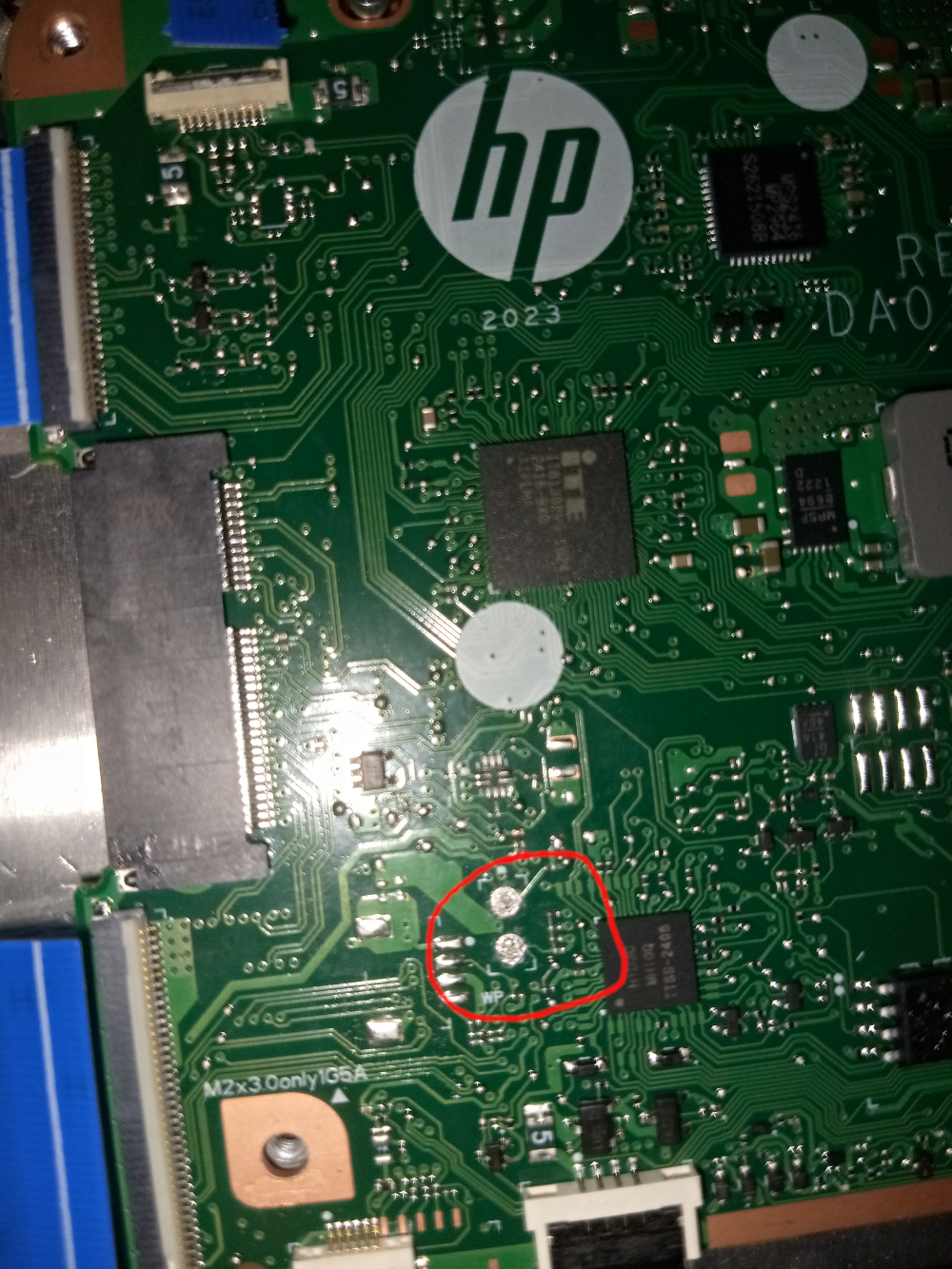
I have spent the past several hours attempting to turn off write protect on my new Chromebook. For this model (HP Chromebook 14a‑nf009nr (YAHIKO board) (intel i3 prcoessor)), from what I have been able to find, there is no WP screw. I’ve tried unplugging the internal battery connector and booting it up while connected to a power supply. Running:
cd; curl -LO ``https://mrchromebox.tech/firmware-util.sh`` && sudo bash firmware-util.sh
outputted:
Device: HP Chromebook 14a-nf0xxx
Board Name: YAHIKO
Platform: Intel AlderLake-N
Fw Type: Stock ChromeOS w/RW_LEGACY
Fw Ver: Google_Yaviks_Ufs.15217.970.0 (07/14/2025)
Fw WP: Enabled
------------------------------------------------------------
1) Install/Update RW_LEGACY Firmware
[WP] 2) Install/Update UEFI (Full ROM) Firmware
[WP] 3) Set Boot Options (GBB flags)
[WP] 4) Set Hardware ID (HWID)
5) Backup Current Firmware
-------------------------------------------------------------
Select a numeric menu option or
R to reboot P to poweroff Q to quit
Meaning WP was still enabled despite me unplugging the battery connector.
According to the image for my model on this website, there should be two small holes that I can connect with a paperclip or some other conductive cable to disable WP. I do not see them. My suspicion is that they may be under the black paper-like material covering the electronics (see the top-right area in the image). However, I don’t see how I can remove the covering without potentially breaking wires or other electronic pieces.
I don’t want to dual boot or just simply have developer mode/tools enabled, I’d like to have ChromeOS gone and replace it with Linux (specifically Linux Mint, Cinnamon).
Any help would be appreciated, feel free to ask questions.
Thanks.