Hello, I have a few old ASUS Chromebox CN60 laying around and wanted to use one to install Dietpi and Pihole. Mainly because I have the first gen raspberry pi and I figured this might run a little better than that.
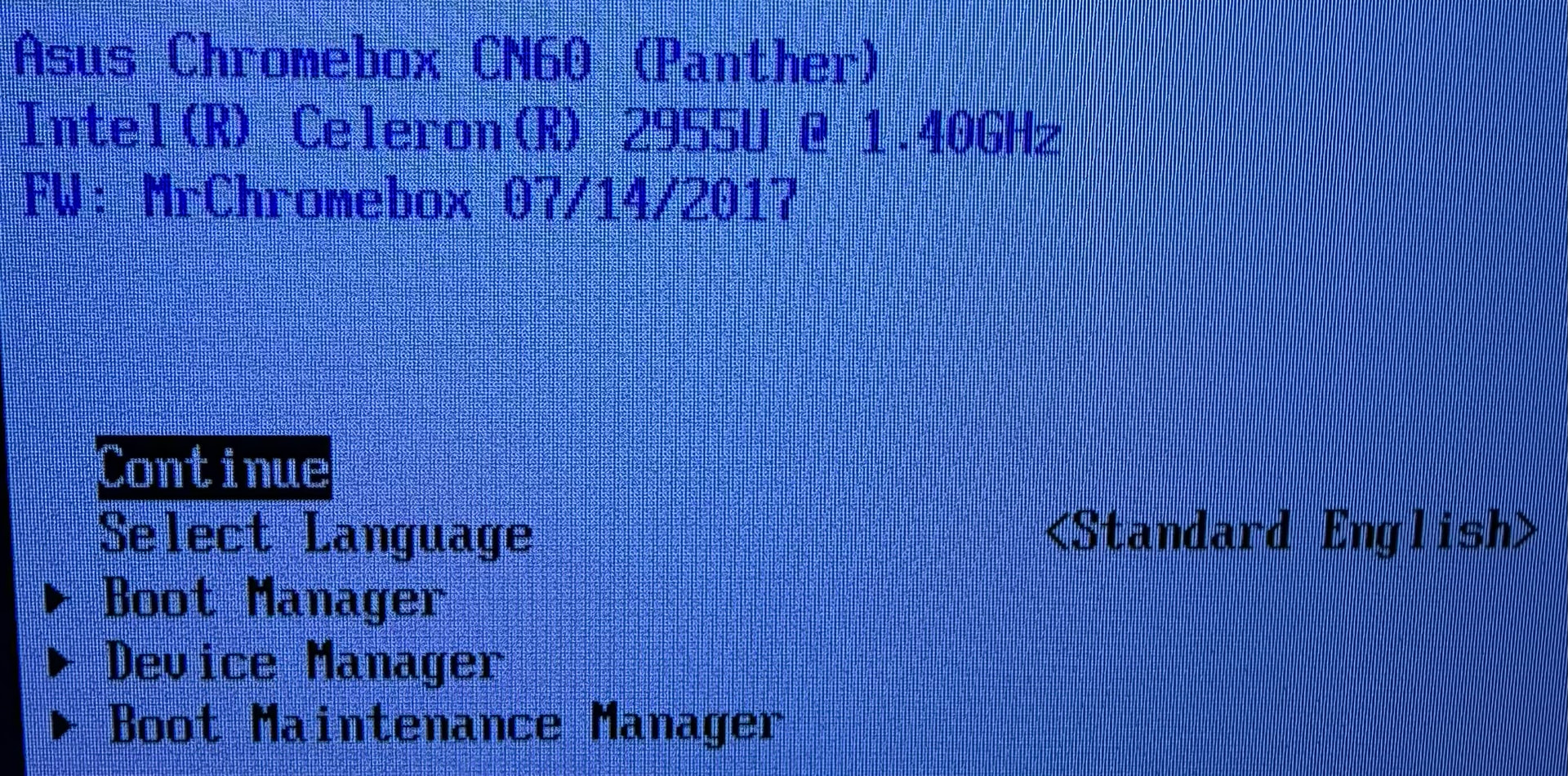
Prior to today I had windows 11 installed on this one Chromebox. In the bios it shows the following:
Asus Chromebox CN6O (Panther)
Intel() Celeron ()
2955U e 1.40GHz
FW: MrChromebox 07/14/2017
Today I created a usb drive using balenaEtcher with Dietpi on it. I tried for hours to get this to install on the internal 16gb ssd drive but I never was given the option. It just kept installing on the usb flash I made. I used gparted and deleted all partitions off the ssd and made it one partition and it still wouldn’t give me the option to install on it. No idea what I’m doing wrong and why this won’t work. Hoping someone can help as I have wasted a few hours and I know it shouldn’t take more than 30 minutes tops.
Yes the have the write protection screw removed not sure what else to try at this point.
Thanks
well firstly, I’d recommend updating the the latest firmware, as running a nearly decade-old version isn’t doing you any favors.
As for why the OS installer isn’t seeing the internal SATA drive, that’s anyone’s guess without a log and far more info. Does a regular Ubuntu 25.10 installer see/install to the drive? then it’s some issue with Dietpi, whatever that is.
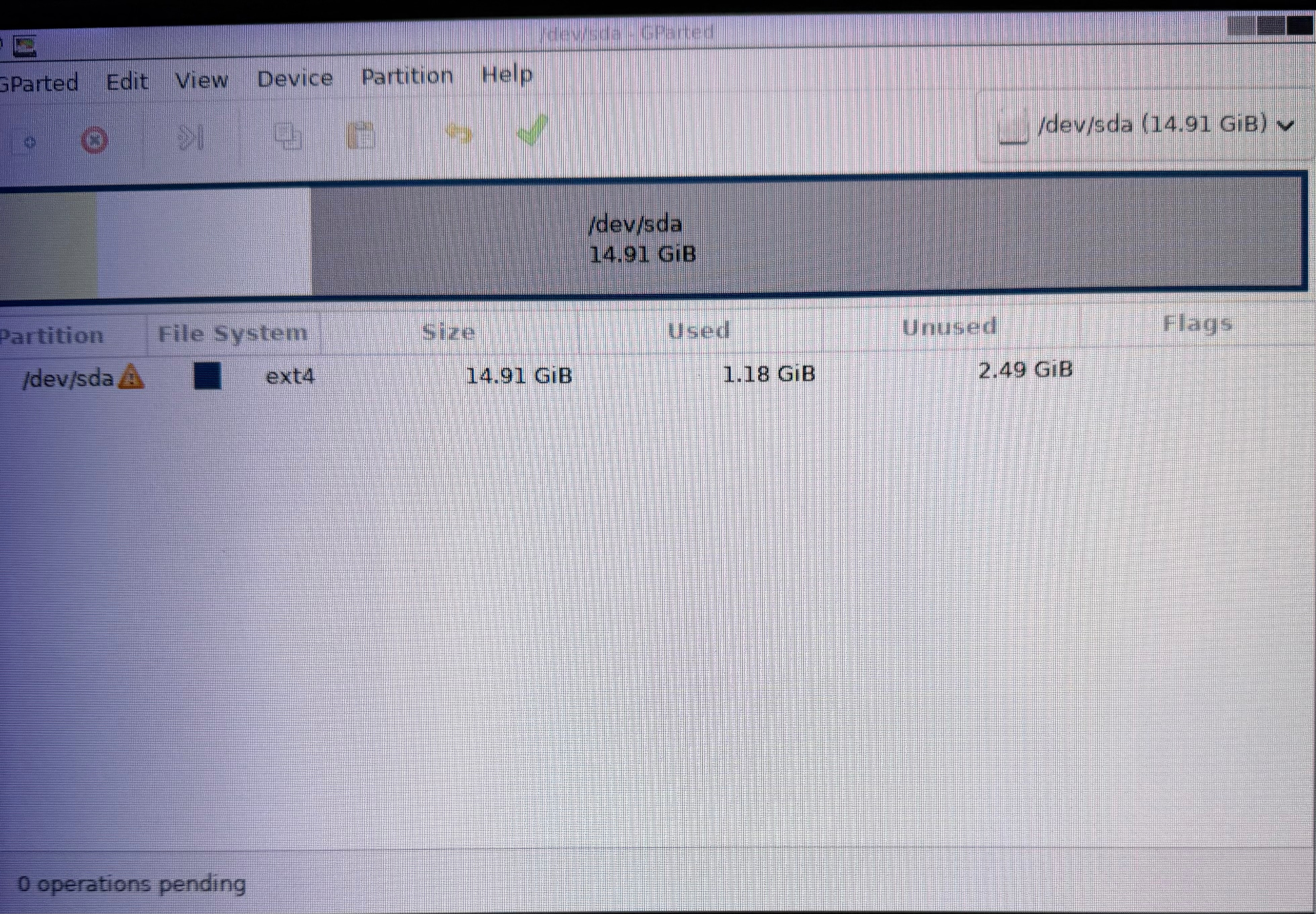
Hi friend, thanks for replying. installed gparted on a flash drive and booted into that on the Chromebox. it showed the hard drive there and had a few partitions as it was running windows 11 as I stated before. I then deleted all partitions and made it 1 16gb partition.
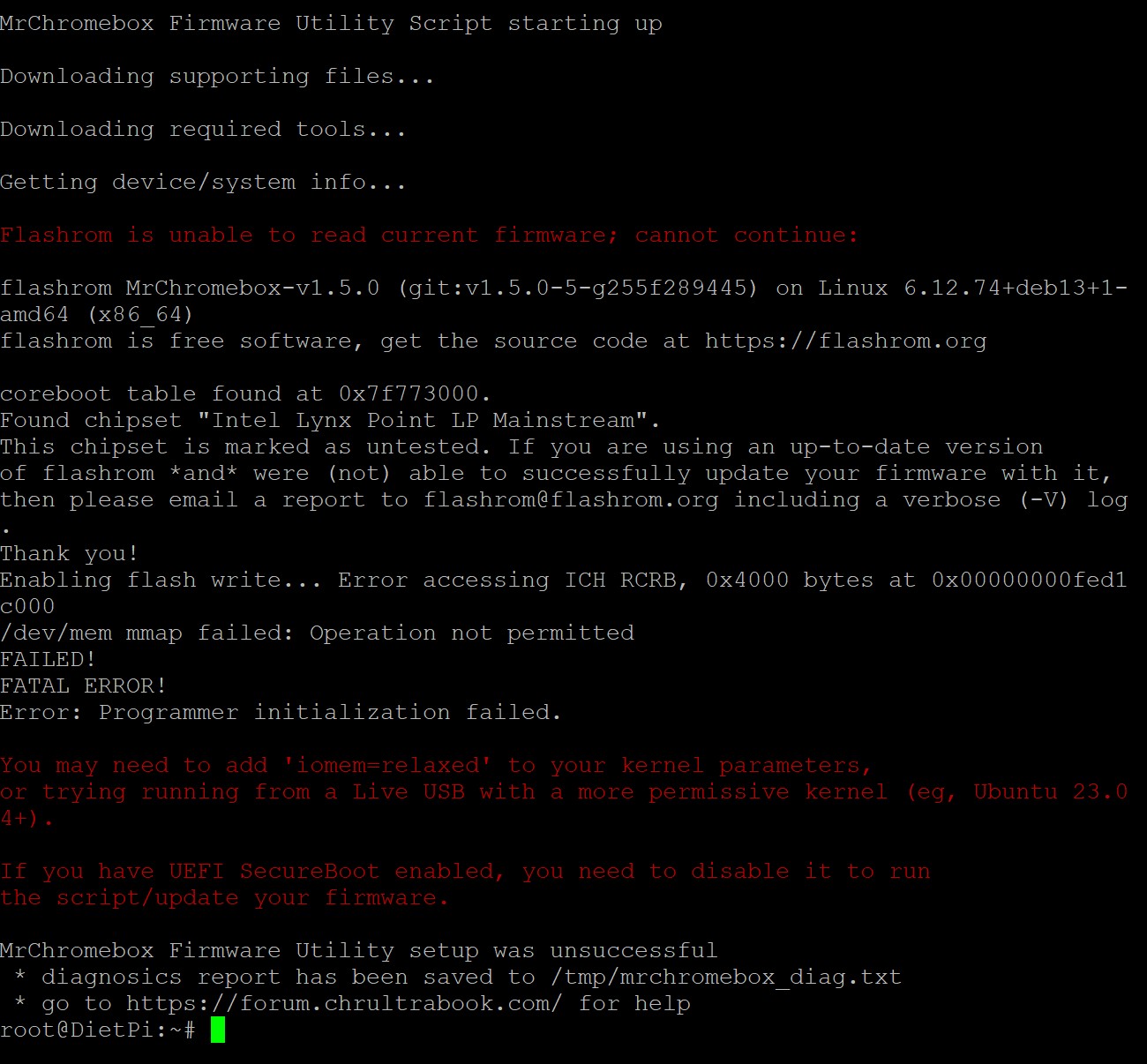
As far as updating the firmware I tried to, but I kept getting an error when I tried this via terminal in gparted live. “cd; curl -LOf https://mrchromebox.tech/firmware-util.sh && sudo bash firmware-util.sh”
this is the error when i tried to update the firmware:
there’s no need to create anything.
delete all partitions.
reboot (to ensure partition table updated)
install OS. It will create the partition layout it wants.
the error tells you the problem, the kernel has locked down things such that flashrom can’t read/write the firmware. Either add the kernel boot parameter it tells you to, or boot a more permissive kernel/distro (like Ubuntu, which it tells you to do). There’s no mystery here.
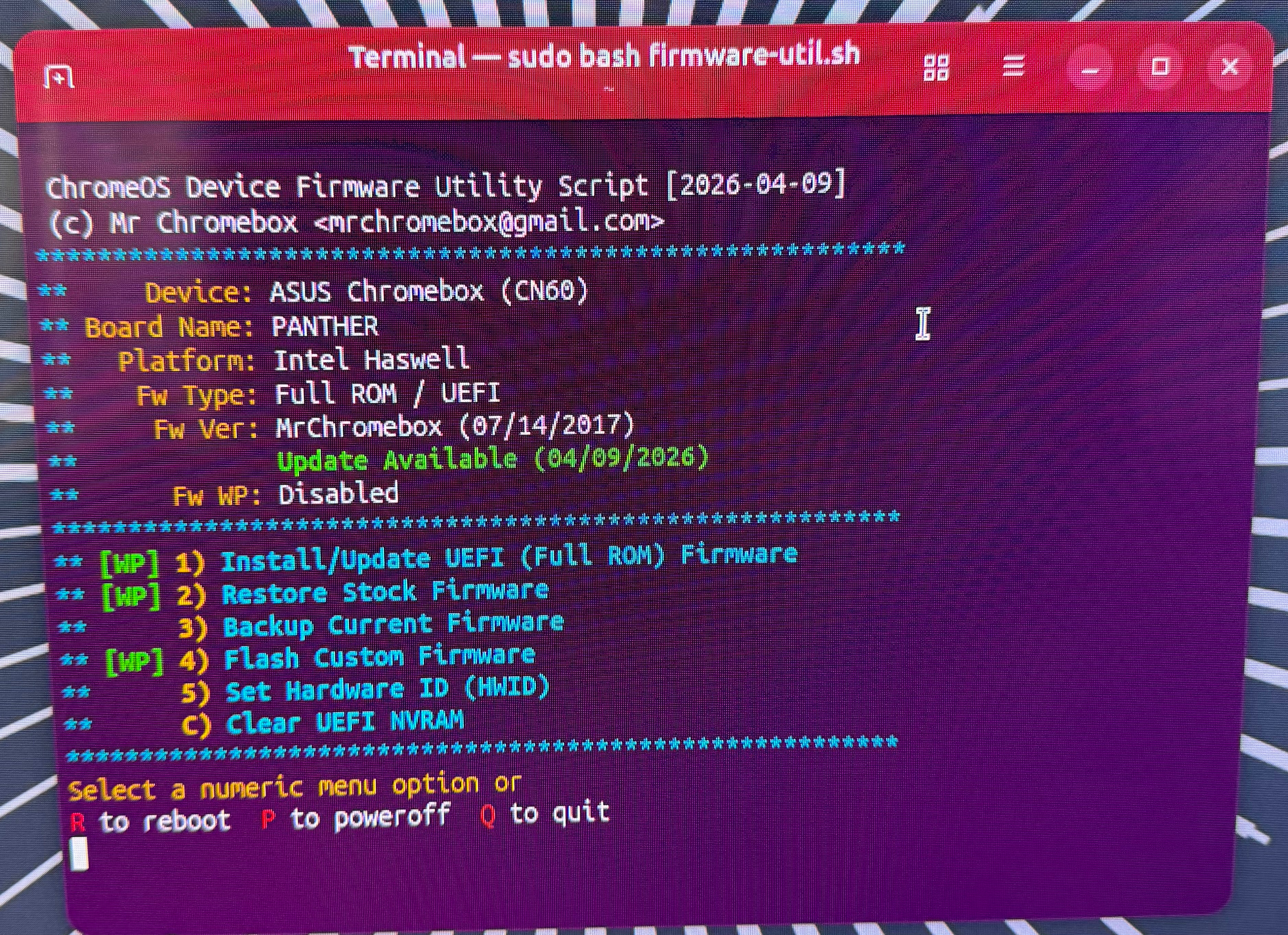
I just created a usb with the latest Ubuntu and it successfully installed on the internal data drive. So how how can I get this to install dietpi and pihole as well as update the firmware. Help would be appreciated. I just ran the firmware flash cmd from within Ubuntu since I haven’t done this since 2017 what option do I select please. Believe I am selecting number 1)
Thank you
just run the firmware utility script. you might need to install curl first using apt.
I have no idea / never heard of Dietpi. I might be able to test here on my CN60, but not right away
I have flashed the firmware and I am now current and the sata drive is showing up in the bios now. Hopefully I can install dietpi then pihole now.
thanks for helping me out sir, got everything up and running!
1 Like