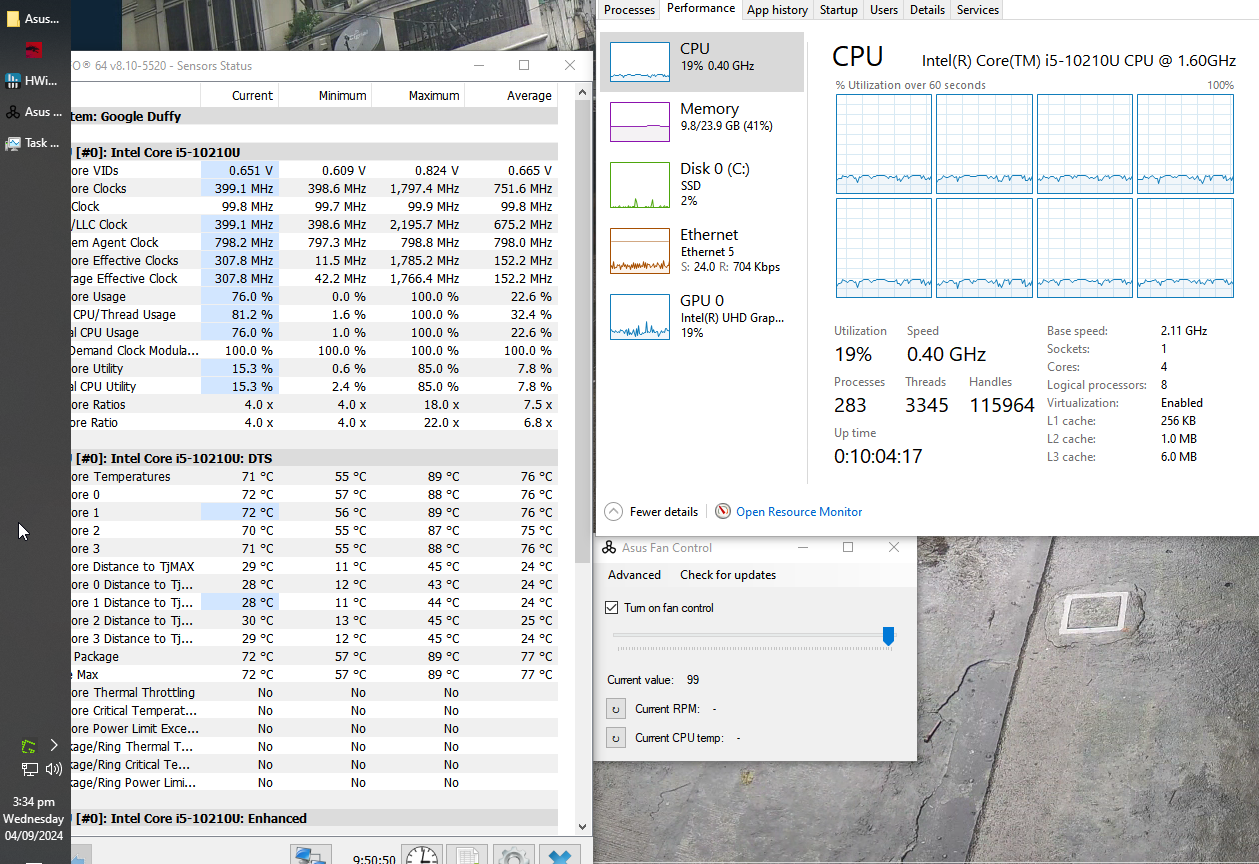
My mistake, looks like AsusFanControl was not effective and has no control over Asus Chromebox 4’s fan. I am still experiencing throttling to 0.4Ghz in Windows. Any suggestions to manually control the fan speed?
send me a DM if you’d like to test a build with automatic fan control enabled at boot, and perhaps that will resolve the issue
1 Like
Sent. Thanks
I saw the update regarding fan control fixes for 10-gen Chromeboxes. Thank you. For the meantime however I have reverted back to stock firmware and run RW_Legacy UEFI to observe fan behavior, among others.
So far fan speed has been operating at reasonable RPMs, and no longer see frequent Fan 0 Stalled messages on ectool console, which were present while I was running MrChromebox-2405 Full UEFI ROM.
Hi, wondering if fan control is added to the latest release? I just flashed my Duffy today with windows and cpu temp is everywhere.
I’m not sure what this is supposed to mean. The CPU temp is going to fluctuate with load.
I am not sure if this is a firmware bug or just a problem with Windows.
I am noticing that frequently on first boot my DUFFY on 2408 running Windows 10 is locked at 0.4 Ghz. My workaround has been to just restart the device and that seems to get the device back from being throttled. Haven’t had time to really troubleshoot, anyone experiencing similar issue? Thanks
Just following up to hopefully share the resolution for anyone else:
So the throttling I was experiencing was because Windows power/battery/power profile was set to High Performance, and the cooler in DUFFY couldn’t handle that profile. Setting the Windows power/battery/power profile to Balanced resolved the throttling issue, and DUFFYs fan still turns on when needed. Thanks again
It’s December 2025 and I’ve just flashed 2509.4 onto an Asus Chromebox 4 (DUFFY).
Everything seems to work fine except for this issue with automatic fan control - the fan does not seem to change speed at all. When I boot up, the fan is off and remains off. If I run anything intensive the temperatures creep up but the fan still does not react - eventually the machine cuts out due to high temperatures. I restart the machine and the fan is now running at full speed, now everything works but the noise level is very high and remains that way until I reboot again.
Is there an older firmware version where this worked?
absolutely nothing has changed on the firmware side, other than the addition of the automatic fan control option, which sends a command to the EC at boot if enabled. Otherwise it behaves exactly the same as before
you can try using the chrultrabook-tools app to manually set it, or ectool if you don’t need a front end
Hi, I am one of the main developers of Chrultrabook Tools.
Auto fan controls simply executes ectool autofanctrl. The fan stalling is an issue on mostly every chromebook with a fan as there is not enough voltage to overcome the fan’s internal resistance, but it should be start spinning at around 10% power and is not due to the EC or the app. This is the preset that is found in your EC, the application does not change the fan speed percentage while auto fan controls are active.
This includes version 2.8.1 and all newer versions.
The app only change fan speeds when the user selects fan off, fans max, or applies custom fan curves. The app has a built in protection when the mode fan off is selected and the cpu temp is above 80 C setting all fans to max.
Another thing, it seems that windows can and will fight with the EC for fan controls, the best solution for that is to warm up your chromebook and reboot so when you see the coreboot splash screen the fans are already spinning and windows can’t override the EC.
If you do have an issue with this please do not hesitate to create an issue on the repository
I am using Acer CXi4.
Although Ectool can control the fan, currently EC only reads the motherboard thermistor, which has a significant deviation and time delay from the CPU temperature.
In recent days, various attempts have been made, including modifying the temperature control scheme of EC and exposing the fan of EC.
Still unable to implement dptf control over Windows fans.
Does anyone have any good ideas?
Is it EC reading CPU temperature control fan? Or continue to find a way to connect to DPTF?
I tried my best but couldn’t get DPTF to control the fan under Windows.